> ## Documentation Index
> Fetch the complete documentation index at: https://docs.cogniagent.ai/llms.txt
> Use this file to discover all available pages before exploring further.
# Flow settings
> Flow-wide settings — name, description, execution mode, global context, knowledge, integrations, channels.
The **Flow settings** panel lives behind the gear icon in the bottom-right toolbar. Settings here apply across the whole flow.
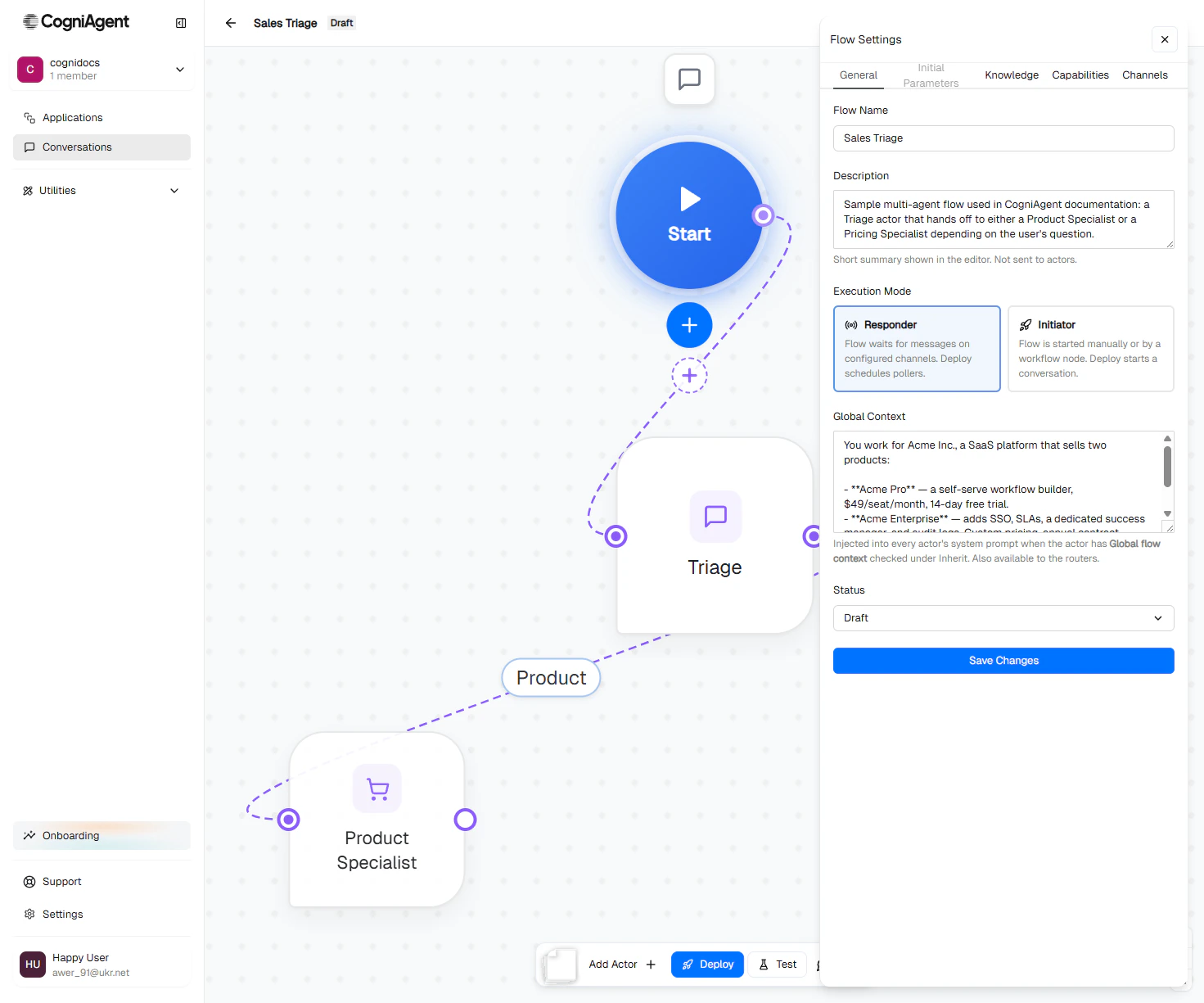 Five tabs:
Name, description, execution mode, global context, status.
Typed inputs collected when an [Initiator-mode](/conversation-flows/concepts/execution-modes) conversation starts.
Knowledge bases every actor inherits.
Integrations and custom tools every actor inherits.
The channels the Start node listens on (Responder) or sends through (Initiator).
## General
### Flow Name
Short, descriptive. Shows in the flow list and at the top of the editor.
### Description
A 1–2 sentence summary. Only visible in the editor; not sent to actors.
### Execution Mode
**Responder** or **Initiator**. See [Execution modes](/conversation-flows/concepts/execution-modes) for the full guide. The toolbar's main action button changes based on this setting:
* Responder → **Deploy / Undeploy**
* Initiator → **Start Conversation**
### Global Context
The shared knowledge every actor inherits when **Inherit Context → Global flow context** is checked on them.
```
You work for Acme Inc., a SaaS platform that sells two products:
- Acme Pro — $49/seat/month, 14-day free trial.
- Acme Enterprise — SSO, SLAs, dedicated success manager. Custom pricing.
Always be friendly, concise, and professional.
```
Edit it any time. Changes take effect on the next actor turn — no redeploy needed.
[Read more: Context and inheritance →](/conversation-flows/concepts/context-and-inheritance)
### Status
`draft`, `active`, or `archived`. Usually you flip this with the **Deploy / Undeploy** toolbar buttons rather than editing it here.
| Status | Meaning |
| ------------ | ----------------------------------------------------------------------- |
| **draft** | Editable. Channels not listening. |
| **active** | Deployed. Channels listening (Responder) or ready to start (Initiator). |
| **archived** | Hidden from the main list. Soft-delete. |
## Initial Parameters (Initiator mode)
Define typed inputs that the operator (or workflow) provides when starting a conversation. Example:
| Name | Type | Required |
| ----------------------- | ------ | -------- |
| `customer_id` | string | yes |
| `disputed_amount` | number | yes |
| `account_manager_email` | string | no |
These appear as form fields in the **Start Conversation** modal, and become available to actors as `@param.` mentions in their prompts.
Useful for outbound flows: an account manager kicks off a billing-dispute call and pre-fills the customer and amount, so the first actor's opener can reference them.
## Knowledge
A list of knowledge bases every actor in the flow inherits.
Five tabs:
Name, description, execution mode, global context, status.
Typed inputs collected when an [Initiator-mode](/conversation-flows/concepts/execution-modes) conversation starts.
Knowledge bases every actor inherits.
Integrations and custom tools every actor inherits.
The channels the Start node listens on (Responder) or sends through (Initiator).
## General
### Flow Name
Short, descriptive. Shows in the flow list and at the top of the editor.
### Description
A 1–2 sentence summary. Only visible in the editor; not sent to actors.
### Execution Mode
**Responder** or **Initiator**. See [Execution modes](/conversation-flows/concepts/execution-modes) for the full guide. The toolbar's main action button changes based on this setting:
* Responder → **Deploy / Undeploy**
* Initiator → **Start Conversation**
### Global Context
The shared knowledge every actor inherits when **Inherit Context → Global flow context** is checked on them.
```
You work for Acme Inc., a SaaS platform that sells two products:
- Acme Pro — $49/seat/month, 14-day free trial.
- Acme Enterprise — SSO, SLAs, dedicated success manager. Custom pricing.
Always be friendly, concise, and professional.
```
Edit it any time. Changes take effect on the next actor turn — no redeploy needed.
[Read more: Context and inheritance →](/conversation-flows/concepts/context-and-inheritance)
### Status
`draft`, `active`, or `archived`. Usually you flip this with the **Deploy / Undeploy** toolbar buttons rather than editing it here.
| Status | Meaning |
| ------------ | ----------------------------------------------------------------------- |
| **draft** | Editable. Channels not listening. |
| **active** | Deployed. Channels listening (Responder) or ready to start (Initiator). |
| **archived** | Hidden from the main list. Soft-delete. |
## Initial Parameters (Initiator mode)
Define typed inputs that the operator (or workflow) provides when starting a conversation. Example:
| Name | Type | Required |
| ----------------------- | ------ | -------- |
| `customer_id` | string | yes |
| `disputed_amount` | number | yes |
| `account_manager_email` | string | no |
These appear as form fields in the **Start Conversation** modal, and become available to actors as `@param.` mentions in their prompts.
Useful for outbound flows: an account manager kicks off a billing-dispute call and pre-fills the customer and amount, so the first actor's opener can reference them.
## Knowledge
A list of knowledge bases every actor in the flow inherits.
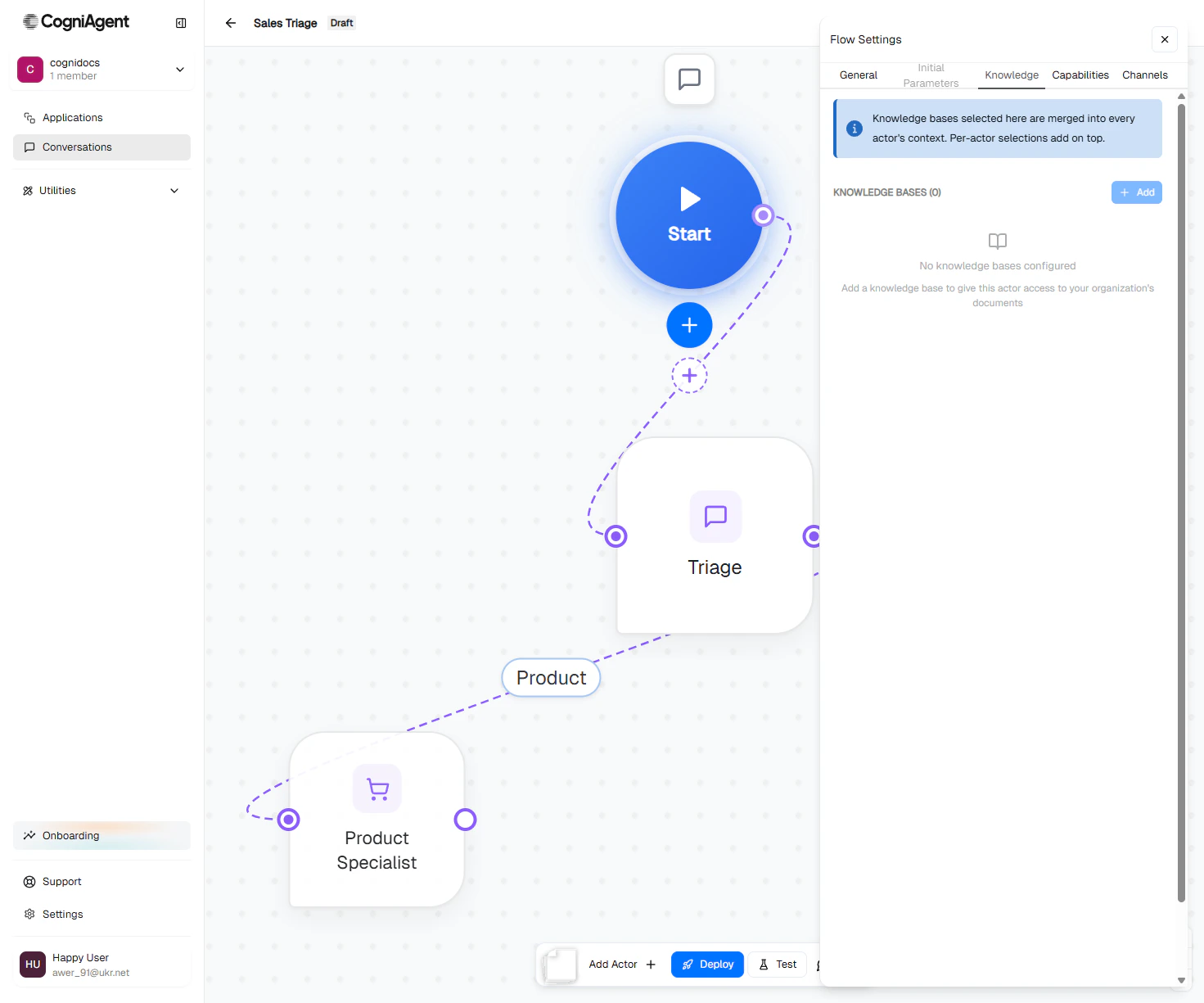 Add a knowledge base here when *every* actor should be able to search it (e.g. company-wide FAQ, product glossary). Otherwise put it per-actor under **Configure Capabilities**.
[Read more: Capabilities →](/conversation-flows/build/capabilities)
## Capabilities
A list of integrations and custom tools every actor inherits.
Add a knowledge base here when *every* actor should be able to search it (e.g. company-wide FAQ, product glossary). Otherwise put it per-actor under **Configure Capabilities**.
[Read more: Capabilities →](/conversation-flows/build/capabilities)
## Capabilities
A list of integrations and custom tools every actor inherits.
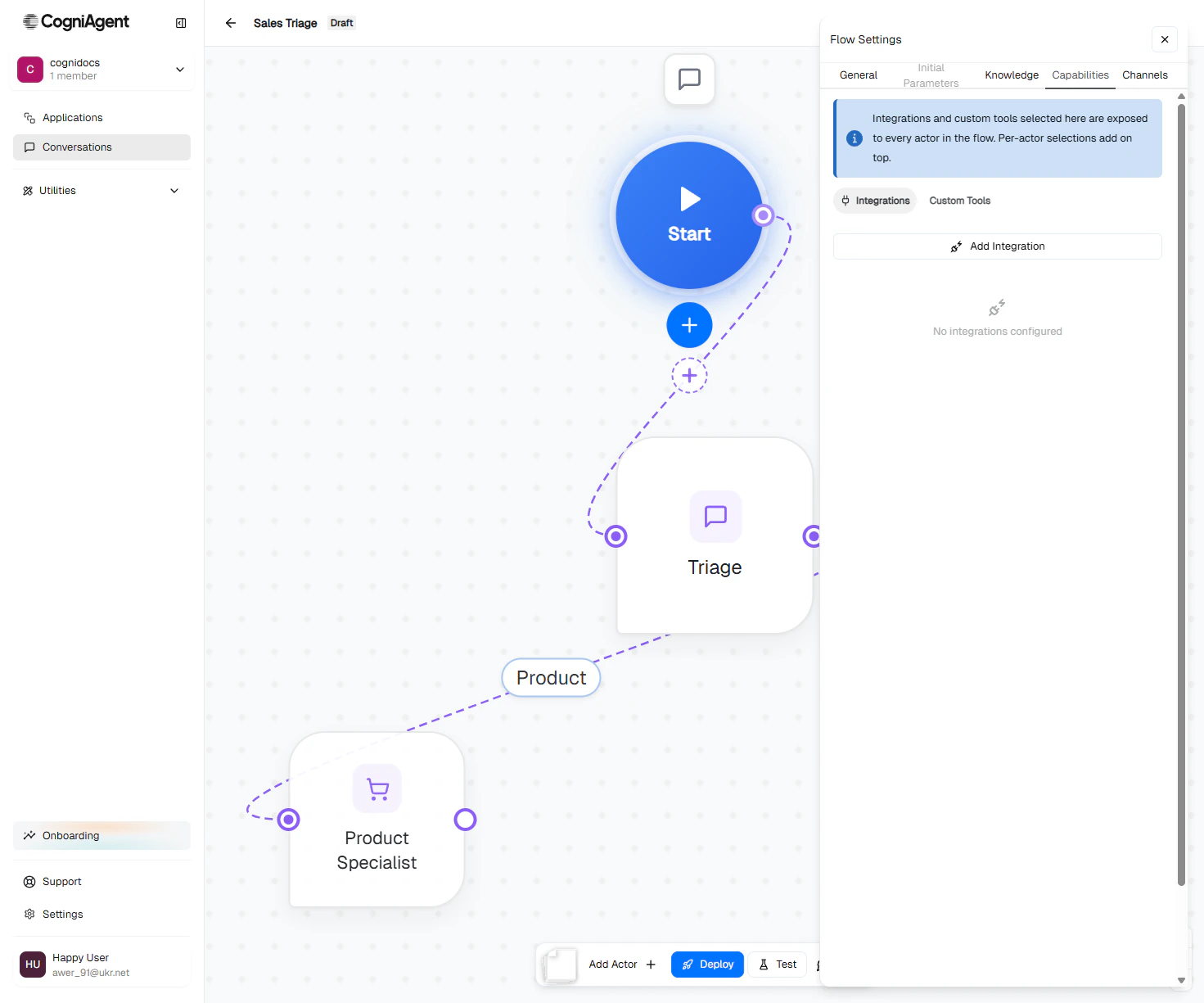 Add a flow-level integration when several actors need it. For example: every actor in a sales flow needs to be able to send a Slack notification to the sales team — that's a perfect flow-level capability.
## Channels
Configure the channels the Start node uses.
Add a flow-level integration when several actors need it. For example: every actor in a sales flow needs to be able to send a Slack notification to the sales team — that's a perfect flow-level capability.
## Channels
Configure the channels the Start node uses.
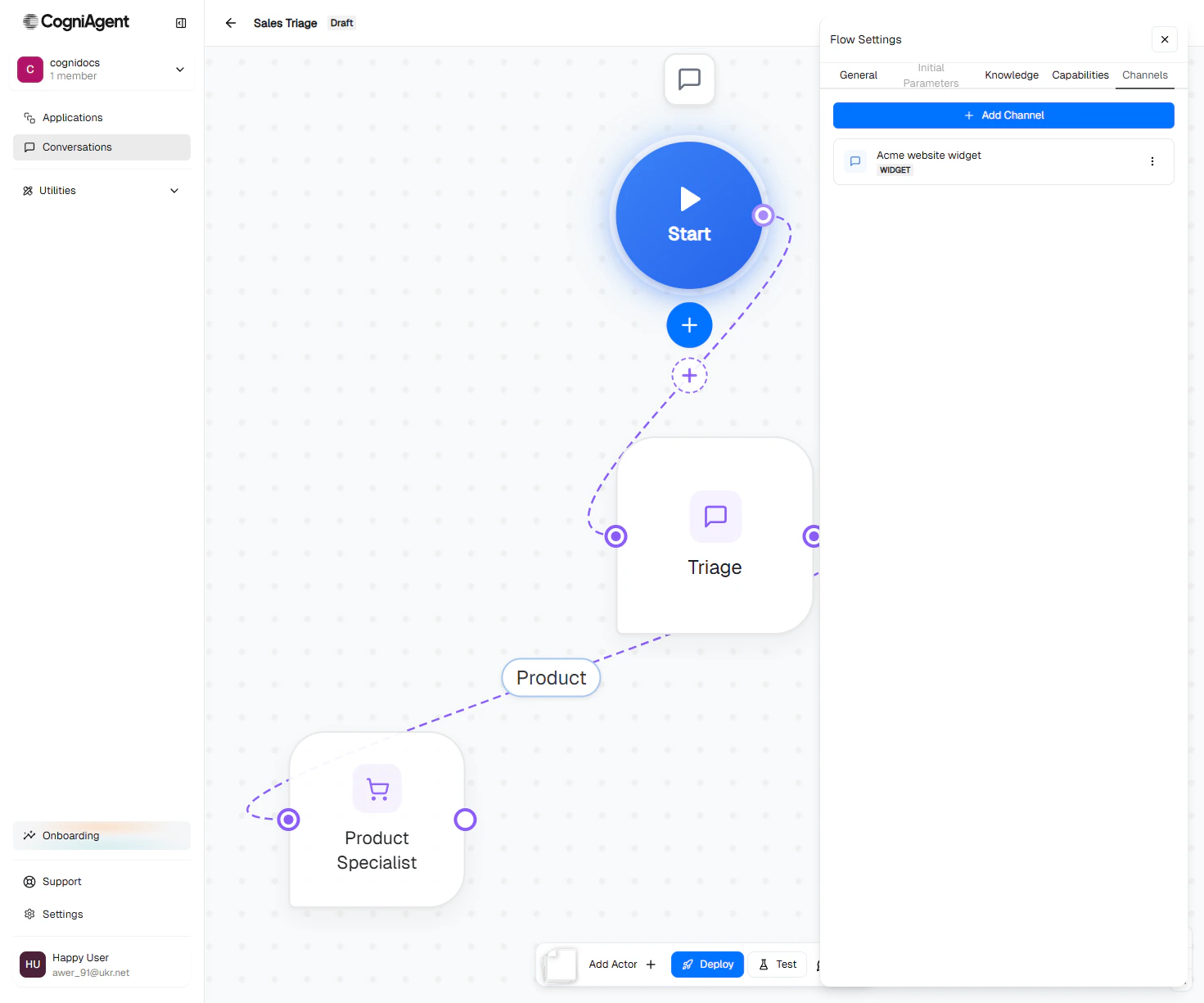 A flow can have multiple channels (e.g. Widget + Gmail + Slack — all routing into the same flow). Each channel is configured independently.
[Read more: Channels →](/conversation-flows/channels/overview)
## Save changes
Each tab has a **Save Changes** button. Saves are atomic per tab — saving General doesn't affect what you've edited in Channels.
## Next
Pick and configure communication channels.
Per-actor knowledge, integrations, and custom tools.
Take a Responder flow live.
A flow can have multiple channels (e.g. Widget + Gmail + Slack — all routing into the same flow). Each channel is configured independently.
[Read more: Channels →](/conversation-flows/channels/overview)
## Save changes
Each tab has a **Save Changes** button. Saves are atomic per tab — saving General doesn't affect what you've edited in Channels.
## Next
Pick and configure communication channels.
Per-actor knowledge, integrations, and custom tools.
Take a Responder flow live.