> ## Documentation Index
> Fetch the complete documentation index at: https://docs.cogniagent.ai/llms.txt
> Use this file to discover all available pages before exploring further.
# Execution modes
> Initiator or Responder — does your flow start conversations, or wait for them?
Every flow runs in one of two modes. You pick one when you create the flow, and you can switch later from **Flow settings**.
The flow **waits** for inbound messages on configured channels. Most common.
The flow **starts** conversations — your team or a workflow kicks it off.
## Responder mode
The flow sits idle until someone writes in. When a new message arrives on a configured channel, the flow opens a new conversation and routes the user into the first actor.
**Use it for:**
* Customer support inboxes (Gmail, Outlook)
* A web chat widget on your site
* Slack DMs to a support bot
* A WhatsApp business number
* A help-desk Teams channel
**How to deploy:**
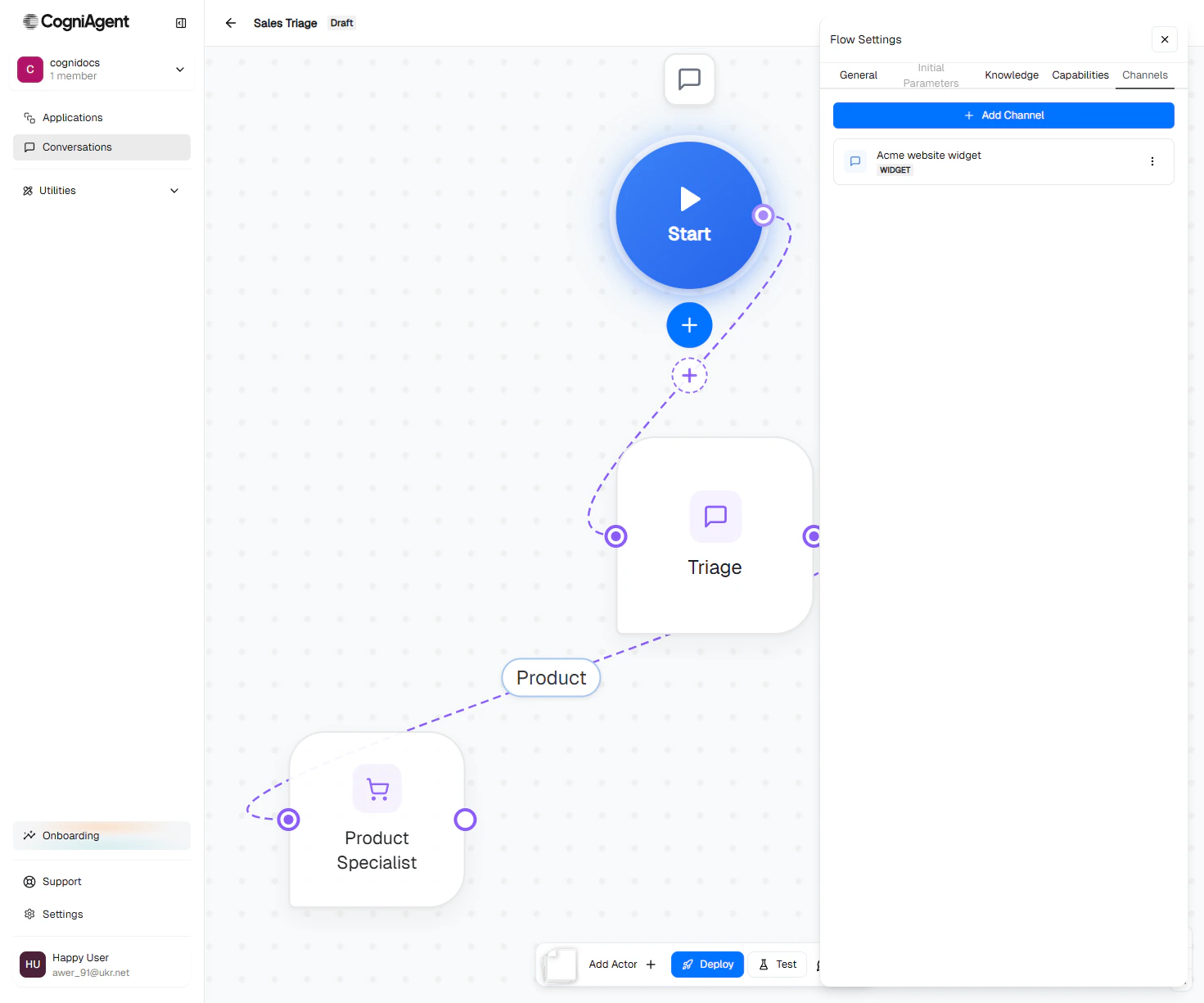
1. Configure one or more channels on the Start node.
2. Click **Deploy** in the bottom toolbar.
3. The platform starts listening on those channels. Every new inbound message opens a conversation.
 [Deploy a flow →](/conversation-flows/operate/deploy)
## Initiator mode
The flow doesn't listen for anything. It runs only when *you* start a conversation — manually from the editor, from a workflow node, or via API.
**Use it for:**
* Outbound sales calls / SMS campaigns
* Proactive customer outreach ("your subscription renews next week")
* Multi-step onboarding sequences that fire after a signup webhook
* Re-engagement campaigns
**How to start a conversation:**
1. Switch the flow's execution mode to **Initiator** in Flow settings.
2. Configure an outbound-capable channel (Gmail, Outlook, Slack DM, SMS, Phone).
3. From the toolbar, click **Start Conversation**.
4. Pick a channel, enter the recipient (email / phone / Slack user id), and optionally set initial parameters.
5. The flow opens the conversation and the first actor sends an opener.
[Start a conversation →](/conversation-flows/operate/start-conversation)
## Picking a mode
* Users come to you — they email, they chat on your widget, they DM your Slack bot.
* You want the flow to be "always on" — handling whatever comes in.
* Customer support, help desks, lead capture from a form, inbound sales.
* You're reaching out *to* users — outbound calls, scheduled emails, campaigns.
* The flow needs to be triggered by something — a CRM event, a date, a workflow.
* You want a record of who initiated each conversation and what task they were given.
## What changes in the UI
The toolbar's main action button is **mode-aware**:
| Mode | Toolbar shows |
| ------------- | -------------------------------------------------------------------------- |
| **Responder** | A green **Deploy** button (or orange **Undeploy** if already deployed) |
| **Initiator** | A green **Start Conversation** button (opens the recipient modal directly) |
Everything else — actors, edges, channels, capabilities — works the same in both modes.
## Can a flow be both?
A flow is **one mode at a time**. You can switch the mode later — that's fine when you want to repurpose a flow — but you can't have it simultaneously listening for inbound traffic AND being a manual-start flow.
If you genuinely need both behaviours, build two flows: a responder for inbound, an initiator for outbound. They can share knowledge bases, share integrations, share global context patterns — they just don't share lifecycle.
## Channel compatibility
Not every channel works in both modes. Quick reference:
| Channel | Responder | Initiator |
| ----------------- | --------- | -------------------------------------------------------- |
| Widget | ✓ | ✗ (anonymous users — nothing to start a conversation to) |
| Gmail | ✓ | ✓ |
| Outlook | ✓ | ✓ |
| Slack | ✓ | ✓ |
| Teams | ✓ | ✓ |
| Phone | ✓ | ✓ |
| SMS | — | ✓ (outbound campaigns) |
| WhatsApp Business | — | ✓ |
The channel picker in the editor shows the right options for your flow's mode.
## Next
Pick and configure the channels your flow uses.
Take a Responder flow live so it starts handling traffic.
Trigger an Initiator flow manually.
[Deploy a flow →](/conversation-flows/operate/deploy)
## Initiator mode
The flow doesn't listen for anything. It runs only when *you* start a conversation — manually from the editor, from a workflow node, or via API.
**Use it for:**
* Outbound sales calls / SMS campaigns
* Proactive customer outreach ("your subscription renews next week")
* Multi-step onboarding sequences that fire after a signup webhook
* Re-engagement campaigns
**How to start a conversation:**
1. Switch the flow's execution mode to **Initiator** in Flow settings.
2. Configure an outbound-capable channel (Gmail, Outlook, Slack DM, SMS, Phone).
3. From the toolbar, click **Start Conversation**.
4. Pick a channel, enter the recipient (email / phone / Slack user id), and optionally set initial parameters.
5. The flow opens the conversation and the first actor sends an opener.
[Start a conversation →](/conversation-flows/operate/start-conversation)
## Picking a mode
* Users come to you — they email, they chat on your widget, they DM your Slack bot.
* You want the flow to be "always on" — handling whatever comes in.
* Customer support, help desks, lead capture from a form, inbound sales.
* You're reaching out *to* users — outbound calls, scheduled emails, campaigns.
* The flow needs to be triggered by something — a CRM event, a date, a workflow.
* You want a record of who initiated each conversation and what task they were given.
## What changes in the UI
The toolbar's main action button is **mode-aware**:
| Mode | Toolbar shows |
| ------------- | -------------------------------------------------------------------------- |
| **Responder** | A green **Deploy** button (or orange **Undeploy** if already deployed) |
| **Initiator** | A green **Start Conversation** button (opens the recipient modal directly) |
Everything else — actors, edges, channels, capabilities — works the same in both modes.
## Can a flow be both?
A flow is **one mode at a time**. You can switch the mode later — that's fine when you want to repurpose a flow — but you can't have it simultaneously listening for inbound traffic AND being a manual-start flow.
If you genuinely need both behaviours, build two flows: a responder for inbound, an initiator for outbound. They can share knowledge bases, share integrations, share global context patterns — they just don't share lifecycle.
## Channel compatibility
Not every channel works in both modes. Quick reference:
| Channel | Responder | Initiator |
| ----------------- | --------- | -------------------------------------------------------- |
| Widget | ✓ | ✗ (anonymous users — nothing to start a conversation to) |
| Gmail | ✓ | ✓ |
| Outlook | ✓ | ✓ |
| Slack | ✓ | ✓ |
| Teams | ✓ | ✓ |
| Phone | ✓ | ✓ |
| SMS | — | ✓ (outbound campaigns) |
| WhatsApp Business | — | ✓ |
The channel picker in the editor shows the right options for your flow's mode.
## Next
Pick and configure the channels your flow uses.
Take a Responder flow live so it starts handling traffic.
Trigger an Initiator flow manually.