> ## Documentation Index
> Fetch the complete documentation index at: https://docs.cogniagent.ai/llms.txt
> Use this file to discover all available pages before exploring further.
# Conversation Flows
> Design multi-agent conversational AI on a visual canvas — actors, routing, channels, and deployment in one place.
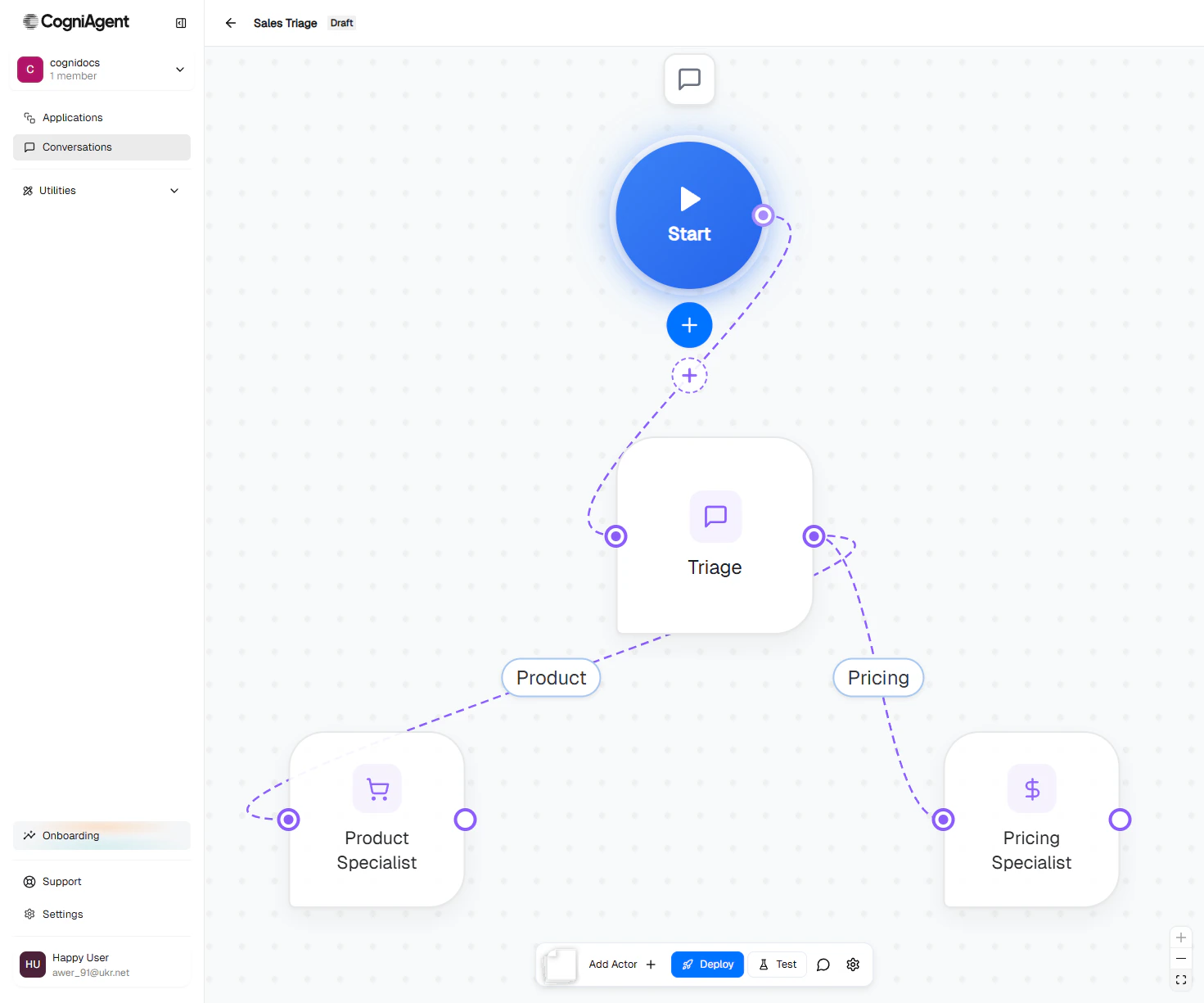
Conversation Flows is CogniAgent's visual canvas for building **multi-agent AI conversations**. Instead of one big chatbot trying to do everything, you design a team of focused AI agents that work together — each with its own role, knowledge, and tools — and let the platform decide who speaks when.
 ## When to use Conversation Flows
Triage agent routes billing questions to a billing specialist, product questions to a product expert.
One agent qualifies the lead; another schedules the demo. Each is good at one job.
A returns intake agent collects details, a policy agent checks eligibility, a refund agent issues credits.
Inbound calls land on a receptionist agent, transfer to the right specialist mid-call.
## What makes it different
### A team, not a script
Each agent — called an **actor** — has its own system prompt, model, knowledge bases, and integrations. You connect actors with routing edges that say "when X happens, hand off to Y." The platform handles the routing decisions automatically using the conversation context.
### Context that travels with the user
Information collected by one actor flows to the next. The user doesn't repeat themselves. Each actor decides how much of the previous conversation it wants to inherit.
### One canvas, every channel
Connect the same flow to Widget, Email, Slack, Teams, or Phone. The conversation logic stays the same — only the delivery channel changes.
### Start the conversation, or wait for it
A flow can run two ways:
* **Responder mode** — the flow listens on its channels and replies when users write in (support inbox, web widget).
* **Initiator mode** — your team or another workflow kicks off the conversation (outbound sales call, follow-up email).
[Read more about execution modes →](/conversation-flows/concepts/execution-modes)
## How it works
```mermaid theme={null}
flowchart TB
User[User message] --> Start[Start node
## When to use Conversation Flows
Triage agent routes billing questions to a billing specialist, product questions to a product expert.
One agent qualifies the lead; another schedules the demo. Each is good at one job.
A returns intake agent collects details, a policy agent checks eligibility, a refund agent issues credits.
Inbound calls land on a receptionist agent, transfer to the right specialist mid-call.
## What makes it different
### A team, not a script
Each agent — called an **actor** — has its own system prompt, model, knowledge bases, and integrations. You connect actors with routing edges that say "when X happens, hand off to Y." The platform handles the routing decisions automatically using the conversation context.
### Context that travels with the user
Information collected by one actor flows to the next. The user doesn't repeat themselves. Each actor decides how much of the previous conversation it wants to inherit.
### One canvas, every channel
Connect the same flow to Widget, Email, Slack, Teams, or Phone. The conversation logic stays the same — only the delivery channel changes.
### Start the conversation, or wait for it
A flow can run two ways:
* **Responder mode** — the flow listens on its channels and replies when users write in (support inbox, web widget).
* **Initiator mode** — your team or another workflow kicks off the conversation (outbound sales call, follow-up email).
[Read more about execution modes →](/conversation-flows/concepts/execution-modes)
## How it works
```mermaid theme={null}
flowchart TB
User[User message] --> Start[Start node
channels: Widget, Email, ...]
Start --> Triage[Triage Actor
greets, identifies need]
Triage -->|Billing question| Billing[Billing Actor
invoices, refunds]
Triage -->|Product question| Product[Product Actor
features, pricing]
Triage -->|Anything else| Human[Hand off to human]
Billing --> Reply[Reply on same channel]
Product --> Reply
Human --> Reply
```
Every flow has three parts:
The entry point. Owns the channel configuration — Widget, Gmail, Slack, Phone, and so on. Every flow has exactly one.
The AI agents. Each has a name, an icon, a model, a system prompt, and a set of capabilities (knowledge bases, integrations, custom tools).
You write a short description of *when* this route should fire (the **activation prompt**). The platform auto-generates a short label and uses the prompt to decide routing during conversations.
## Core concepts at a glance
The building blocks: Start node, actors, edges, and the map canvas.
How information flows between actors so the user never repeats themselves.
How strictly each actor sticks to its job when users switch topics.
Initiator vs Responder — does your flow start conversations, or wait for them?
## Get started
Build your first two-actor flow in 10 minutes.
A worked example: lead intake → product specialist or pricing specialist.
Wire your flow to Widget, Email, Slack, Teams, or Phone.
Take it live so real users can talk to it.