> ## Documentation Index
> Fetch the complete documentation index at: https://docs.cogniagent.ai/llms.txt
> Use this file to discover all available pages before exploring further.
# What a coworker remembers
> Your AI coworker keeps notes between tasks — who you are, how you like things done, what a project needs — and you can read and edit every one.
Your coworker keeps notes between tasks, so you don't explain the same thing twice. You can read every one of them, and change any of them.
## What it does
Correct your coworker once — "shorter, and lead with the recommendation" — and it writes that down. Next task, it does it that way without being told.
That's the whole feature. It's also the thing that makes a coworker feel different from a chatbot after a fortnight: it has actually learned how you work.
## The four kinds of note
Open the coworker's **Memory** tab and each note is one of these.
| | What it holds | Example |
| ----------------------- | -------------------------------- | ----------------------------------------------------- |
| **About you** | Who you are and what you do | "Runs the EMEA sales team." |
| **How you like things** | Corrections you've made | "Wants the recommendation first, then the reasoning." |
| **About the work** | Ongoing projects and constraints | "The Northwind rollout runs to March." |
| **Useful pointers** | Where things live | "The weekly figures come from the ops dashboard." |
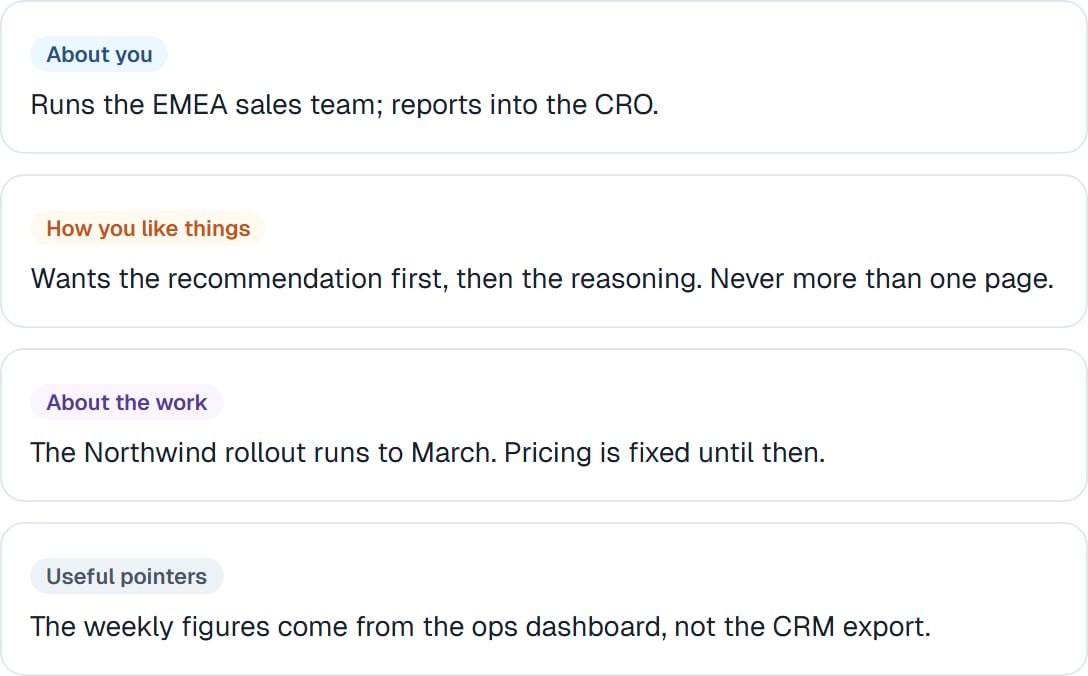 Each is short and separate on purpose. Small notes are easy to read, easy to correct, and easy to delete when they stop being true.
## Reading and editing them
Everything is visible. Nothing is remembered about you that you can't read.
You can edit a note that's drifted, or delete one that's wrong. Deleting is genuinely useful — a note saying you prefer something you've stopped preferring will keep shaping the work until you remove it.
**Read the memory tab once a month.** It takes two minutes and it's the fastest way to understand why a coworker behaves the way it does. A surprising note is usually the explanation for a habit you'd been quietly correcting.
## Telling it to remember
You don't have to wait for it to notice. "Remember that I always want the figures in euros" works, and lands as a note.
Equally, "forget what you know about the pricing structure, it changed" clears the stale one.
## What memory isn't
| | For | Lives |
| -------------------------------------------------- | ------------------------------------------------- | ---------- |
| **[Instructions](/cowork/coworkers/instructions)** | Standing facts about the job you set deliberately | Files tab |
| **[Skills](/cowork/skills/overview)** | Procedures with steps that matter | Files tab |
| **Memory** | Things it worked out along the way | Memory tab |
The line: instructions are what you *told* it, memory is what it *learned*. If you find yourself editing memory a lot to force a behaviour, that behaviour belongs in the instructions.
## Good to know
Memory belongs to one coworker. Two coworkers build separate pictures of you, which is usually right — your analyst and your assistant need to know different things.
Memory doesn't carry when you save a coworker as a template. A fresh hire builds its own — see [Retiring, re-hiring and templates](/cowork/coworkers/templates).
Memory survives a [new task](/cowork/chat/tasks) and a [compacted conversation](/cowork/chat/long-conversations). It's the one thing that persists across everything.
## Common questions
No. It keeps things that look durable — a preference, a constraint, a fact about the work. The detail of one conversation stays in that conversation.
Delete the note. You can also just say "don't remember that".
Check the Memory tab — often there's an older note pulling the other way. Deleting the stale one usually fixes it in one go.
Memory belongs to the coworker, so anyone using that coworker benefits from it. Keep genuinely personal material out, and give yourself your own coworker if you need to.
Yes — memory notes turn up as proposals on the Improvements tab for your approval. See [Skills that improve themselves](/cowork/skills/improving).
## Next steps
What you set deliberately.
Turning notes into habits.
Memory inside one task.
Remembering how, not what.
Each is short and separate on purpose. Small notes are easy to read, easy to correct, and easy to delete when they stop being true.
## Reading and editing them
Everything is visible. Nothing is remembered about you that you can't read.
You can edit a note that's drifted, or delete one that's wrong. Deleting is genuinely useful — a note saying you prefer something you've stopped preferring will keep shaping the work until you remove it.
**Read the memory tab once a month.** It takes two minutes and it's the fastest way to understand why a coworker behaves the way it does. A surprising note is usually the explanation for a habit you'd been quietly correcting.
## Telling it to remember
You don't have to wait for it to notice. "Remember that I always want the figures in euros" works, and lands as a note.
Equally, "forget what you know about the pricing structure, it changed" clears the stale one.
## What memory isn't
| | For | Lives |
| -------------------------------------------------- | ------------------------------------------------- | ---------- |
| **[Instructions](/cowork/coworkers/instructions)** | Standing facts about the job you set deliberately | Files tab |
| **[Skills](/cowork/skills/overview)** | Procedures with steps that matter | Files tab |
| **Memory** | Things it worked out along the way | Memory tab |
The line: instructions are what you *told* it, memory is what it *learned*. If you find yourself editing memory a lot to force a behaviour, that behaviour belongs in the instructions.
## Good to know
Memory belongs to one coworker. Two coworkers build separate pictures of you, which is usually right — your analyst and your assistant need to know different things.
Memory doesn't carry when you save a coworker as a template. A fresh hire builds its own — see [Retiring, re-hiring and templates](/cowork/coworkers/templates).
Memory survives a [new task](/cowork/chat/tasks) and a [compacted conversation](/cowork/chat/long-conversations). It's the one thing that persists across everything.
## Common questions
No. It keeps things that look durable — a preference, a constraint, a fact about the work. The detail of one conversation stays in that conversation.
Delete the note. You can also just say "don't remember that".
Check the Memory tab — often there's an older note pulling the other way. Deleting the stale one usually fixes it in one go.
Memory belongs to the coworker, so anyone using that coworker benefits from it. Keep genuinely personal material out, and give yourself your own coworker if you need to.
Yes — memory notes turn up as proposals on the Improvements tab for your approval. See [Skills that improve themselves](/cowork/skills/improving).
## Next steps
What you set deliberately.
Turning notes into habits.
Memory inside one task.
Remembering how, not what.