> ## Documentation Index
> Fetch the complete documentation index at: https://docs.cogniagent.ai/llms.txt
> Use this file to discover all available pages before exploring further.
# Attaching and mentioning files
> Attach a file to a message, or type @ to point at one already in the task — so your AI coworker knows exactly which file you mean.
Two ways to put a file in front of your coworker, depending on whether it's already in the task.
## Attaching
The paperclip in the message box, or drag a file onto the conversation. Attached files appear above the box before you send, so you can check you grabbed the right one and remove it if not.
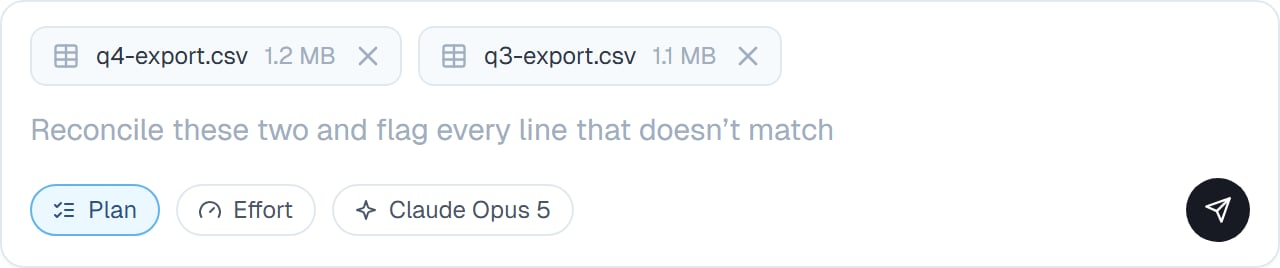 Attach when the file is new to the task.
## Mentioning
Type `@` and a menu of the files already in the task appears. Keep typing to filter, pick one, and it's referenced in your message.
Attach when the file is new to the task.
## Mentioning
Type `@` and a menu of the files already in the task appears. Keep typing to filter, pick one, and it's referenced in your message.
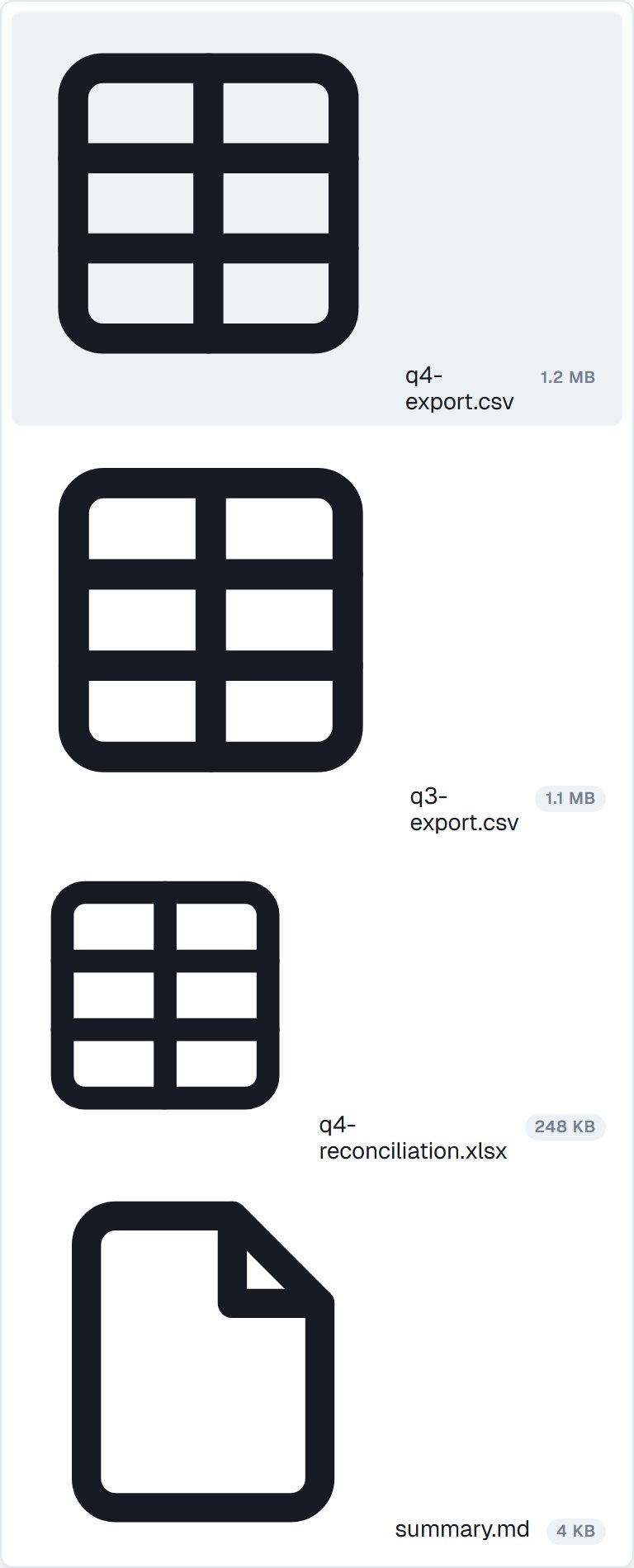 Mention when the file is already there and you want to be unambiguous:
```
Compare @Q3-sales-export.csv against @Q3-forecast.xlsx and tell me where they disagree
```
That says exactly which two files, with no room for your coworker to pick the wrong one.
## When mentioning is worth it
* More than one file in the task could plausibly be the one you mean
* Filenames are similar — `export.csv` and `export-final.csv`
* You're referring back to something from earlier in a long conversation
* The task has a lot of files and you want to be precise
Otherwise, just describe it. "The sales export" works fine when there's only one.
**Mention rather than re-upload.** Uploading the same file twice gives your coworker two copies and a decision to make about which is current.
## Good to know
Attaching a file adds it to the task's files, so it stays available for the rest of the conversation. You attach once, then mention it afterwards.
Attach several at once when they belong together. "Reconcile these two" with both attached is clearer than two messages.
## Common questions
Yes. Whether your coworker can *look* at it depends on the model — the picker marks the ones that accept images. See [Effort and model](/cowork/chat/effort-and-model).
It reads what it needs for the job. Saying what you want from the file — "just the totals row" — keeps it efficient on a large one.
Files saved to the coworker are available in every task automatically, so there's usually nothing to point at. Naming it in words is enough.
Remove it from the strip above the box before sending. After sending, just say so — your coworker won't quietly use the wrong one.
## Next steps
What's already in the task.
Everything else in the message box.
Check what you attached.
Where files live.
Mention when the file is already there and you want to be unambiguous:
```
Compare @Q3-sales-export.csv against @Q3-forecast.xlsx and tell me where they disagree
```
That says exactly which two files, with no room for your coworker to pick the wrong one.
## When mentioning is worth it
* More than one file in the task could plausibly be the one you mean
* Filenames are similar — `export.csv` and `export-final.csv`
* You're referring back to something from earlier in a long conversation
* The task has a lot of files and you want to be precise
Otherwise, just describe it. "The sales export" works fine when there's only one.
**Mention rather than re-upload.** Uploading the same file twice gives your coworker two copies and a decision to make about which is current.
## Good to know
Attaching a file adds it to the task's files, so it stays available for the rest of the conversation. You attach once, then mention it afterwards.
Attach several at once when they belong together. "Reconcile these two" with both attached is clearer than two messages.
## Common questions
Yes. Whether your coworker can *look* at it depends on the model — the picker marks the ones that accept images. See [Effort and model](/cowork/chat/effort-and-model).
It reads what it needs for the job. Saying what you want from the file — "just the totals row" — keeps it efficient on a large one.
Files saved to the coworker are available in every task automatically, so there's usually nothing to point at. Naming it in words is enough.
Remove it from the strip above the box before sending. After sending, just say so — your coworker won't quietly use the wrong one.
## Next steps
What's already in the task.
Everything else in the message box.
Check what you attached.
Where files live.