> ## Documentation Index
> Fetch the complete documentation index at: https://docs.cogniagent.ai/llms.txt
> Use this file to discover all available pages before exploring further.
# Files
> Give your AI coworker a real file and it works with the real thing. Here's where files live, what's private to a task, and what your coworker keeps.
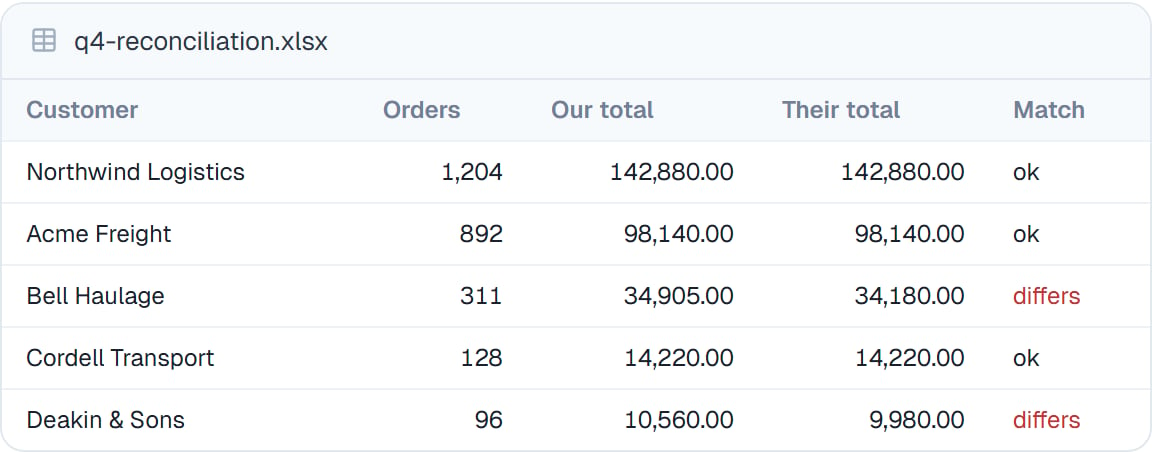
Give your coworker the real file. Whatever it produces comes back the same way — as a file you can open, check and download.
 ## Two places files live
This is the one thing worth understanding, because it explains most questions people have.
Belong to one task. Anything you upload into a conversation and anything your coworker produces there. Private to that task — no other task can see them.
Belong to the coworker itself. Available in every task it runs. This is where its instructions, personality and skills live.
So a spreadsheet you uploaded on Tuesday isn't in Thursday's task. If you want something available every time — a price list, a template, a style guide — save it to the coworker instead.
## What's on the coworker's Files tab
Alongside anything you've saved there, you'll find a few files that control how your coworker behaves. Each is labelled in plain language so you're never editing something whose job you have to guess:
| Labelled | What it is |
| ---------------- | ------------------------------------------------------------------------------------------ |
| **Instructions** | The job — see [Giving instructions](/cowork/coworkers/instructions) |
| **Persona** | How it writes and talks |
| **Permissions** | What it may do without asking — see [Permission rules](/cowork/control/permission-rules) |
| **Automation** | Checks that run around its work — see [Automatic checks](/cowork/control/automatic-checks) |
Your coworker's [skills](/cowork/skills/overview) and [helpers](/cowork/skills/helpers) live here too.
Changes to these apply to **new tasks**. A task already running keeps what it started with.
## Working with files
* **[The file manager](/cowork/files/file-manager)** — browse, upload, rename, delete, download
* **[Previewing files](/cowork/files/previews)** — open anything without downloading it
* **[Attaching and mentioning](/cowork/files/attaching-and-mentioning)** — get a file into the conversation
* **[Seeing what changed](/cowork/files/changes)** — check what your coworker actually edited
## Good to know
**Upload the whole file rather than pasting part of it.** Your coworker handles a real export far better than forty pasted rows, and it keeps your [conversation](/cowork/chat/long-conversations) from filling up.
Task files are discarded with the task's private workspace when it ends. Download anything you want to keep, or ask your coworker to save it to itself.
## Common questions
It's in yesterday's task. Open that task, or save the file to the coworker so every task can reach it.
Not directly — files belong to a coworker or a task. Upload it to each, or have one coworker hand it to another as part of [delegating](/cowork/capabilities/working-with-coworkers).
Each task's files are isolated to that task and discarded when it ends. Nothing is shared between tasks or coworkers unless you put it there.
Spreadsheets, documents, PDFs, images, and plain text and data files. See [Previewing files](/cowork/files/previews) for what opens in place.
## Next steps
Browse, upload, download.
Open anything in place.
Point at a file mid-conversation.
The capability behind all of it.
## Two places files live
This is the one thing worth understanding, because it explains most questions people have.
Belong to one task. Anything you upload into a conversation and anything your coworker produces there. Private to that task — no other task can see them.
Belong to the coworker itself. Available in every task it runs. This is where its instructions, personality and skills live.
So a spreadsheet you uploaded on Tuesday isn't in Thursday's task. If you want something available every time — a price list, a template, a style guide — save it to the coworker instead.
## What's on the coworker's Files tab
Alongside anything you've saved there, you'll find a few files that control how your coworker behaves. Each is labelled in plain language so you're never editing something whose job you have to guess:
| Labelled | What it is |
| ---------------- | ------------------------------------------------------------------------------------------ |
| **Instructions** | The job — see [Giving instructions](/cowork/coworkers/instructions) |
| **Persona** | How it writes and talks |
| **Permissions** | What it may do without asking — see [Permission rules](/cowork/control/permission-rules) |
| **Automation** | Checks that run around its work — see [Automatic checks](/cowork/control/automatic-checks) |
Your coworker's [skills](/cowork/skills/overview) and [helpers](/cowork/skills/helpers) live here too.
Changes to these apply to **new tasks**. A task already running keeps what it started with.
## Working with files
* **[The file manager](/cowork/files/file-manager)** — browse, upload, rename, delete, download
* **[Previewing files](/cowork/files/previews)** — open anything without downloading it
* **[Attaching and mentioning](/cowork/files/attaching-and-mentioning)** — get a file into the conversation
* **[Seeing what changed](/cowork/files/changes)** — check what your coworker actually edited
## Good to know
**Upload the whole file rather than pasting part of it.** Your coworker handles a real export far better than forty pasted rows, and it keeps your [conversation](/cowork/chat/long-conversations) from filling up.
Task files are discarded with the task's private workspace when it ends. Download anything you want to keep, or ask your coworker to save it to itself.
## Common questions
It's in yesterday's task. Open that task, or save the file to the coworker so every task can reach it.
Not directly — files belong to a coworker or a task. Upload it to each, or have one coworker hand it to another as part of [delegating](/cowork/capabilities/working-with-coworkers).
Each task's files are isolated to that task and discarded when it ends. Nothing is shared between tasks or coworkers unless you put it there.
Spreadsheets, documents, PDFs, images, and plain text and data files. See [Previewing files](/cowork/files/previews) for what opens in place.
## Next steps
Browse, upload, download.
Open anything in place.
Point at a file mid-conversation.
The capability behind all of it.