> ## Documentation Index
> Fetch the complete documentation index at: https://docs.cogniagent.ai/llms.txt
> Use this file to discover all available pages before exploring further.
# Execute Workflow Node
> Invoke other CogniAgent applications as reusable building blocks
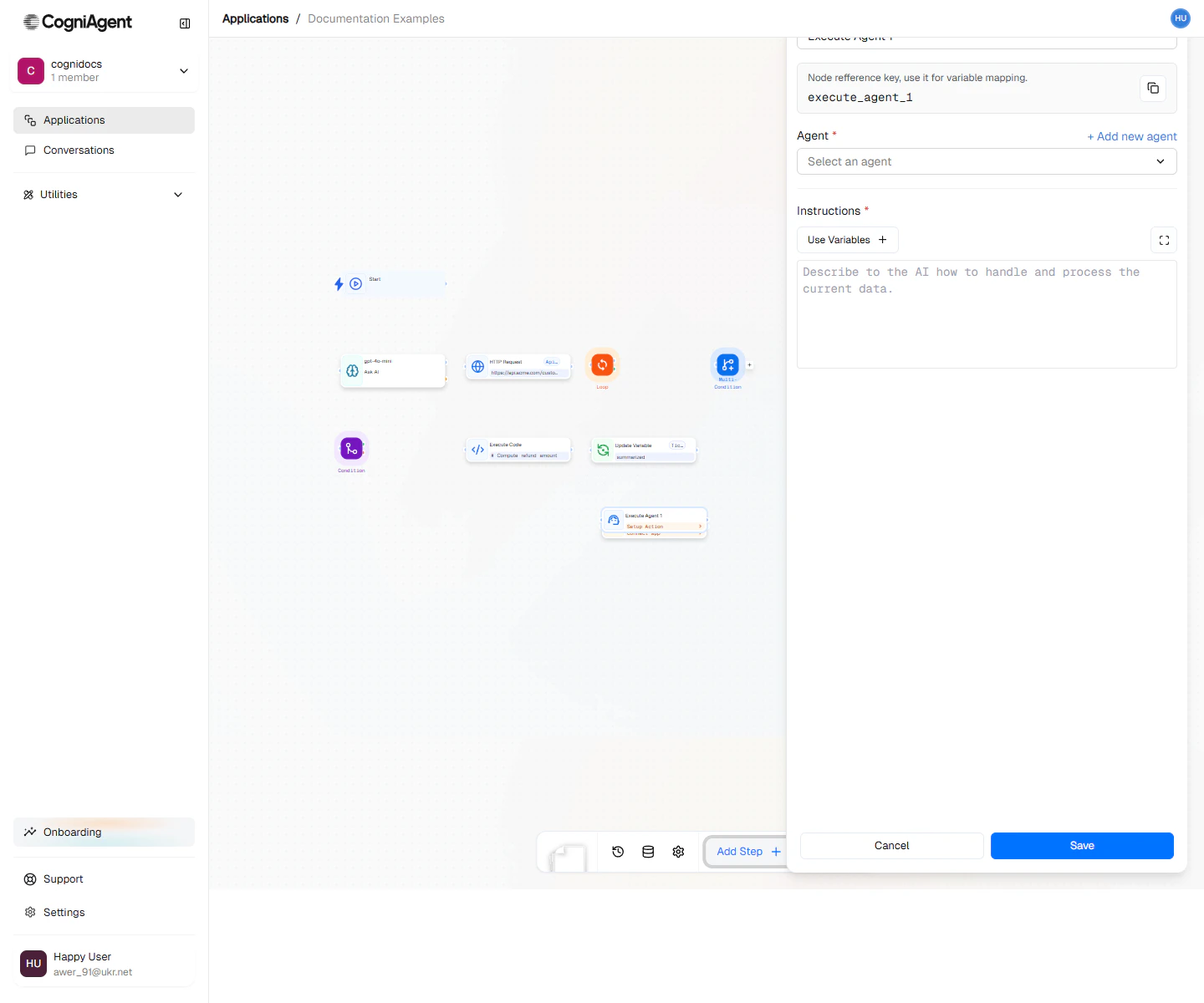
The Execute Workflow node invokes another CogniAgent application within your workflow. This enables modular design where complex logic can be encapsulated in one application and reused across many others.
 ## When to Use
* **Reusable logic** - Encapsulate common workflows (email parsing, data validation) and call them from multiple places
* **Complex sub-processes** - Break large workflows into manageable pieces
* **Team collaboration** - Different team members can own different workflows
* **Versioning** - Update a shared workflow without modifying every workflow that uses it
* **Separation of concerns** - Keep workflows focused on one responsibility
Think of Execute Workflow like calling a function in programming. The called workflow is the function, and your inputs are the parameters.
## Example: Lead Qualification Pipeline
A main workflow that uses specialized workflows for each step:
Use a Webhook node to receive new lead data from your website form.
Execute Workflow: **Lead Enrichment Workflow**
```json theme={null}
{
"email": "{{webhook_1.body.email}}",
"company": "{{webhook_1.body.company}}"
}
```
This workflow looks up company info, social profiles, and tech stack.
Execute Workflow: **Lead Scoring Workflow**
```json theme={null}
{
"enrichedData": "{{execute_workflow_1.result}}",
"source": "{{webhook_1.body.source}}"
}
```
This workflow applies your scoring model and returns a score.
Use a Condition node to route high-score leads to sales, others to nurture campaigns.
**Workflow structure:**
```
├── Webhook (receive lead)
├── Execute Workflow (Lead Enrichment Workflow)
├── Execute Workflow (Lead Scoring Workflow)
├── Condition (score > 80?)
│ ├── Met: Integration Action (create Salesforce opportunity)
│ └── Unmet: Integration Action (add to nurture campaign)
```
## Example: Document Processing Hub
A central workflow that routes documents to specialized processors:
```
├── Webhook (receive document)
├── Read File (extract content)
├── LLM (classify document type)
├── Multi-Condition (based on document type)
│ ├── invoice: Execute Workflow (Invoice Processor)
│ ├── contract: Execute Workflow (Contract Analyzer)
│ ├── resume: Execute Workflow (Resume Parser)
│ └── default: Execute Workflow (Generic Document Handler)
└── Integration Action (store results)
```
Each specialized workflow handles its document type with custom logic.
## Example: Approval Workflow
Use workflows to encapsulate approval processes:
**Main workflow:**
```
├── App Trigger (new purchase request in Slack)
├── Execute Workflow (Expense Approval Workflow)
│ Input: {amount, requestor, description, receipts}
├── Condition (approved?)
│ ├── Met: Integration Action (process payment)
│ └── Unmet: Integration Action (notify requestor of rejection)
```
**Expense Approval Workflow:**
```
├── Start
├── Condition (amount > 500?)
│ ├── Met: Human Step (manager approval required)
│ └── Unmet: LLM (auto-approve with policy check)
└── Return result
```
## Passing Data
### Input Arguments
The target workflow declares its input arguments on its [Start](/nodes/triggers/start) node. In the Execute Workflow node you map a value to each argument — values can use `{{...}}` expressions resolved from the current execution:
| Argument | Value |
| ------------ | ------------------------------- |
| `customerId` | `{{webhook_1.body.customerId}}` |
| `items` | `{{webhook_1.body.items}}` |
| `priority` | `high` |
The called workflow receives these as its starting input.
### Receiving Results
The called workflow's output becomes available as `{{execute_workflow_1.result}}`:
```
Customer name: {{execute_workflow_1.result.customerName}}
Credit score: {{execute_workflow_1.result.creditScore}}
Approved: {{execute_workflow_1.result.approved}}
```
## Design Patterns
### Microservices Pattern
Break your automation into small, focused workflows:
| Workflow | Responsibility |
| ------------------ | ---------------------------------- |
| Email Parser | Extract data from emails |
| Sentiment Analyzer | Determine sentiment of text |
| CRM Updater | Handle all CRM operations |
| Notifier | Send notifications across channels |
Main workflows compose these workflows as needed.
### Facade Pattern
Create a simplified workflow that orchestrates complex operations:
**Customer Onboarding Workflow** (called by main workflow):
```
├── Create CRM record
├── Set up billing account
├── Send welcome email
├── Add to onboarding sequence
├── Notify account manager
└── Return summary
```
Callers don't need to know these details.
### Chain of Responsibility
Pass data through a series of processing workflows:
```
├── Execute Workflow (Validator) → validates input
├── Execute Workflow (Enricher) → adds data
├── Execute Workflow (Scorer) → calculates score
├── Execute Workflow (Router) → determines destination
```
## Execution Behaviour
Execute Workflow always **waits** for the called workflow and returns its output — it is not a fire-and-forget trigger. How the target runs depends on the target application's execution mode: a single-instance application reuses its live execution (deploy it first), while a multi-instance application starts a fresh run.
Recursion is allowed — a workflow may call itself or another entry point of the same application — but you own loop termination. Gate recursive calls behind a Condition.
## Error Handling
When a called workflow fails, the Execute Workflow node captures the error:
```
├── Execute Workflow (risky operation)
├── Condition (status == "completed")
│ ├── Met: Continue normal flow
│ └── Unmet: Integration Action (alert team)
```
Check `{{execute_workflow_1.status}}` to handle failures gracefully.
## Tips
Name workflows descriptively - "Invoice Processor v2" is better than "Workflow 1". This makes the Execute Workflow node's purpose clear in the workflow.
Version your workflows by creating copies before major changes. This prevents breaking dependent workflows.
Avoid circular dependencies where Workflow A calls Workflow B which calls Workflow A. This will cause infinite loops and eventual timeout.
## Settings
Display name shown on the canvas.
Unique identifier for referencing outputs.
The application to run. Select from a dropdown of applications in your workspace.
The entry node in the target application — a Start node that declares the input arguments callers must pass.
One row per declared argument: the argument name and the value to pass. Values can use `{{...}}` expressions from the current execution.
Override how long to wait for the called workflow to finish.
## Outputs
The called workflow's final outputs, keyed by node key — its return value.
Whether the called workflow completed successfully.
Execution status of the called run.
Unique identifier for the run of the called workflow.
How long the called workflow took to run (in milliseconds).
Error details when the call fails.
## Related Nodes
For simple AI tasks, an LLM node may be sufficient without a full workflow.
For data processing, code might be simpler than an workflow.
## When to Use
* **Reusable logic** - Encapsulate common workflows (email parsing, data validation) and call them from multiple places
* **Complex sub-processes** - Break large workflows into manageable pieces
* **Team collaboration** - Different team members can own different workflows
* **Versioning** - Update a shared workflow without modifying every workflow that uses it
* **Separation of concerns** - Keep workflows focused on one responsibility
Think of Execute Workflow like calling a function in programming. The called workflow is the function, and your inputs are the parameters.
## Example: Lead Qualification Pipeline
A main workflow that uses specialized workflows for each step:
Use a Webhook node to receive new lead data from your website form.
Execute Workflow: **Lead Enrichment Workflow**
```json theme={null}
{
"email": "{{webhook_1.body.email}}",
"company": "{{webhook_1.body.company}}"
}
```
This workflow looks up company info, social profiles, and tech stack.
Execute Workflow: **Lead Scoring Workflow**
```json theme={null}
{
"enrichedData": "{{execute_workflow_1.result}}",
"source": "{{webhook_1.body.source}}"
}
```
This workflow applies your scoring model and returns a score.
Use a Condition node to route high-score leads to sales, others to nurture campaigns.
**Workflow structure:**
```
├── Webhook (receive lead)
├── Execute Workflow (Lead Enrichment Workflow)
├── Execute Workflow (Lead Scoring Workflow)
├── Condition (score > 80?)
│ ├── Met: Integration Action (create Salesforce opportunity)
│ └── Unmet: Integration Action (add to nurture campaign)
```
## Example: Document Processing Hub
A central workflow that routes documents to specialized processors:
```
├── Webhook (receive document)
├── Read File (extract content)
├── LLM (classify document type)
├── Multi-Condition (based on document type)
│ ├── invoice: Execute Workflow (Invoice Processor)
│ ├── contract: Execute Workflow (Contract Analyzer)
│ ├── resume: Execute Workflow (Resume Parser)
│ └── default: Execute Workflow (Generic Document Handler)
└── Integration Action (store results)
```
Each specialized workflow handles its document type with custom logic.
## Example: Approval Workflow
Use workflows to encapsulate approval processes:
**Main workflow:**
```
├── App Trigger (new purchase request in Slack)
├── Execute Workflow (Expense Approval Workflow)
│ Input: {amount, requestor, description, receipts}
├── Condition (approved?)
│ ├── Met: Integration Action (process payment)
│ └── Unmet: Integration Action (notify requestor of rejection)
```
**Expense Approval Workflow:**
```
├── Start
├── Condition (amount > 500?)
│ ├── Met: Human Step (manager approval required)
│ └── Unmet: LLM (auto-approve with policy check)
└── Return result
```
## Passing Data
### Input Arguments
The target workflow declares its input arguments on its [Start](/nodes/triggers/start) node. In the Execute Workflow node you map a value to each argument — values can use `{{...}}` expressions resolved from the current execution:
| Argument | Value |
| ------------ | ------------------------------- |
| `customerId` | `{{webhook_1.body.customerId}}` |
| `items` | `{{webhook_1.body.items}}` |
| `priority` | `high` |
The called workflow receives these as its starting input.
### Receiving Results
The called workflow's output becomes available as `{{execute_workflow_1.result}}`:
```
Customer name: {{execute_workflow_1.result.customerName}}
Credit score: {{execute_workflow_1.result.creditScore}}
Approved: {{execute_workflow_1.result.approved}}
```
## Design Patterns
### Microservices Pattern
Break your automation into small, focused workflows:
| Workflow | Responsibility |
| ------------------ | ---------------------------------- |
| Email Parser | Extract data from emails |
| Sentiment Analyzer | Determine sentiment of text |
| CRM Updater | Handle all CRM operations |
| Notifier | Send notifications across channels |
Main workflows compose these workflows as needed.
### Facade Pattern
Create a simplified workflow that orchestrates complex operations:
**Customer Onboarding Workflow** (called by main workflow):
```
├── Create CRM record
├── Set up billing account
├── Send welcome email
├── Add to onboarding sequence
├── Notify account manager
└── Return summary
```
Callers don't need to know these details.
### Chain of Responsibility
Pass data through a series of processing workflows:
```
├── Execute Workflow (Validator) → validates input
├── Execute Workflow (Enricher) → adds data
├── Execute Workflow (Scorer) → calculates score
├── Execute Workflow (Router) → determines destination
```
## Execution Behaviour
Execute Workflow always **waits** for the called workflow and returns its output — it is not a fire-and-forget trigger. How the target runs depends on the target application's execution mode: a single-instance application reuses its live execution (deploy it first), while a multi-instance application starts a fresh run.
Recursion is allowed — a workflow may call itself or another entry point of the same application — but you own loop termination. Gate recursive calls behind a Condition.
## Error Handling
When a called workflow fails, the Execute Workflow node captures the error:
```
├── Execute Workflow (risky operation)
├── Condition (status == "completed")
│ ├── Met: Continue normal flow
│ └── Unmet: Integration Action (alert team)
```
Check `{{execute_workflow_1.status}}` to handle failures gracefully.
## Tips
Name workflows descriptively - "Invoice Processor v2" is better than "Workflow 1". This makes the Execute Workflow node's purpose clear in the workflow.
Version your workflows by creating copies before major changes. This prevents breaking dependent workflows.
Avoid circular dependencies where Workflow A calls Workflow B which calls Workflow A. This will cause infinite loops and eventual timeout.
## Settings
Display name shown on the canvas.
Unique identifier for referencing outputs.
The application to run. Select from a dropdown of applications in your workspace.
The entry node in the target application — a Start node that declares the input arguments callers must pass.
One row per declared argument: the argument name and the value to pass. Values can use `{{...}}` expressions from the current execution.
Override how long to wait for the called workflow to finish.
## Outputs
The called workflow's final outputs, keyed by node key — its return value.
Whether the called workflow completed successfully.
Execution status of the called run.
Unique identifier for the run of the called workflow.
How long the called workflow took to run (in milliseconds).
Error details when the call fails.
## Related Nodes
For simple AI tasks, an LLM node may be sufficient without a full workflow.
For data processing, code might be simpler than an workflow.