> ## Documentation Index
> Fetch the complete documentation index at: https://docs.cogniagent.ai/llms.txt
> Use this file to discover all available pages before exploring further.
# Search Knowledge Node
> Search a knowledge base from inside a workflow
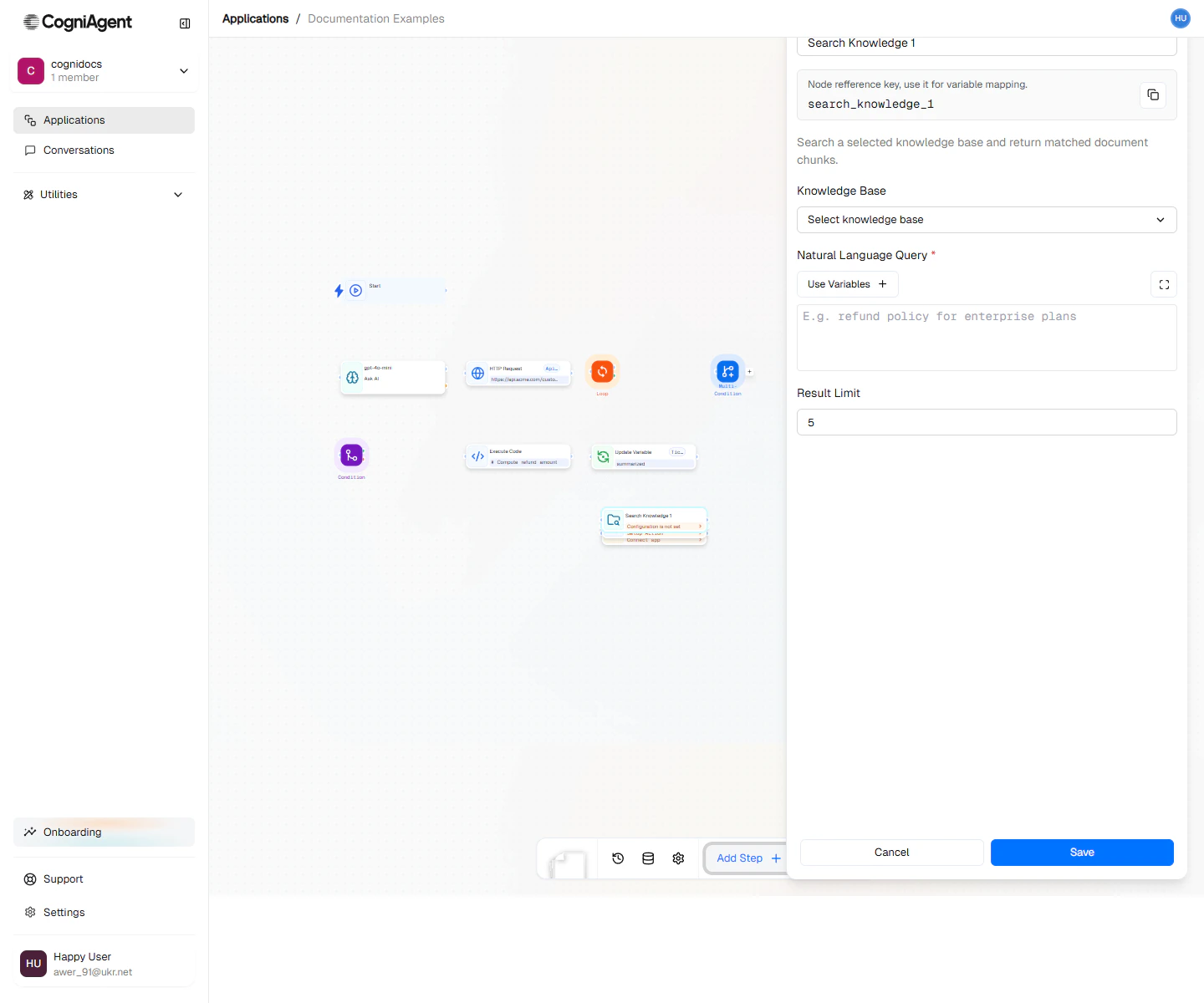
The Search Knowledge node runs a semantic search over a [Knowledge Base](/features/knowledge-base) and returns the most relevant passages. Use it to pull facts, policies, or product docs into a workflow before the next step decides what to do.
 ## When to use
* **Grounded answers** — Pull relevant policy or product passages before [Ask AI](/nodes/actions/ask-ai) drafts a reply.
* **Lookups** — Find the right SKU, FAQ entry, or playbook step based on a free-form query.
* **Citations** — Surface source passages so an actor or a downstream node can quote them with context.
## How it works
1. Pick which knowledge base to search.
2. Write the query — usually a template that includes the user's message or a derived variable.
3. The node returns ranked matches (text + source metadata) into the output variable.
4. Downstream nodes read `{{.results}}` and pass it to Ask AI, App Action, or wherever it's needed.
For multi-agent conversations, you usually want to attach the knowledge base as a [Capability](/conversation-flows/build/capabilities) on the actor instead — the LLM decides when to search and which query to use.
## Next steps
Index documents that workflows and actors can search.
Pair Search Knowledge with Ask AI for grounded responses.
## When to use
* **Grounded answers** — Pull relevant policy or product passages before [Ask AI](/nodes/actions/ask-ai) drafts a reply.
* **Lookups** — Find the right SKU, FAQ entry, or playbook step based on a free-form query.
* **Citations** — Surface source passages so an actor or a downstream node can quote them with context.
## How it works
1. Pick which knowledge base to search.
2. Write the query — usually a template that includes the user's message or a derived variable.
3. The node returns ranked matches (text + source metadata) into the output variable.
4. Downstream nodes read `{{.results}}` and pass it to Ask AI, App Action, or wherever it's needed.
For multi-agent conversations, you usually want to attach the knowledge base as a [Capability](/conversation-flows/build/capabilities) on the actor instead — the LLM decides when to search and which query to use.
## Next steps
Index documents that workflows and actors can search.
Pair Search Knowledge with Ask AI for grounded responses.