> ## Documentation Index
> Fetch the complete documentation index at: https://docs.cogniagent.ai/llms.txt
> Use this file to discover all available pages before exploring further.
# Conversation Flow Node
> Start a conversation flow from inside a workflow
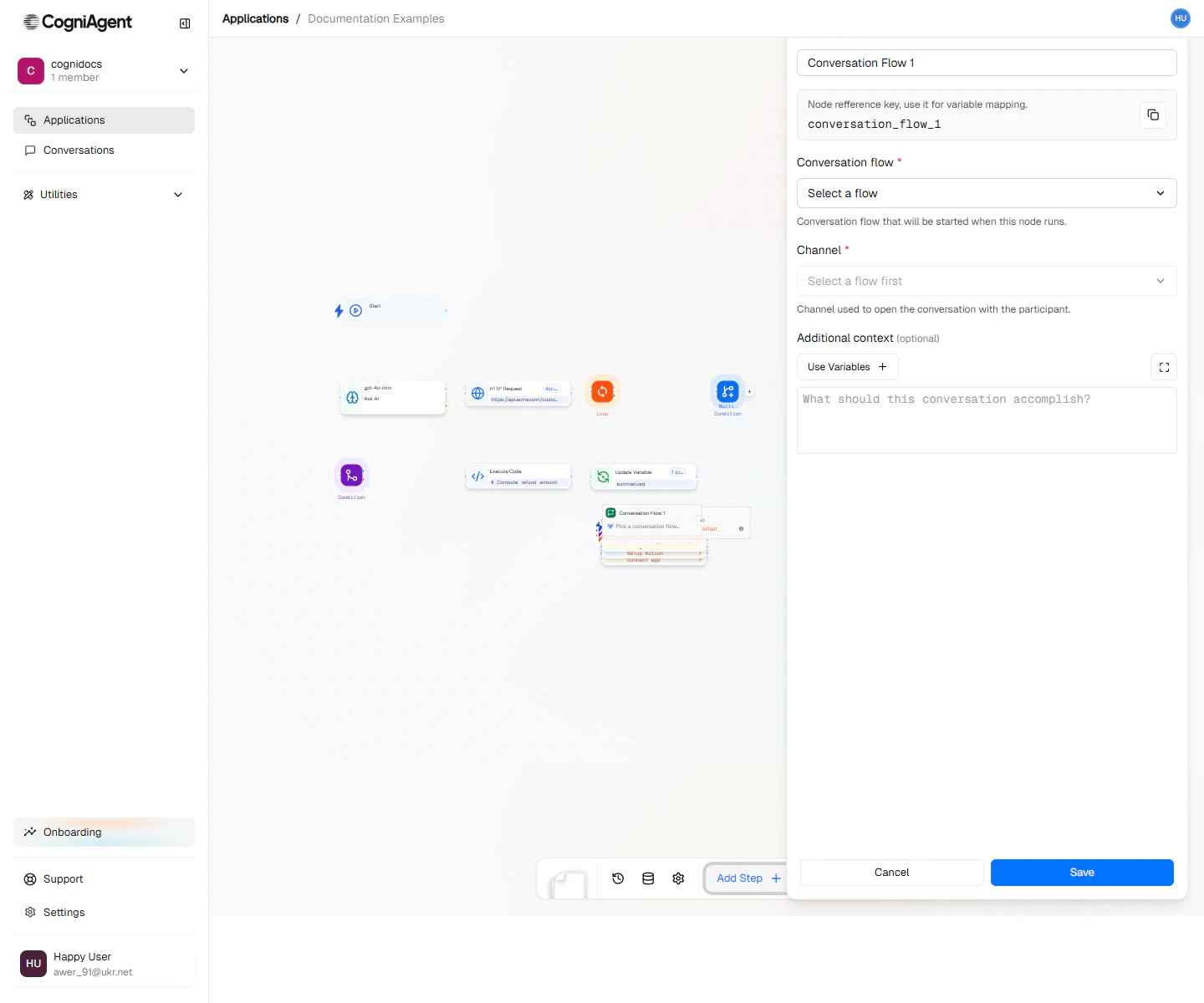
The Conversation Flow node embeds a [Conversation Flow](/conversation-flows/overview) inside a workflow. Use it when a workflow needs a multi-turn conversation — qualifying a lead, troubleshooting an issue, walking the user through a form — and you've already designed that conversation as a flow.
 ## When to use
* **Mixed mode** — A workflow handles the deterministic steps; a conversation flow handles the open-ended chat.
* **Lead capture inside a pipeline** — Trigger a sales triage conversation, then continue with downstream CRM updates once it ends.
* **Long-running interactions** — A workflow polls, waits, or escalates while a conversation is still active.
## How it works
1. Pick which [Conversation Flow](/conversation-flows/overview) to start. The flow must already exist in your workspace.
2. The node opens action handles you can use to **send a message into the conversation** or **trigger lifecycle behaviors** (start, transfer, end).
3. It also exposes event handles so the workflow can react to **incoming user messages**, **completion**, or **timeouts**.
4. Each handle is wired to whatever node should run next.
This makes a Conversation Flow node feel like a sub-process: the workflow drives the conversation, and reacts to it, without leaving the workflow editor.
## Next steps
Build the multi-agent conversation you want to embed.
Bring one person in for an approval, a quick answer, or a sign-off.
## When to use
* **Mixed mode** — A workflow handles the deterministic steps; a conversation flow handles the open-ended chat.
* **Lead capture inside a pipeline** — Trigger a sales triage conversation, then continue with downstream CRM updates once it ends.
* **Long-running interactions** — A workflow polls, waits, or escalates while a conversation is still active.
## How it works
1. Pick which [Conversation Flow](/conversation-flows/overview) to start. The flow must already exist in your workspace.
2. The node opens action handles you can use to **send a message into the conversation** or **trigger lifecycle behaviors** (start, transfer, end).
3. It also exposes event handles so the workflow can react to **incoming user messages**, **completion**, or **timeouts**.
4. Each handle is wired to whatever node should run next.
This makes a Conversation Flow node feel like a sub-process: the workflow drives the conversation, and reacts to it, without leaving the workflow editor.
## Next steps
Build the multi-agent conversation you want to embed.
Bring one person in for an approval, a quick answer, or a sign-off.