> ## Documentation Index
> Fetch the complete documentation index at: https://docs.cogniagent.ai/llms.txt
> Use this file to discover all available pages before exploring further.
# Portal Trigger
> Expose your workflow as a callable entry point with named inputs
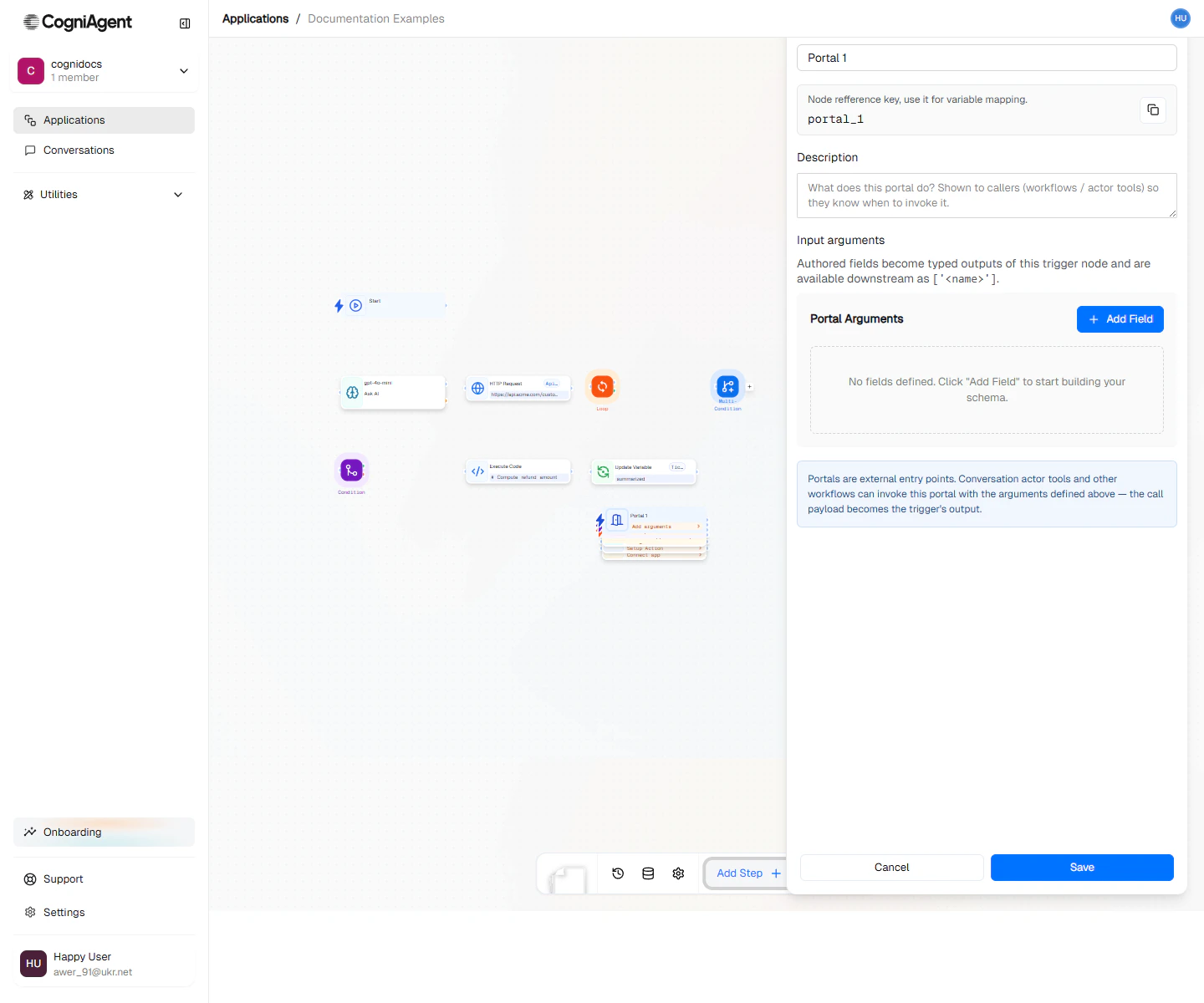
The Portal trigger lets you turn a workflow into a reusable, callable entry point. Declare input arguments up front and other workflows — or AI agents using your workflow as a tool — can invoke it like a function.
 ## When to use
* **Reusable workflows** — Wrap a multi-step process behind a clean input contract, then call it from many places.
* **Agent tools** — Expose a workflow as a tool an actor in a [Conversation Flow](/conversation-flows/overview) can invoke.
* **Composition** — Build small focused workflows and assemble them with [Call AI Agent](/nodes/actions/call-ai-agent).
## How it works
When a Portal trigger runs:
1. The caller provides values for each declared input.
2. The Portal node hands those values to the workflow as variables.
3. The workflow runs to completion and returns its result to the caller.
This is the workflow equivalent of declaring a function signature — explicit inputs, predictable behavior, callable from anywhere.
## Next steps
Invoke a Portal-fronted workflow from another workflow.
Wire a workflow as a custom tool for an actor.
## When to use
* **Reusable workflows** — Wrap a multi-step process behind a clean input contract, then call it from many places.
* **Agent tools** — Expose a workflow as a tool an actor in a [Conversation Flow](/conversation-flows/overview) can invoke.
* **Composition** — Build small focused workflows and assemble them with [Call AI Agent](/nodes/actions/call-ai-agent).
## How it works
When a Portal trigger runs:
1. The caller provides values for each declared input.
2. The Portal node hands those values to the workflow as variables.
3. The workflow runs to completion and returns its result to the caller.
This is the workflow equivalent of declaring a function signature — explicit inputs, predictable behavior, callable from anywhere.
## Next steps
Invoke a Portal-fronted workflow from another workflow.
Wire a workflow as a custom tool for an actor.