
“Create a customer-support chat agent with two actors — Triage and Returns. Give Returns access to my Shopify integration. Deploy it.”
“Build a workflow that runs every morning at 9 AM, fetches new Stripe charges from the last 24 hours, and posts a summary to Slack.”
“Add a code step that reads every row of my Leads sheet and posts each qualified lead to #sales.”
“Read the Q3 summary in Workspace files and save a one-page version beside it.”…and the AI does it, calling the right tools in the right order.
What you can do via MCP
The MCP server exposes 40+ tools covering:Chat & Voice Agents (conversation flows)
Create, update, and delete agents. Manage actors, edges, channels, and capabilities.
Workflows (applications)
Inspect and edit workflows (applications) — triggers, actions, logic, executions.
Integrations
Browse the 2,700+ app catalogue, set up new connections, inspect existing ones.
Test and operate
Start test sessions, read events, send messages, deploy, undeploy, end conversations.
Workspace files
List, search, read, upload, move and trash the files your team shares.
Why this is useful
For operators: build complex Chat & Voice Agents and workflows by describing them. The AI handles the wiring — actor configs, routing edges, capability setup — and you focus on the design. For developers: the same MCP tools are available programmatically. Build agents and workflows from scripts, generate documentation, sync them across environments. For enterprises: standardise agent and workflow patterns across teams. A central “AI assistant” can create workspaces, provision base agents and workflows, and onboard teams to spec.Getting started
1. Open API access in Workspace settings
Click the workspace switcher at the top of the left sidebar, then Workspace settings.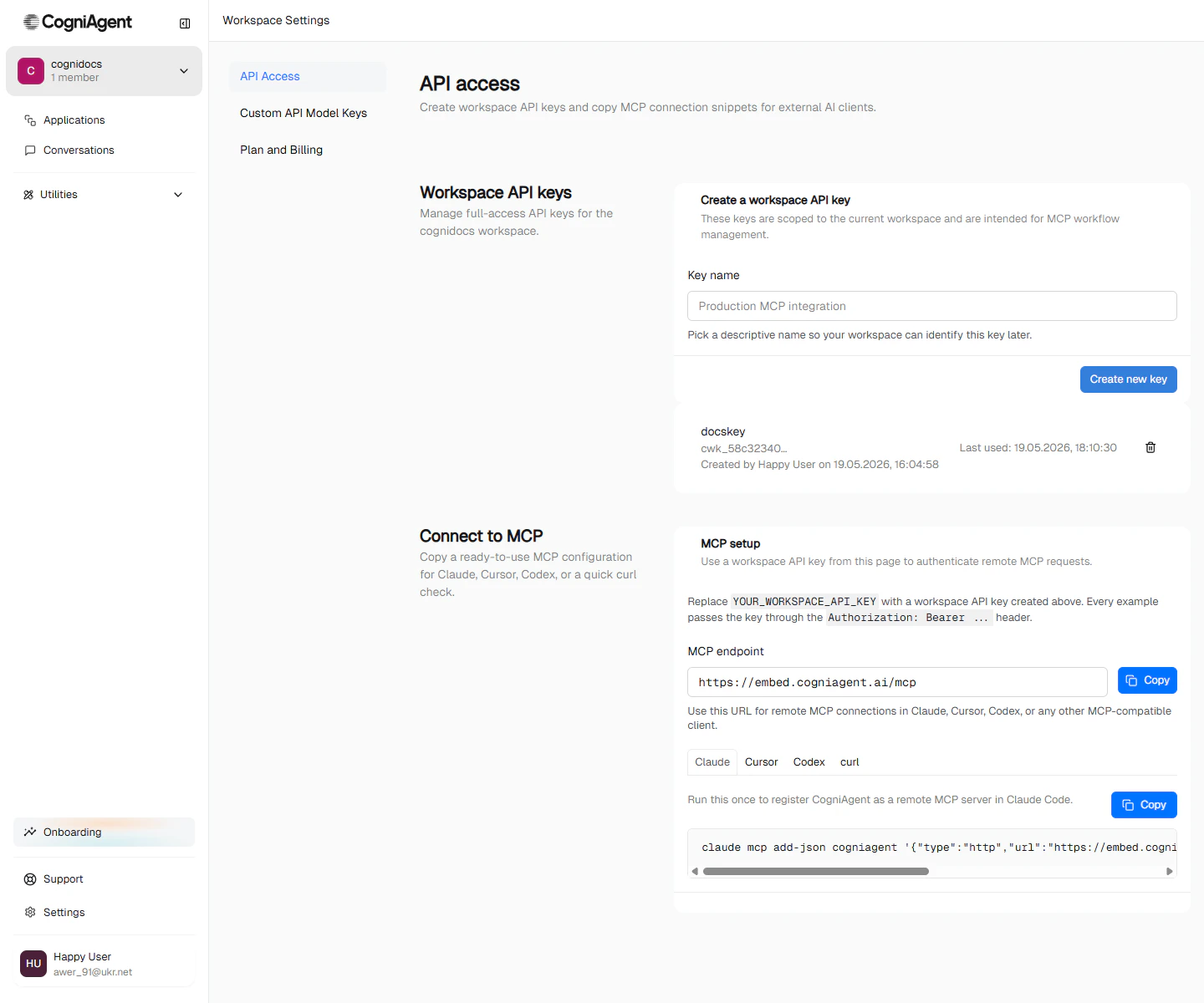
Workspace switcher → Workspace settings.
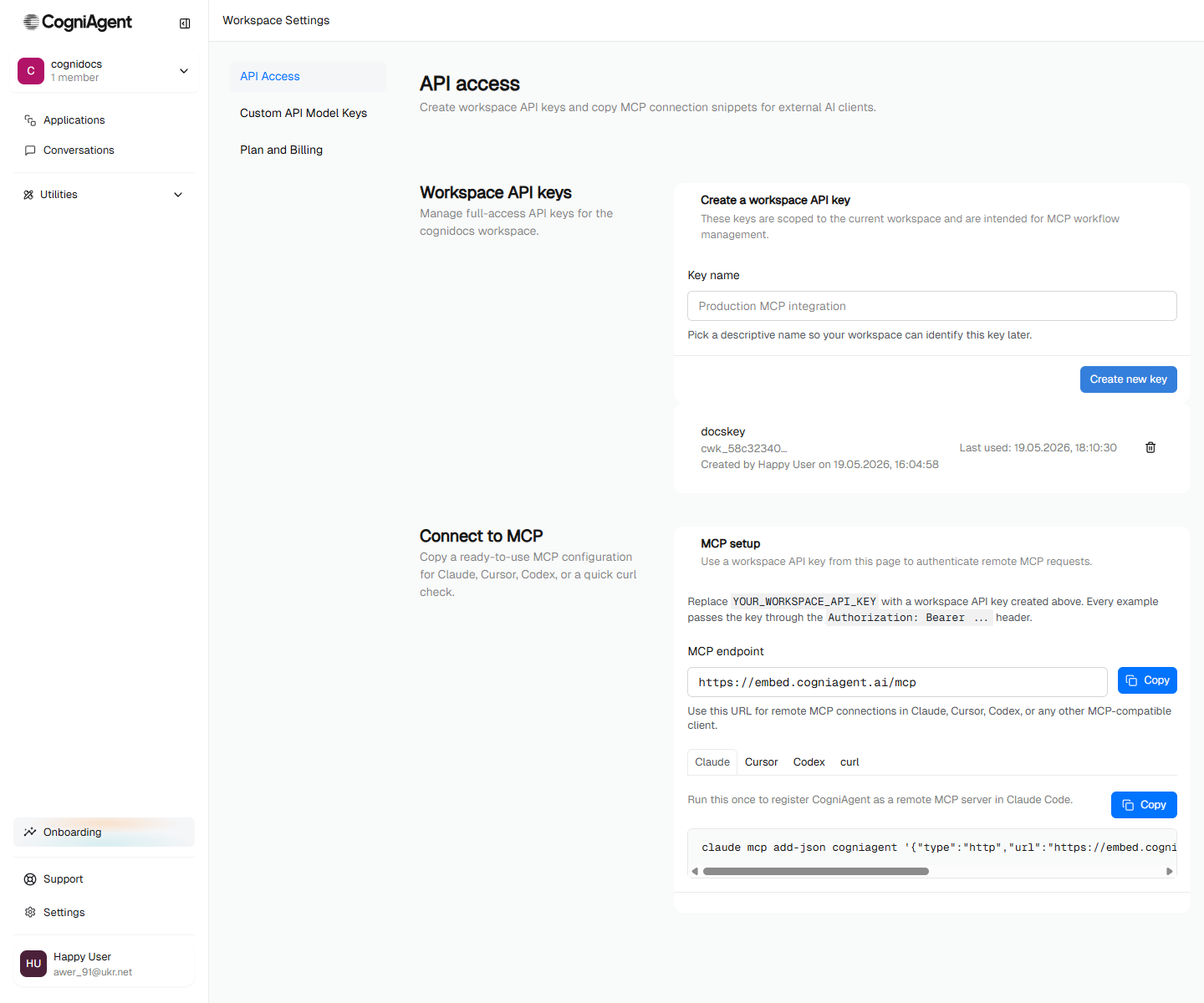
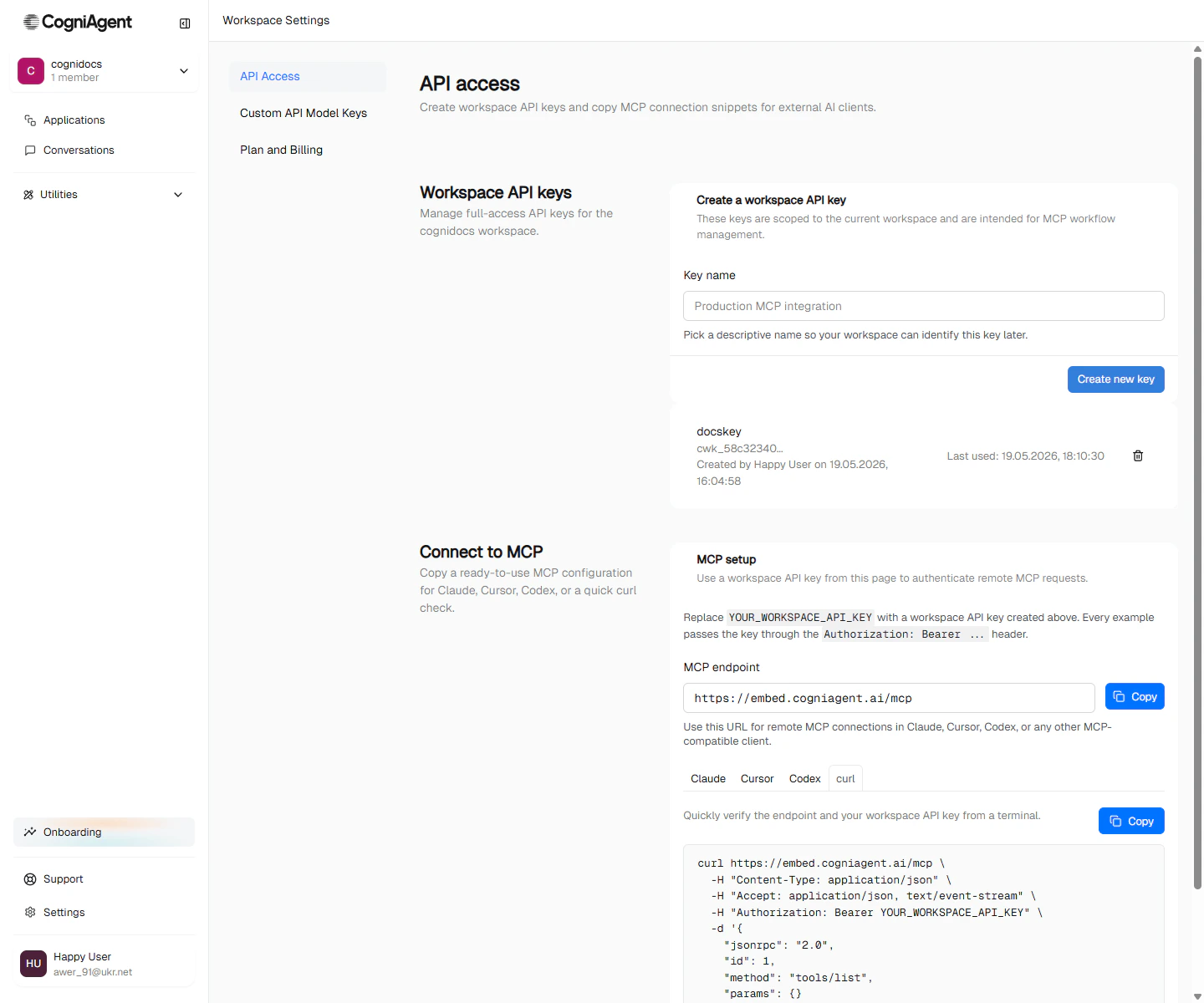
Workspace settings → API Access. Create a key on the left, copy the matching MCP config on the right.
2. Create a workspace API key
Under Create a workspace API key, type a descriptive name (e.g.Production MCP integration) and click Create new key. CogniAgent shows the full key once — copy it immediately. After you close the dialog, only a truncated preview (e.g. cwk_58c32340…) is visible.
The key list shows when each key was last used, so you can spot unused keys and revoke them.
3. Copy the MCP config for your client
The Connect to MCP card on the right has tabs for Claude, Cursor, Codex, and a rawcurl check. Pick your client, replace YOUR_WORKSPACE_API_KEY with the key you just created, and paste.
- Claude
- Cursor
- Codex
- curl (smoke test)
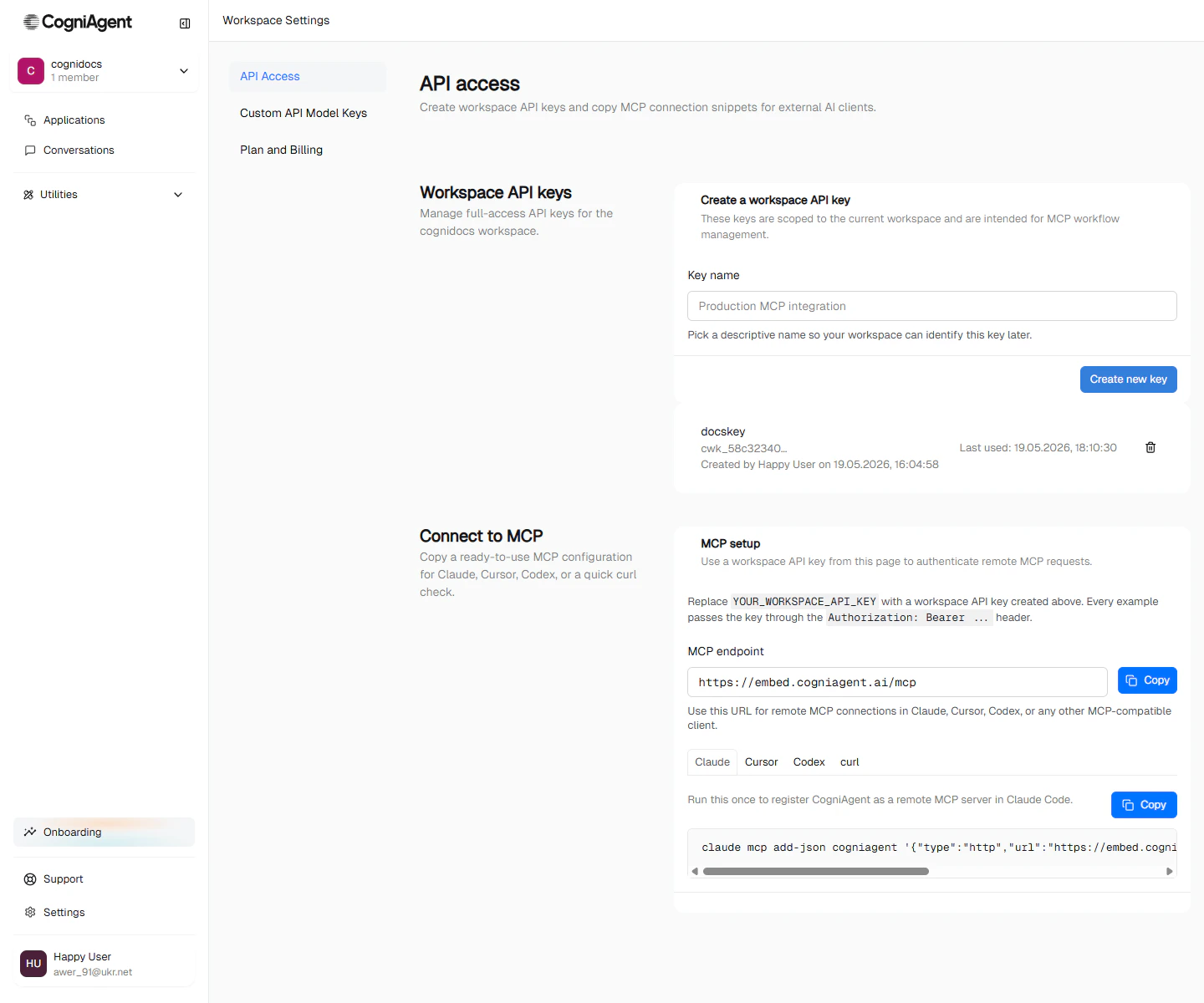
/mcp in Claude Code.Claude Desktop — paste the block below into mcpServers in claude_desktop_config.json, then restart: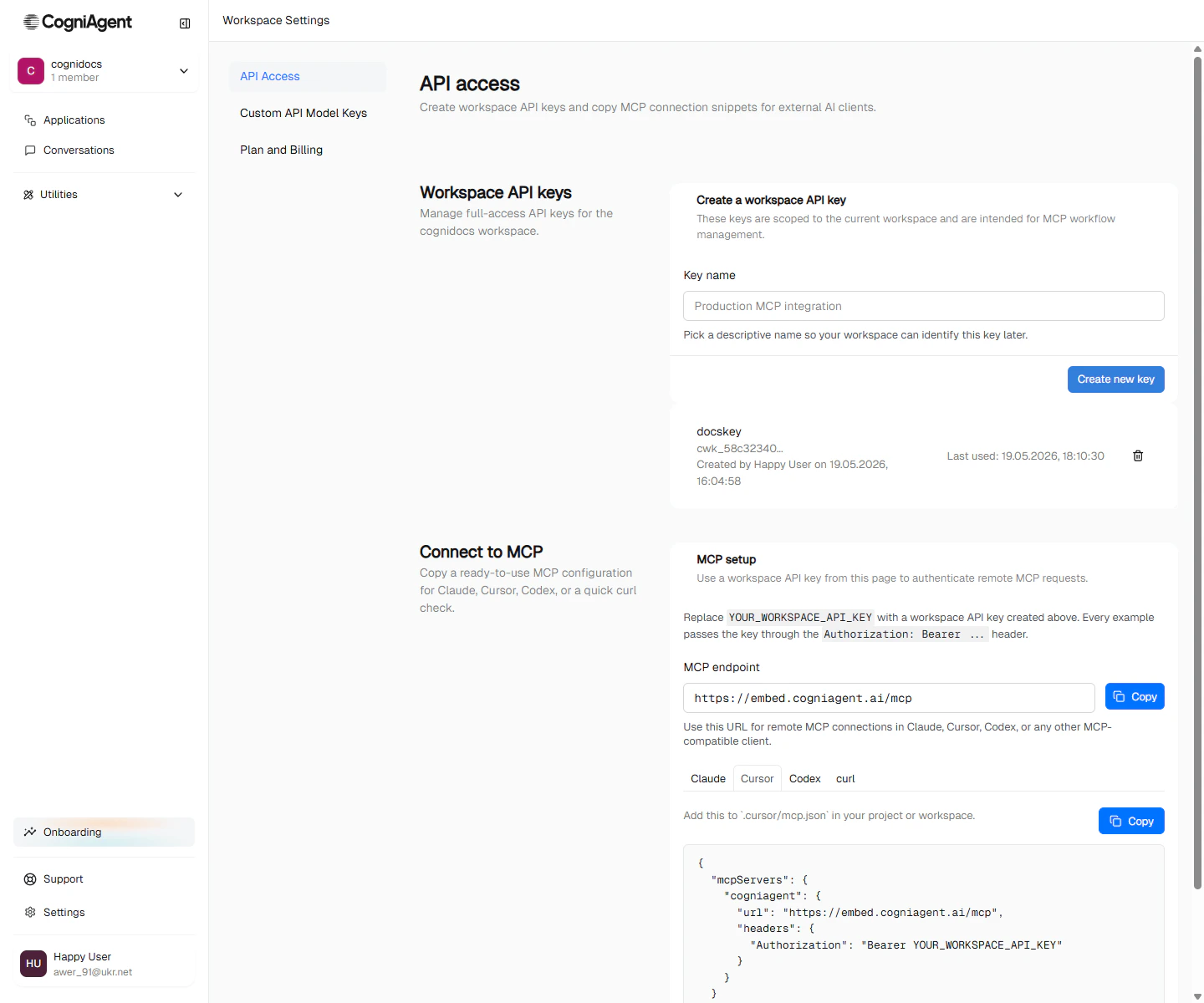
4. Verify it’s working
Ask your assistant something simple:“List my Chat & Voice Agents.”The assistant should call
list_conversation_flows — the tool that lists your Chat & Voice Agents (conversation flows) — and show the result.
A worked example — building Sales Triage by prompt
Open your assistant and paste:“Build a Sales Triage chat agent in my workspace. It should have three actors: a Triage actor that asks one qualifying question, a Product Specialist who answers product questions, and a Pricing Specialist who handles pricing. The agent should be in Responder mode. Set the global context to introduce Acme Inc., a SaaS company with two products: Acme Pro at $49/seat/month with a 14-day trial, and Acme Enterprise with SSO, SLAs, and a dedicated success manager. Wire routing so Triage hands off based on user intent — to Product Specialist for product questions, to Pricing Specialist for pricing questions. Add a widget channel and deploy it. Then run a test conversation to verify routing works.”A capable assistant does all of this — typically 8–12 MCP tool calls — and reports back with the agent’s ID, the test session transcript, and the routing trace.
Discovering tools
The MCP server self-documents. Once connected, your assistant can call:read_platform_guide— high-level guides for building Chat & Voice Agents (conversation flows), workflows (applications), integrations, focus modes.get_node_howto— per-node-type configuration shape.read_platform_guidewith the topicworkspace_files— how paths,@files/mentions, limits, conflicts and the Trash work in Workspace files.
Tool surface, at a glance
Tool names use the API’s words:application means a workflow, and conversation_flow means a Chat & Voice Agent. For example, applications_list lists your workflows (applications), and list_conversation_flows lists your Chat & Voice Agents (conversation flows).
Conditions on routes
manage_conversation_flow_edge takes an optional configuration.activationCondition on edges into actors. It’s the Only when… condition from the editor (Conditional routes): while it doesn’t hold, the router can’t choose the target actor.
match:all(the default) orany. 1–10rules.source:param(an Initial Parameter) orslot.nameis the@param./@slot.name.operatorandvalue:equals,not_equals,containstake a string (up to 200 characters), a number or a boolean;greater_than,less_thantake a number;in,not_intake a list of 1–50 strings;is_set,is_not_settake novalue.- Strings compare trimmed and ignoring case. A value that isn’t set fails every operator except
is_not_set.
prompt: 1–2000 characters, not blank. No other keys:matchorrulesnext to"type": "ai"is invalid.- Mentions:
@param.<name>and@slot.<name>are replaced with their values before the check. Slot values and parameters from the page or the URL are marked as untrusted for the AI.validate_conversation_flowchecks them like rules: an unknown parameter is an error, an unknown slot a warning. - The AI answers at most once per user message, and only when the router needs that route. If it can’t decide, or anything fails or times out, the actor stays hidden. A failed check isn’t an answer, so it may run again later on the same message.
- AI conditions are advisory, not access control: the visitor writes the conversation the AI reads. Gate roles and permissions with a
ruleon a parameter the visitor can’t change (a widget link’s parameters, or a conversation started from a workflow or the API), never one from the page or the URL. - In live voice, AI conditions aren’t checked, so the route stays closed.
validate_conversation_flowwarns about it on a live voice agent.
transfer step still reaches the actor, and so do a conversation that starts on it (initialActorId) and the actor already in progress (What still reaches a hidden actor).
An invalid condition is refused with validation_error. validate_conversation_flow reports the same deploy checks as the editor, with the same codes and severities, worded for the API.
Custom actions
When no catalog action fits, most apps can also be called directly with the same connection: a custom action. The connection signs the request, so credentials never go in a header (they are refused).list_integration_actionslists two more things beside an app’sactions:customActions: the workspace’s saved custom actions of the app ({ key: "custom__…", name, call, inputs }). They work like catalog actions, andget_integration_actiontakes their key.customRequest: whether any endpoint of the app can be called.{ key: "__request", available: true, baseUrl?, target? }says where paths resolve;{ available: false, reason }says why not.
get_integration_actionwith the key__requestreturns the step’s configuration (externalAction: "__request"and anexternalActionConfigofmethod,path,query,headersandbody), the Python callintegrations.<app>.request(...)and the rules.manage_custom_actioncreates, updates and deletes saved custom actions (op:create,updateordelete). In a saved request, every{{…}}is an input, written{{args.<input>}}. An update reaches everything that uses the action on its next run; a delete makes the steps that use it fail with its name.- On an integration entry in a Chat & Voice Agent (conversation flow) actor’s capabilities,
customRequests: "read"or"write"turns on Custom API calls for that app. A saved custom action is granted like any action, by itscustom__…key.
Safety guardrails
The MCP server applies the same access controls as the UI:- A workspace API key is scoped to the workspace it was created in — it cannot reach agents or workflows in any other workspace.
- Destructive operations (delete, undeploy) require an explicit confirmation in the AI’s request — the server doesn’t infer.
- The Last used column on the API Access page lets you spot unused or stale keys and revoke them.
Limitations
- No bulk operations. The MCP server is designed for interactive authoring, not batch migrations. For bulk work, use the underlying API directly.
- No streaming chat with end-users. MCP is for building and operating agents and workflows. The actual user-facing conversations run on the channels you’ve configured.
- Token rotation. Tokens don’t auto-rotate. Treat them like any long-lived API key and rotate periodically.
Next
Chat & Voice Agents
Multi-agent AI conversations the MCP server can build, test, and deploy.
Workflows (applications)
Triggered automations — the other half of what MCP can manage.
Sales Triage walkthrough
The same agent this MCP example builds — but step-by-step in the UI.
Browse nodes
The building blocks an AI assistant uses when authoring workflows for you.