
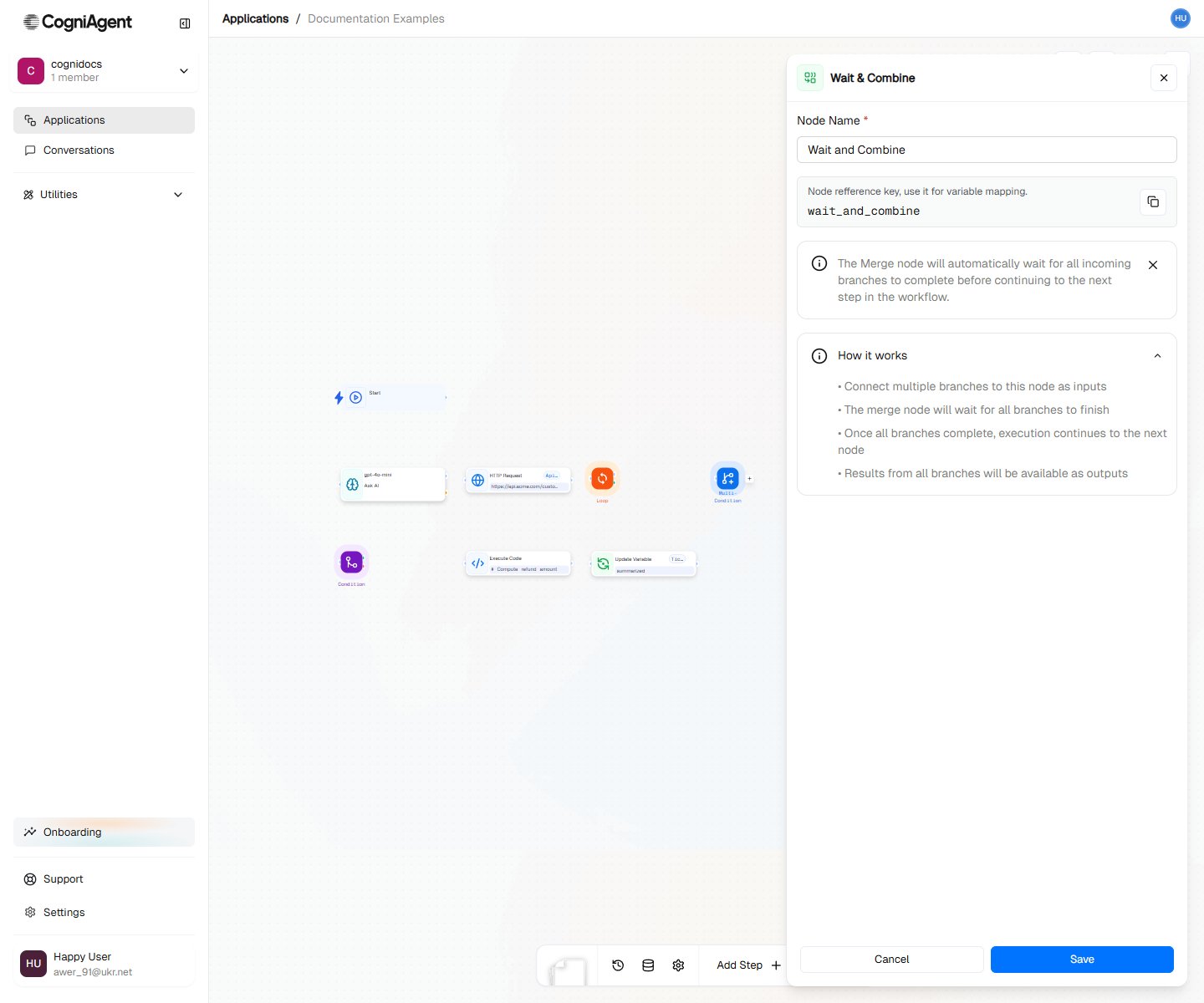
Wait and Combine Node

The Merge node waits for all incoming branches to complete before allowing the workflow to continue. Use it when you’ve split execution into parallel paths (via Condition or Switch) and need to synchronize before the next step.

When to Use

  • Parallel processing - Run multiple operations simultaneously, then continue
  • Branch rejoining - Bring conditional branches back together
  • Data aggregation - Collect results from multiple paths
  • Synchronization - Ensure all prerequisite tasks complete before next step

How It Works

Without Merge, parallel branches execute independently:
├── Condition
│   ├── Met: Path A → Completes independently
│   └── Unmet: Path B → Completes independently
└── [No synchronization]
With Merge, branches synchronize:
├── Condition
│   ├── Met: Path A ─────┐
│   └── Unmet: Path B ───┴─→ Merge → Continue
Only the branch that actually executes needs to complete. If a Condition evaluates to “met”, only the “met” branch runs and the Merge waits for just that branch.

Example: Parallel Data Fetching

Fetch data from multiple sources simultaneously:
1

Fork into parallel requests

After the trigger, create multiple HTTP Request nodes that run in parallel.
2

Merge the results

Connect all HTTP Request outputs to a single Merge node.
3

Combine the data

Use Execute Code to combine the results:
customers = input["http_request_1"]["body"]["customers"]
orders = input["http_request_2"]["body"]["orders"]
products = input["http_request_3"]["body"]["products"]

return {
    "customers": customers,
    "orders": orders,
    "products": products,
    "summary": f"{len(customers)} customers, {len(orders)} orders"
}
Workflow:
├── Start
├── HTTP Request 1 (get customers) ─────┐
├── HTTP Request 2 (get orders) ────────┼─→ Merge → Execute Code (combine)
├── HTTP Request 3 (get products) ──────┘

Example: Conditional Branch Rejoin

Bring conditional paths back together:
├── Webhook (incoming request)
├── Condition (is premium customer?)
│   ├── Met:
│   │   ├── LLM (premium analysis)
│   │   └── Set Variable (analysis = premium result) ───┐
│   └── Unmet:                                          │
│       ├── LLM (standard analysis)                     │
│       └── Set Variable (analysis = standard result) ──┴─→ Merge
└── External API (send analysis email)
Both paths set the same variable, then Merge ensures the workflow continues only after whichever path executed completes.

Example: Multi-Channel Notification

Send notifications to multiple channels, then confirm:
├── LLM (generate alert)
├── External API (Slack) ────────┐
├── External API (Email) ────────┼─→ Merge → Set Variable (notificationsSent = true)
├── External API (SMS) ──────────┘
All three notifications send in parallel. Merge waits for all to complete before logging success.

Merge Modes

Wait for All (Default)

Waits for every incoming connection to complete:
├── Branch A (takes 2s) ─────┐
├── Branch B (takes 5s) ─────┼─→ Merge (waits 5s total)
├── Branch C (takes 1s) ─────┘
The workflow continues after the slowest branch finishes.

Wait for Any

Continues as soon as any branch completes:
├── Branch A (takes 2s) ─────┐
├── Branch B (takes 5s) ─────┼─→ Merge (waitFor: any) (waits 1s)
├── Branch C (takes 1s) ─────┘
Use case: Racing API calls to use the fastest response.
With “any” mode, other branches continue executing in the background. Their results won’t be available to subsequent nodes.

When You Don’t Need Merge

If branches truly diverge and don’t need to rejoin, skip Merge:
├── Switch (route by type)
│   ├── Type A: [Complete process A]
│   ├── Type B: [Complete process B]
│   └── Type C: [Complete process C]
Each path handles its case completely. No Merge needed.

Accessing Branch Results

After Merge, access results from all completed branches:
# In Execute Code after Merge
branch_a_result = input["llm_1"]["response"]  # From branch A
branch_b_result = input["llm_2"]["response"]  # From branch B

# Combine results
return {
    "combined": f"{branch_a_result}\n\n{branch_b_result}"
}

Common Patterns

Fan-Out / Fan-In

Process items in parallel, then aggregate:
├── Execute Code (split items into groups)
├── Call Agent (process group 1) ─────┐
├── Call Agent (process group 2) ─────┼─→ Merge → Execute Code (combine results)
├── Call Agent (process group 3) ─────┘

Conditional Parallel Processing

Only run branches that are needed:
├── Condition (need enrichment?)
│   ├── Met: HTTP Request (enrich data) ────┐
│   └── Unmet: (skip enrichment) ───────────┴─→ Merge
├── Condition (need validation?)
│   ├── Met: HTTP Request (validate data) ──┐
│   └── Unmet: (skip validation) ───────────┴─→ Merge

Tips

Use Merge when you need to “wait for things to finish” before continuing. Without Merge, the first completed branch would trigger the next step.
The slowest branch determines overall time. If speed matters, consider which operations can be parallelized vs. which are dependencies.
Don’t create cycles (branch → merge → back to branch). This creates infinite loops.

Settings

name
string
default:"Merge"
Display name shown on the canvas.
key
string
default:"merge_1"
Unique identifier for referencing outputs.
waitFor
string
default:"all"
Merge behavior:
  • all - Wait for ALL incoming branches to complete
  • any - Continue as soon as ANY branch completes

Outputs

completedBranches
array
List of branch names/IDs that completed.
branchResults
object
Results from each branch, keyed by branch name.