
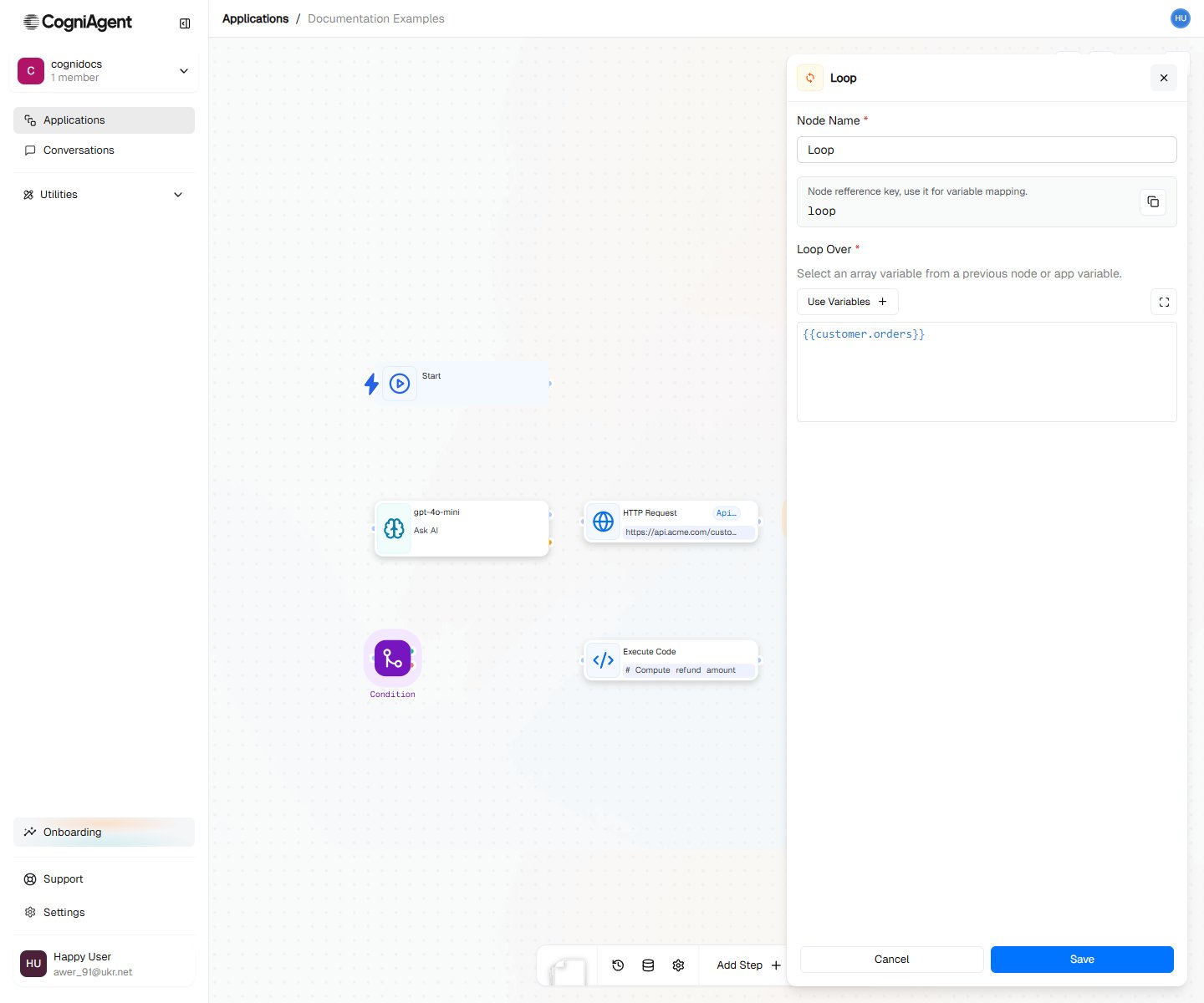
Loop Node

The Loop node repeats the same actions for every item in a list. If you have 10 emails to process, it does the same thing 10 times - once for each email. Think of it like a factory assembly line: each item comes through, gets the same treatment, then moves on.

When to Use

  • Processing lists - Handle each email, each row in a spreadsheet, each file
  • Sending to multiple people - Send personalized emails to everyone on a list
  • Processing data - Do the same thing to every item
  • Collecting results - Gather what you learned from each item

Example: Process Email Attachments

Extract and analyze each attachment from an email:
1

Receive email with attachments

Use Event from App (Gmail) to trigger on emails with attachments.
2

Loop over attachments

Add a Loop node:
  • Iterable data: {{event_from_app_1.email.attachments}}
3

Process each attachment

Inside the loop:
  • Parse File (current attachment)
  • LLM (analyze content)
  • Set Variable (append results)
4

After loop

Send summary of all analyzed attachments.
Workflow:
├── Event from App (Gmail with attachments)
├── Set Variable (results = [], initialize)
├── Loop (over attachments)
│   ├── Parse File ({{loop_1.currentItem}})
│   ├── LLM (analyze: {{parse_file_1.content}})
│   └── Set Variable (results, append {{llm_1.response}})
└── External API (Slack: "Processed {{loop_1.completedCount}} files")

Example: Send Personalized Emails

Send individual emails to a list of recipients:
├── HTTP Request (get recipient list from CRM)
├── Loop (over {{http_request_1.body.contacts}})
│   ├── LLM (generate personalized message for {{loop_1.currentItem.name}})
│   └── External API (Gmail: send to {{loop_1.currentItem.email}})
└── Set Variable (log: sent {{loop_1.completedCount}} emails)
Accessing item properties:
Name: {{loop_1.currentItem.name}}
Email: {{loop_1.currentItem.email}}
Company: {{loop_1.currentItem.company}}

Example: Process Spreadsheet Rows

Handle each row from a Google Sheet:
├── External API (Google Sheets: get all rows)
├── Loop (over {{external_api_1.values}})
│   ├── Condition (row has email?)
│   │   ├── Met:
│   │   │   ├── LLM (classify lead)
│   │   │   └── External API (HubSpot: create/update contact)
│   │   └── Unmet: (skip row)
└── External API (Slack: "Processed {{loop_1.completedCount}} leads")

Collecting Results from Each Loop

If you want to remember what happened with each item:

Save Results as You Go

├── Set Variable (allResults = [], create empty list first)
├── Loop (over items)
│   ├── LLM (analyze the item)
│   └── Set Variable (allResults, add this result to the list)
└── LLM (summarize all the results)
This way, after the loop ends, you have a list of everything that happened.

Process Results with Code

# Get all the results we collected
results = input["set_variable_1"]["value"]

# Count successes and failures
successful = [r for r in results if r["success"]]
failed = [r for r in results if not r["success"]]

return {
    "total": len(results),
    "successful": len(successful),
    "failed": len(failed)
}

Loops Inside Loops

Sometimes you need to loop through a list that’s inside another list:
├── Loop (for each department)
│   └── Loop (for each employee in that department)
│       └── Send email to that employee
Be careful with loops inside loops - the numbers multiply! 10 departments with 50 employees each = 500 total emails.

Conditional Processing

Skip items that don’t meet criteria:
├── Loop (over items)
│   ├── Condition (should process?)
│   │   ├── Met: Process item
│   │   └── Unmet: (skip - no action)
The unmet branch doesn’t need to connect to anything.

Using Index and Position

First item handling:
├── Loop
│   ├── Condition ({{loop_1.isFirst}})
│   │   ├── Met: Send "Starting batch of {{loop_1.totalCount}} items"
│   │   └── Unmet: (continue)
│   └── Process item
Last item handling:
├── Loop
│   ├── Process item
│   ├── Condition ({{loop_1.isLast}})
│   │   ├── Met: Send "Completed all {{loop_1.totalCount}} items"
│   │   └── Unmet: (continue)
Using index for numbering:
Item {{loop_1.currentIndex + 1}} of {{loop_1.totalCount}}: {{loop_1.currentItem.name}}

Loop Completion

The nodes connected after the loop (not inside it) execute once after all iterations complete:
├── Loop (over 10 items)
│   └── [Executes 10 times]
└── After Loop [Executes 1 time after loop completes]

Error Handling

By default, if one iteration fails, the loop continues with remaining items. To handle errors:
├── Loop (over items)
│   ├── HTTP Request (call API)
│   ├── Condition (success?)
│   │   ├── Met: Set Variable (successes, append)
│   │   └── Unmet: Set Variable (failures, append)
Then after the loop, check failures and alert if needed.

How Long Will It Take?

Items are processed one at a time. If you have 100 items and each takes 3 seconds, that’s 5 minutes total.
If your loop is slow:
  • Some services let you send multiple items at once - check if yours does
  • Test with just a few items first before running the full list
  • Make sure your timeout is long enough

Tips

Create your results list before the loop starts. Use Set Variable to create an empty list [], then add to it inside the loop.
Use isFirst to send a “starting now” message, and isLast to send a “all done” message.
While building and testing, add a condition that only processes the first 3 items. Once everything works, remove that condition.

Settings

name
string
default:"Loop"
What to call this node (shown on the canvas).
key
string
default:"loop_1"
A short code to reference this node’s data.
iterableData
string
required
The list to loop through. Examples:
  • {{http_request_1.body.items}} - items from a web request
  • {{event_from_app_1.email.attachments}} - files attached to an email
  • {{external_api_1.values}} - rows from a spreadsheet

Outputs

During each loop iteration:
currentItem
any
The item being processed right now.
currentIndex
number
Which number item this is (starts at 0, so the first item is 0, second is 1, etc.).
isFirst
boolean
True if this is the first item.
isLast
boolean
True if this is the last item.
totalCount
number
How many items there are in total.
After the loop finishes:
completedCount
number
How many items were processed.