
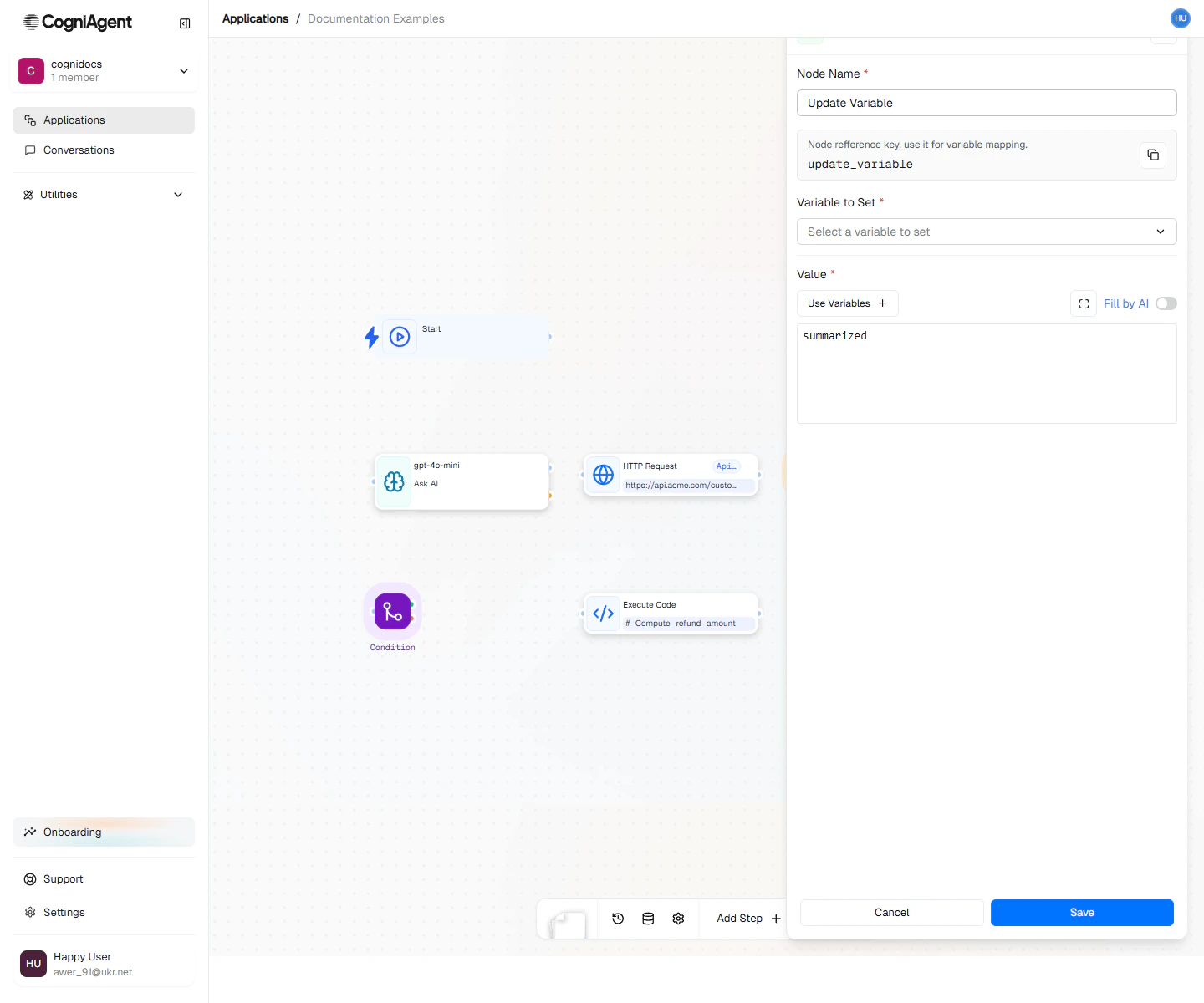
Update Variable configuration — pick or create a variable and the value to assign.
When to Use
- Remember something - Save an AI response to use in multiple places
- Collect results - Build a list of results as you loop through items
- Track progress - Keep track of counts or status
- Give things names - Create easy-to-remember names for complex data
- Save between runs - Some variables can persist even after the workflow ends
- Save different things based on conditions - Store different values depending on what happened
Example: Store Processing Results
Save AI analysis results for use in multiple downstream nodes:1
Analyze with LLM
Use an LLM node to analyze incoming data and return structured results.
2
Store the results
Add an Update Variable node:
- Variable name:
analysisResults - Value:
{{llm_1.response}} - Scope: execution
3
Use in multiple places
Reference
{{set_variable_1.value}} in subsequent nodes:- Send to CRM
- Include in Slack notification
- Add to spreadsheet
- Cleaner references:
{{set_variable_1.value.score}}vs{{llm_1.response.score}} - Parse JSON once, use everywhere
- Clear documentation of what data means
Example: Accumulate Loop Results
Collect results from each loop iteration:- Variable name:
processedItems - Value:
{{llm_1.response}} - Operation: append
Example: Persistent Counter
Track how many times a workflow has run: Configuration:- Variable name:
runCount - Value:
1 - Operation: increment
- Scope: application (workflow-wide, persists between runs)
{{set_variable_1.value}}
Use this for:
- Rate limiting
- Usage tracking
- Triggering actions after N runs
Example: Conditional Storage
Store different values based on conditions:Two Ways to Save Variables
During This Run Only (Default)
Most variables only exist while your workflow is running:- Temporary calculations
- Storing results while working
- Most everyday use cases
Remember Between Runs
Some variables can be remembered even after the workflow ends:- Counting things over time
- Remembering when something last happened
- Settings that rarely change
Operations
Set (Replace)
Replace the entire value:Append (Arrays)
Add an item to an existing array:Increment (Numbers)
Add to an existing number:Merge (objects)
Combine objects, with new values overwriting:Accessing Variables
From the Same Run
Use the Update Variable node’s output:Workflow variables
Workflow variables (scopeapplication) can be referenced by name:
Tips
Settings
string
default:"Update Variable"
What to call this node (shown on the canvas).
string
default:"set_variable_1"
A short code to reference this node’s value.
string
required
What to call the variable. Use clear names like
customerEmail or totalAmount.any
required
What to save. Can be typed directly, or pulled from a previous node.
string
default:"execution"
How long to keep the variable:
- execution - Only during this run (default, use this most of the time)
- application - Workflow-wide: remember it even after the run ends
string
default:"set"
What to do with the value:
- set - Replace whatever was there before
- append - Add to an existing list
- increment - Add to an existing number
- merge - Combine with an existing object
Outputs
any
The value that was stored.
any
The previous value (useful for tracking changes).
string
The name of the variable that was set.
Related Nodes
On Variable Update
Trigger workflows when workflow variables change.
Loop
Iterate over collections, accumulating results.