
A one-minute tour: bind apps, write a call with the editor's help, fix a mistake, and ask AI for a change.
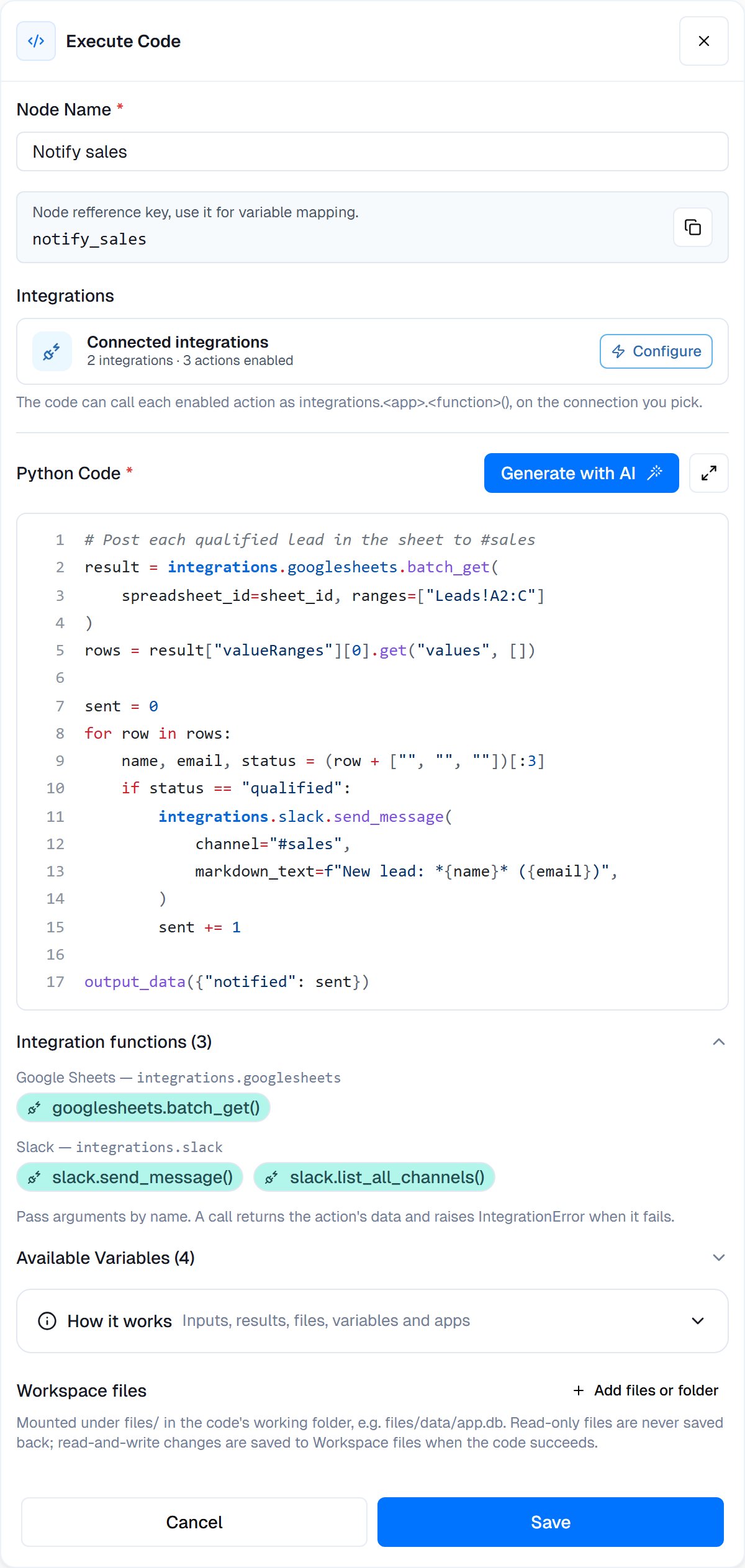
An Execute Code node that reads a Google Sheet and posts each qualified lead to Slack.
When to use
- Reshaping data: rename fields, filter lists, merge results from two nodes
- Calculations: totals, percentages, dates and business days
- Text processing: find emails or phone numbers, clean up names, split text
- Working through many records: read rows from one app and act on each in another, in one step
- Keeping track between runs: remember where the last run stopped in a workflow variable
- Creating files: CSV, Excel, charts or PDFs that later steps send or store
- Your own rules: anything specific to your business
Using data from earlier nodes
The output of every earlier node is a Python value named after the node’s key. Read fields with square brackets:set_variable.
Available Variables, under the editor, lists the outputs and variables you can use. Click one to insert it.
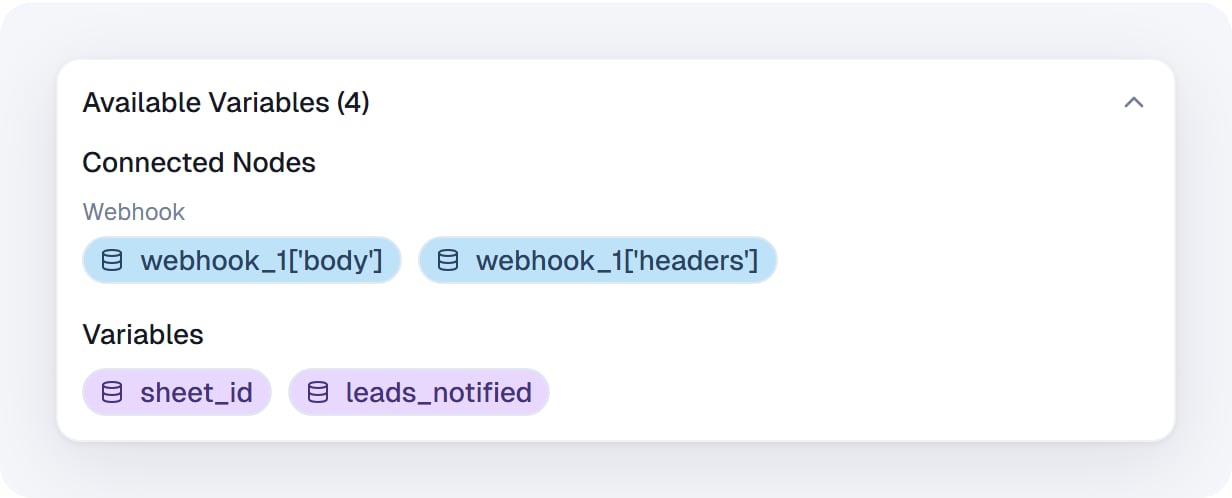
Available Variables: earlier nodes' outputs in blue, workflow variables in purple. Click to insert.
node_key["field"], not node_key.field. The values are plain Python dictionaries and lists.NameError: name '…' is not defined.
You can also write {{node_key.field}} anywhere in the code. It is replaced with the value as text, before the code runs, so it changes the code itself. That suits a short value like an ID. For anything else use the Python names above, which give you the real value.
Returning data
Send structured data to the next nodes withoutput_data(...):
{{execute_code_1.result}}, or deeper, like {{execute_code_1.result.count}}. After a test run, the variable picker in later nodes lists these fields too.
- Anything you
print()goes to thestdOutoutput, which is useful for debugging. - Without
output_data(...),resultholds the value of the last line, as text.
Creating files
Files the code saves under a plain file name are attached to the step’sfiles output:
files output, for example {{execute_code_1.files[0]}}, into an attachment or file field of a later Integration Action, such as a Gmail or Google Drive action.
- Only files in the working folder count. Files inside subfolders are not attached, and neither are mounted workspace files under
files/. - Up to 100 files per run, 100 MB each and 500 MB in total.
- A later Execute Code node sees the file’s name and size, not its content. Read the file with Read File instead.
Work with Workspace files
The Workspace files section under the code lets your code work on files from Workspace files, the folder your team and coworkers share. Click Add files or folder, pick a file or folder, and choose its access in the menu beside it:- Read-only: your code reads it. Whatever the code does to it is discarded. A new row starts as Read-only.
- Read and write: when the code succeeds, the files it changed are saved back to Workspace files.
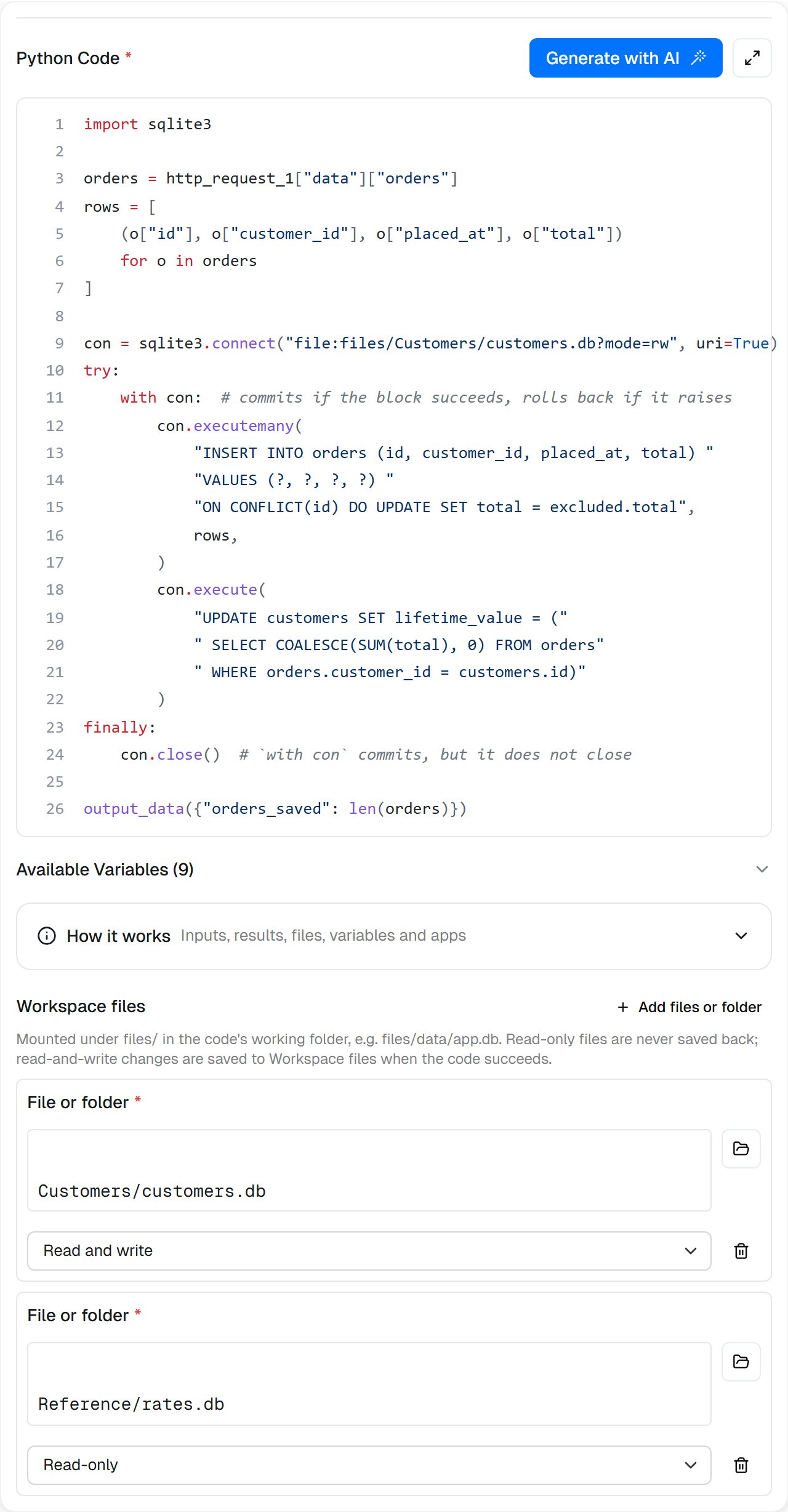
Two mounts: the database the code updates, Read and write, and reference data it only reads.
files in the code’s working folder, at the same path: Customers/customers.db becomes files/Customers/customers.db.
{{…}}, like {{file_added_to_folder_1.file.path}}.
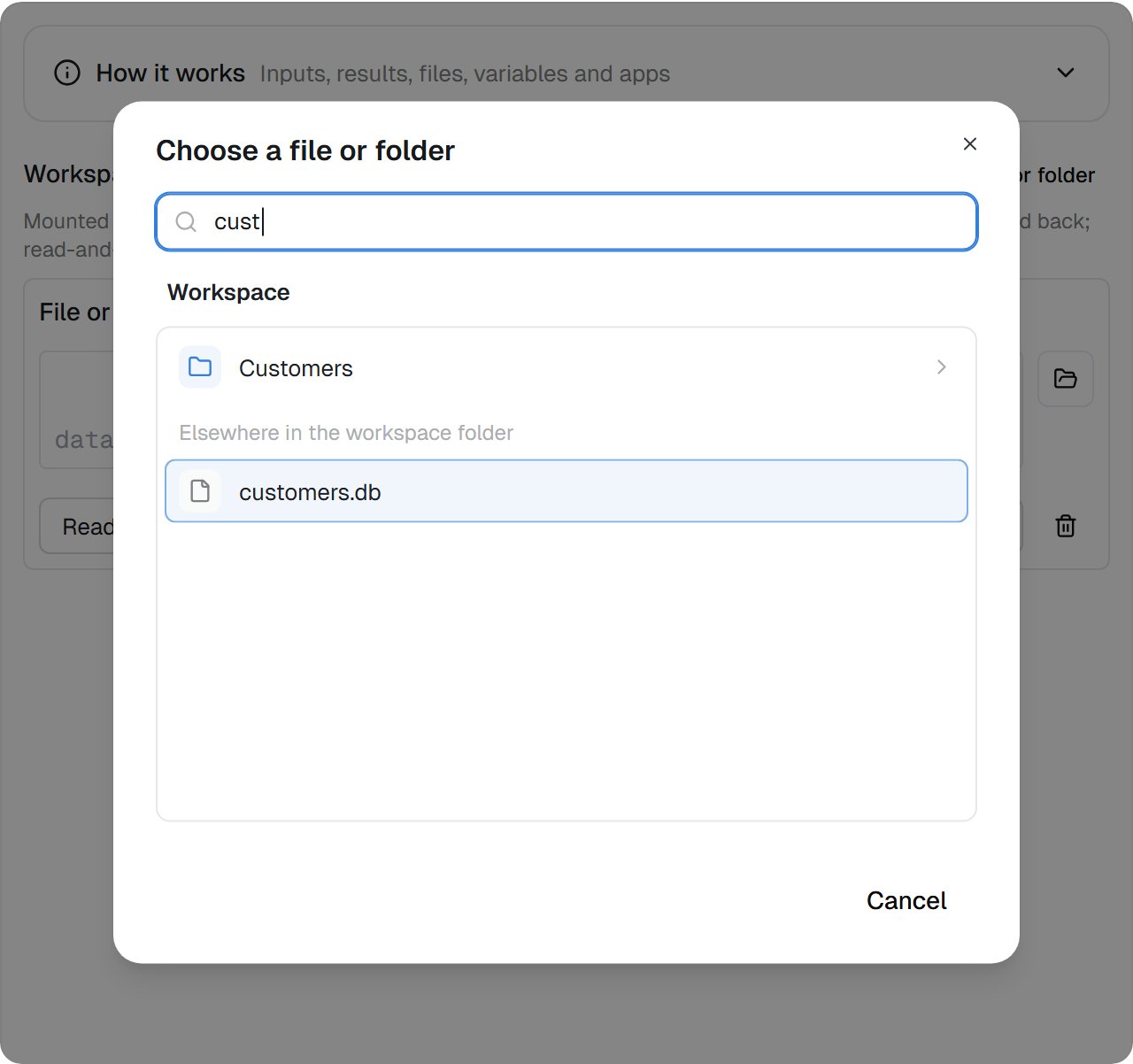
Pick a file or folder from Workspace files. Type part of a name to find it anywhere.
What is saved back
- Changed files are found by their content. After the code ends, its Python process is shut down (which closes any database connection left open) and a fresh process compares every file with the copy taken before. Committed database changes are saved; an open transaction is not.
- Nothing is overwritten. If someone saved the file in Workspace files while your code ran, the run’s version is saved beside it as
name (conflicted copy).ext, listed inconflicts. A new file whose name is already taken is saved the same way. A file moved to the Trash while your code ran is saved again at its path. - Each run starts from the current files. Every run, and every pass of a Loop, copies the mounts in again. Saves of one file by one run within 10 minutes join one version.
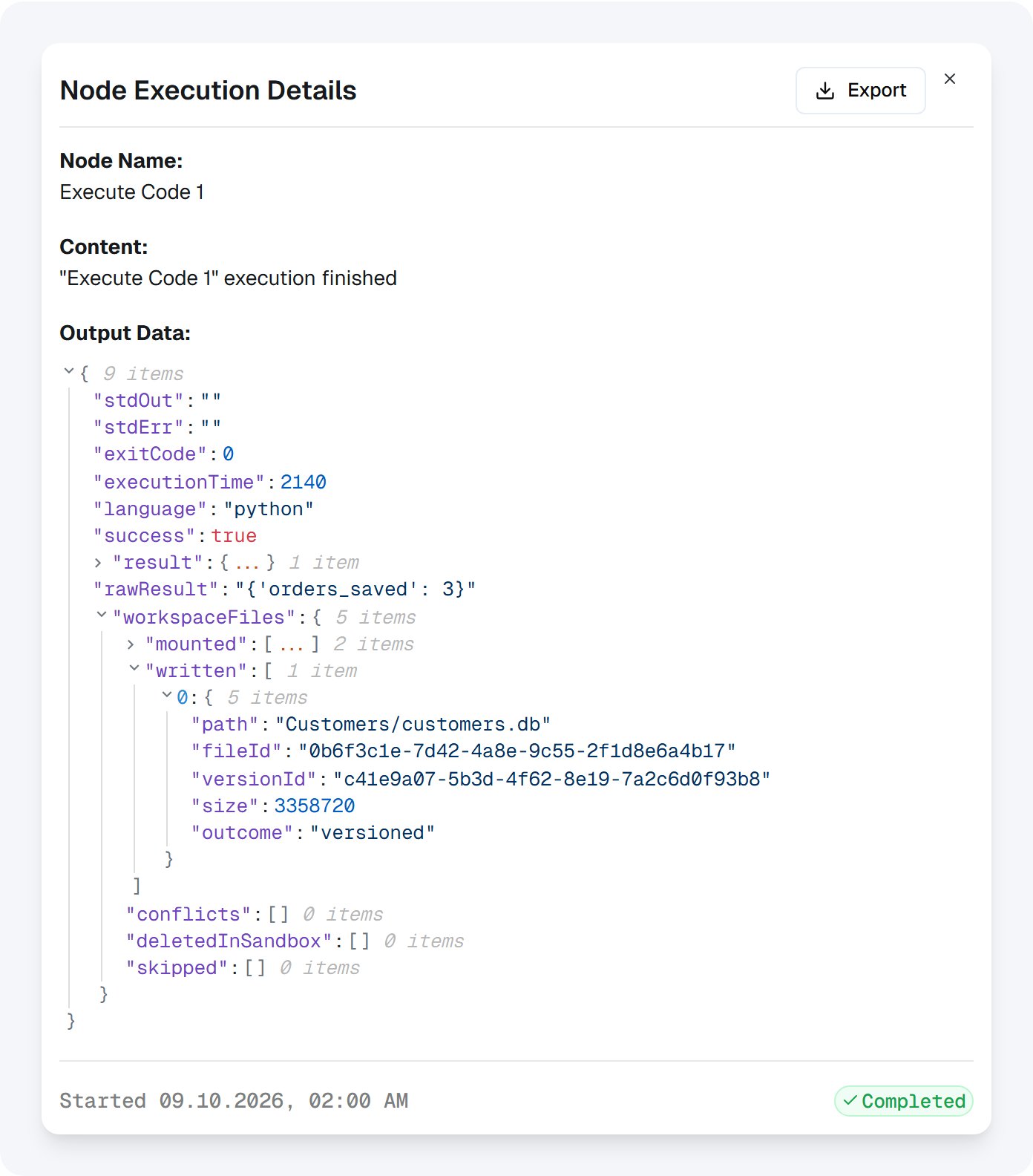
The step's output: customers.db was saved back as a new version.
Use a SQLite database with Workspace files
Set workflow variables
Changing a variable’s value in the code changes nothing outside it. To update a workflow variable, callset_variable with the variable’s key and the new value:
- The variable must already exist. Add it under Variables first.
- The value is converted to the variable’s type, and later nodes read the new value.
- On Variable Update triggers start as usual.
- The variable’s name in your code holds the new value too.
set_variable returns the value as stored. When it cannot set the variable, it raises VariableError, with .code saying why:
Call your apps from code
Bind connected apps to the node, and your code can call their actions as ordinary Python functions:integrations.<app>.<action>(...). Loop over a hundred rows and post one Slack message for each, in a single step.
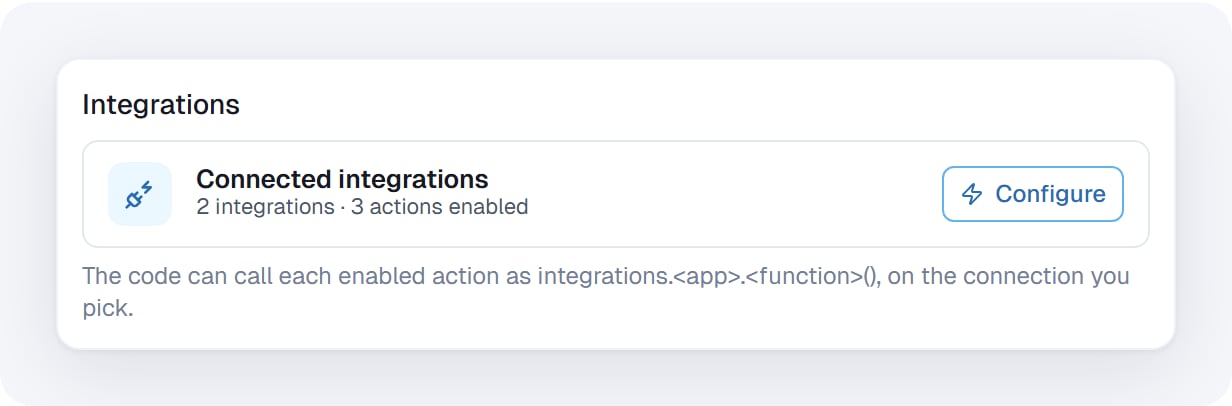
The Integrations section of the node. Configure opens the list of bound apps.
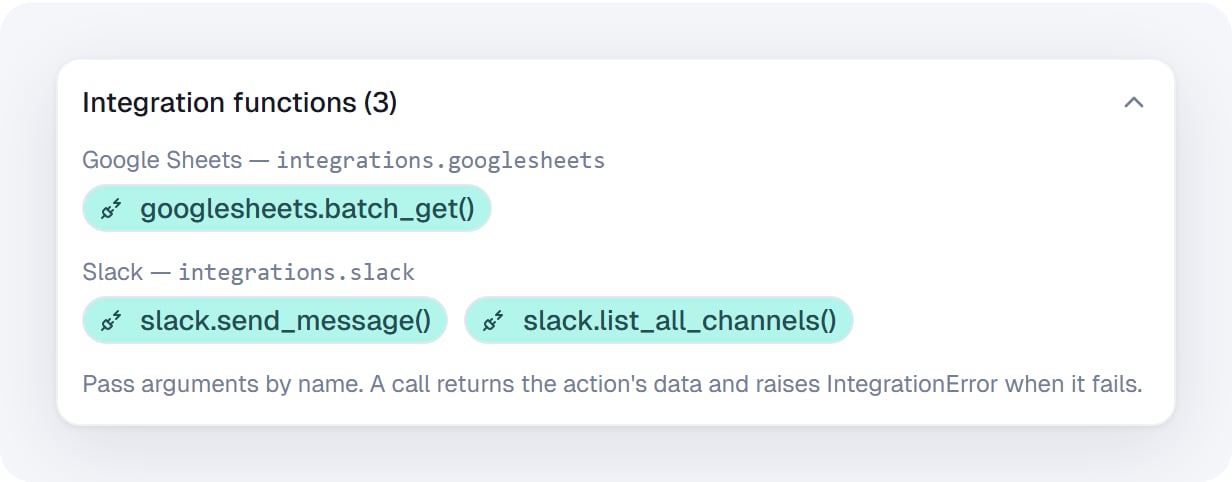
Integration functions, grouped by app. Click a function to insert the call.
Execute Code integrations
Write code with the editor’s help
The editor knows what this node can use: earlier nodes’ outputs, workflow variables,set_variable, and the functions of the apps you bound. It suggests them as you type and flags mistakes before you run.
Suggestions as you type
Typeinteg and pick integrations. The editor then lists the bound apps, then each app’s functions, then the arguments of the call you’re in. Next to each function you see what it does and its main arguments.
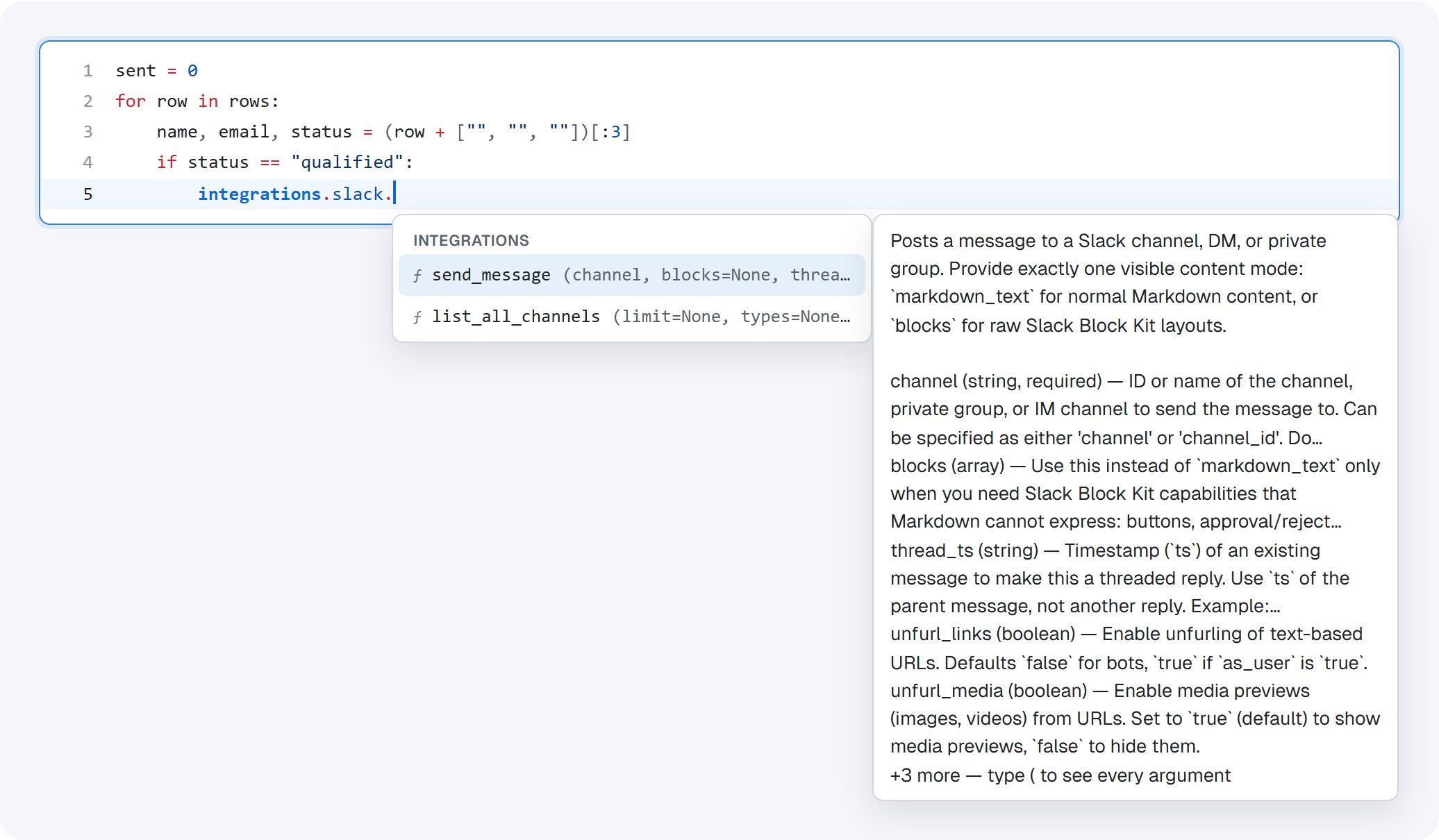
After integrations.slack. the editor lists Slack's enabled functions, with what each does.

A picked function arrives with its required arguments as fields. Tab moves to the next one.
What an argument takes
Inside a call, a hint above it shows the function’s arguments. Required ones are bold; the one you’re typing is underlined and described below. Anything still missing is listed in red.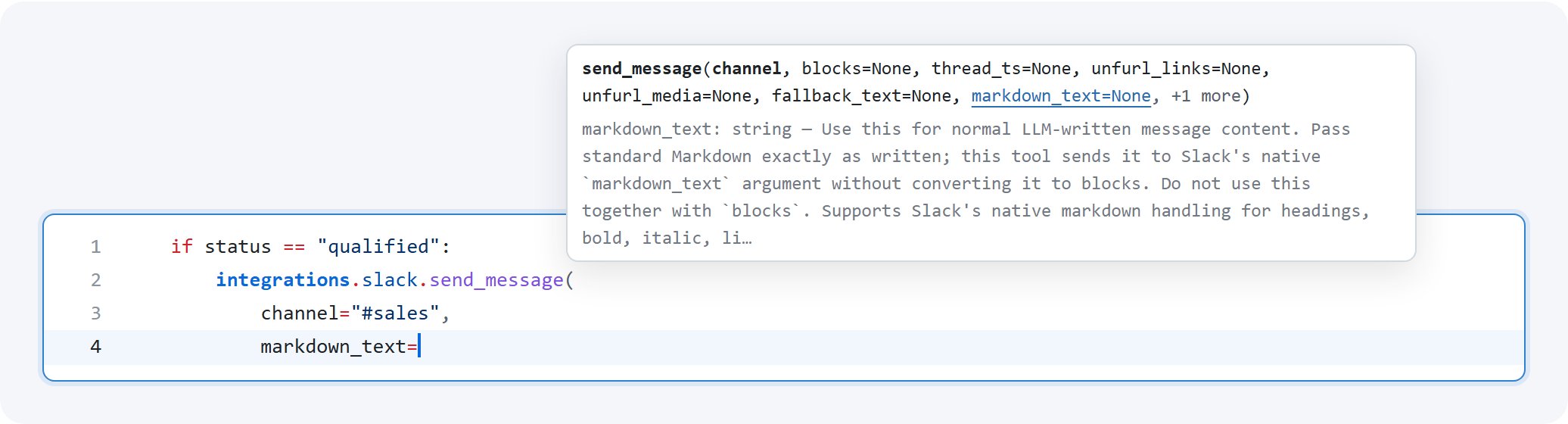
The argument hint above an open call, describing markdown_text as you type it.
Problems before you run
The editor underlines what the call would refuse at run time:- an app that isn’t bound to this node, or a function that isn’t enabled
- a required argument that’s missing, once the call is closed
- an argument name the action doesn’t have
- a
set_variablekey that isn’t a workflow variable

A closed call without its required channel argument. Add channel fills it in.

A typo in the app name, with the fix one click away.
Full screen
Click the expand button next to Generate with AI for a large editor. The side panel holds Ask AI, the integration functions, the available variables and How it works. Click Exit full screen to go back; Esc stays with the editor, so it doesn’t close the view by accident.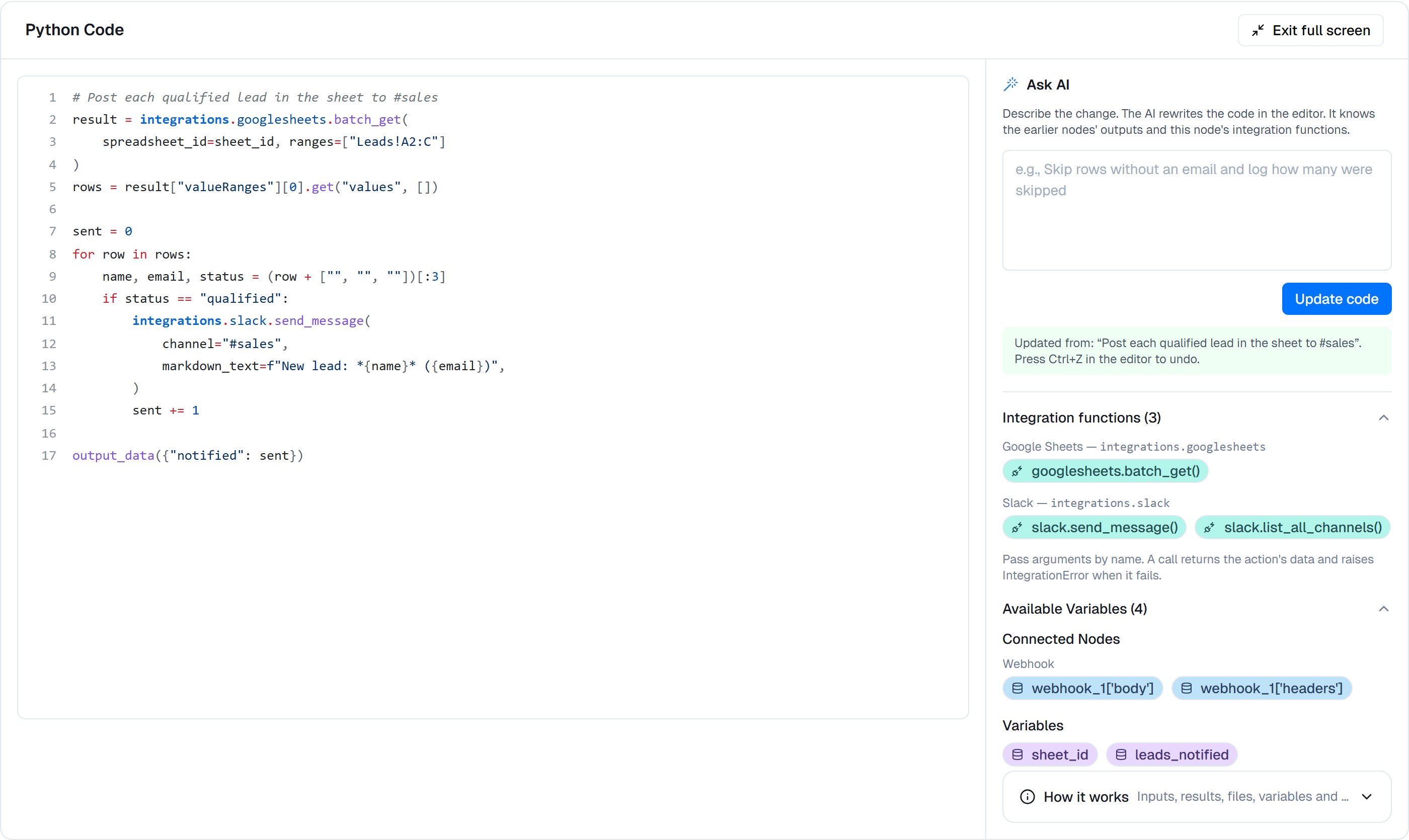
Full screen: the editor on the left; Ask AI, functions and variables on the right.
Let AI write the code for you
Click Generate with AI. The full-screen view opens with Ask AI at the top of the side panel:- Describe what the code should do, or, when there is code already, the change you want.
- Click Generate code (or Update code). The AI writes into the editor.
- Read the result. Press Ctrl+Z in the editor to undo it.
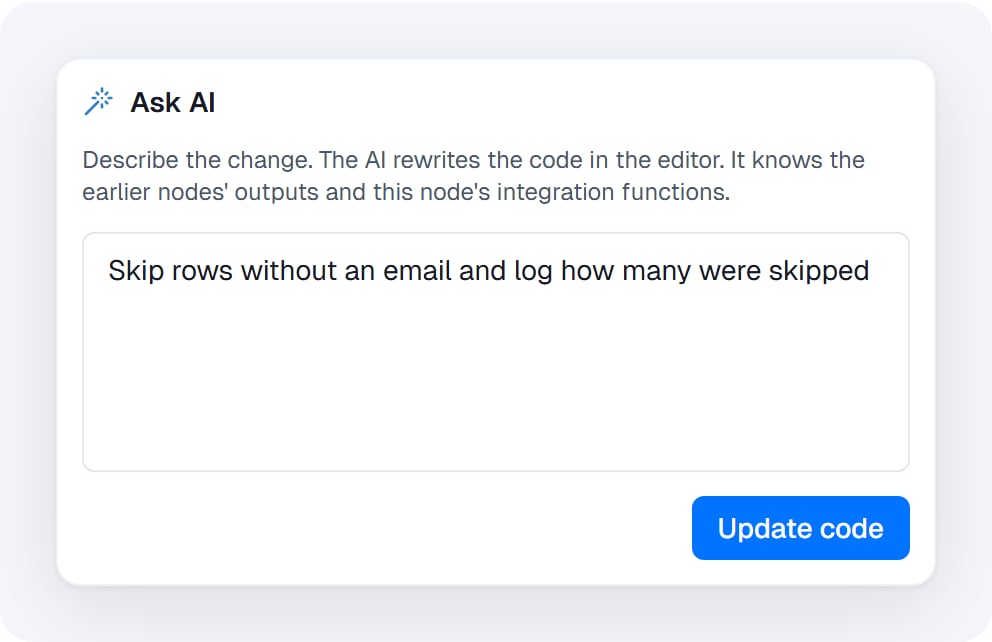
Ask AI rewrites the code in the editor. It knows the earlier nodes' outputs and this node's integration functions.
- “Find all phone numbers and email addresses in the text”
- “Calculate the total of all the prices and add 10% tax”
- “For every qualified lead in the sheet, post a message to #sales”
- “Skip rows without an email and log how many were skipped”
{{.
Example: data transformation
Transform API response data into a specific format:Example: regex extraction
Extract patterns from text:Example: API call
Call a public web service directly withrequests:
Example: date and time calculations
Calculate business days, deadlines, etc:Available libraries
Code runs on Python 3.12 with the standard library and these packages pre-installed:Limits
input() doesn’t wait for anyone: it returns an empty string. To ask a person something, use a Human Step before or after the code.
Error handling
Usetry / except to handle errors gracefully:
Troubleshooting
Security
Tips
Settings
webhook_1["body"].files/, each { path, mode }: mode is read (Read-only, the default) or write (Read and write). Up to 10; none by default. Set it in the Workspace files section. See Work with Workspace files.Outputs
output_data(...). Without it, the value of the last line, as text.print().name, size and mimeType. Insert one into a later node’s file field to send or store it.set_variable: each variable it set, and how many times.mounted: each mount, withpath,mode,kind(fileorfolder),filesandbytescopied inwritten: each file saved back, withpath,fileId,versionId,sizeandoutcome(versioned,coalescedorcreated)conflicts: each file not saved as a new version of the original, withpath,savedAs,reason,fileIdandversionId. Withchanged(someone saved the original meanwhile) orname_taken(a new file’s name was taken), it is saved beside it as a conflicted copy. Withdeleted(the original went to the Trash meanwhile), it is saved again at its own pathdeletedInSandbox: the paths the code deleted, which stay in Workspace filesskipped: each file not saved, withpathandreason
written, conflicts, deletedInSandbox and skipped cover read-and-write mounts only.