
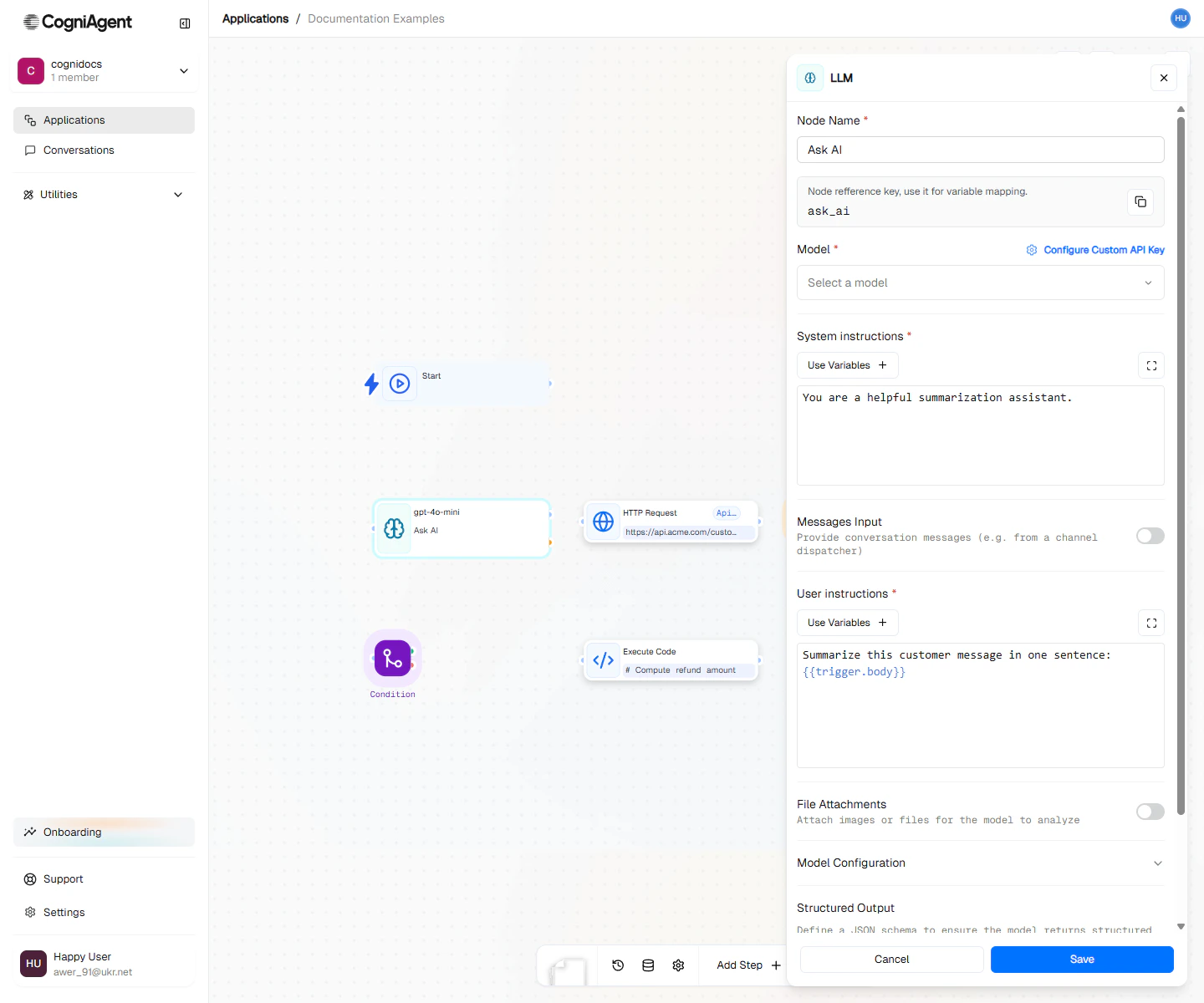
Ask AI configuration — pick a model, write the system + user prompt, name the output variable.
When to Use
- Summarizing - Turn a long document into bullet points
- Categorizing - Sort emails into “Sales”, “Support”, “Spam”, etc.
- Extracting - Pull out names, dates, and numbers from messy text
- Writing - Generate email replies, reports, or social posts
- Translating - Convert text to another language
- Analyzing - Detect if a message is positive or negative, urgent or not
- Reformatting - Turn a paragraph into a list, or vice versa
Example: Email Categorizer
Automatically categorize incoming support emails:1
Set up the event trigger
Add an Event from App node for Gmail to receive incoming emails.
2
Configure Ask AI
Add an Ask AI node with:System prompt:User message:
3
Route based on category
Add a Multi-Condition node using
{{llm_1.response}} to route to different handling workflows.Example: Meeting Summary Generator
Create structured meeting notes from transcripts: System prompt:Example: Data Extraction
Extract structured data from unstructured text: System prompt:Tips for Getting Good Results
Be Specific About What You Want
Give Background Information
Tell It Exactly How to Respond
Show Examples
Structured Output
For reliable parsing, instruct the model to respond in JSON: System prompt:Which Model Should I Choose?
Model names and capabilities change frequently. The model selector in the UI shows current options with their capabilities.
Remembering Previous Conversations
By default, each Ask AI node starts fresh with no memory of previous AI calls. But you can enable memory:Saving Money on AI Costs
- Use simpler models for simple tasks - Don’t use GPT-4 when GPT-3.5 would work fine
- Keep responses short when possible - If you only need a yes/no answer, don’t allow long responses
- Save results to reuse later - Use Update Variable so you don’t have to ask the same question twice
- Skip AI when you don’t need it - Use Condition nodes to avoid unnecessary AI calls
Tips
Settings
string
default:"Ask AI"
What to call this node (shown on the canvas).
string
default:"llm_1"
A short code to reference this node’s response.
string
required
Which AI company to use:
- OpenAI - Makes GPT-4 and ChatGPT
- Anthropic - Makes Claude
- Google - Makes Gemini
string
required
Which specific AI model to use. Newer/larger models are smarter but cost more.
string
Background instructions for the AI. This sets the context and tells the AI how to behave.
string
required
What you want the AI to do. This is your main question or request. You can include data from previous nodes using
{{node_name.value}}.number
default:"0.7"
How creative vs. consistent the AI should be. 0 = same answer every time. 1 = more varied and creative.
number
default:"1024"
How long the response can be. A token is roughly 3-4 characters for English text (varies by language and content).
number
default:"3"
How many times to try again if something goes wrong.
Conversation Memory
boolean
default:"false"
Enable to maintain conversation context across multiple Ask AI calls in the same workflow execution.
number
default:"10"
When memory is enabled, how many previous messages to include as context.
Outputs
string
The model’s text response.
object
Token usage statistics:
promptTokens- Tokens in your inputcompletionTokens- Tokens in the responsetotalTokens- Combined total
string
Why the model stopped generating:
stop- Natural completionlength- Hit max tokens limit
Related Nodes
Call AI Agent
For complex AI tasks, use a dedicated agent application.
Execute Code
Process AI responses with custom code.