
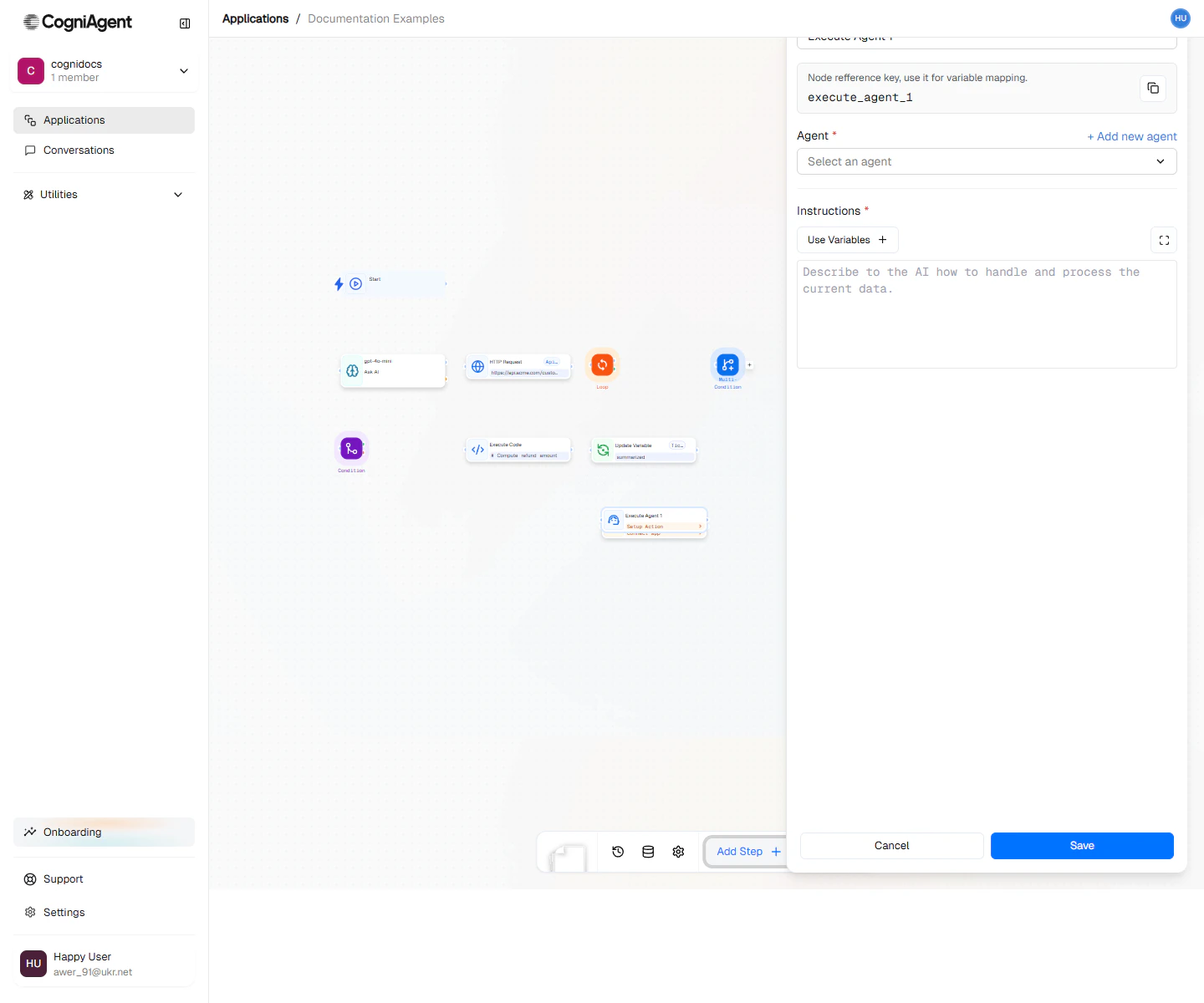
Call AI Agent Node

The Call Agent node invokes another CogniAgent application within your workflow. This enables modular design where complex logic can be encapsulated in one application and reused across many others.

When to Use

  • Reusable logic - Encapsulate common workflows (email parsing, data validation) and call them from multiple places
  • Complex sub-processes - Break large workflows into manageable pieces
  • Team collaboration - Different team members can own different agents
  • Versioning - Update a shared agent without modifying every workflow that uses it
  • Separation of concerns - Keep workflows focused on one responsibility
Think of Call Agent like calling a function in programming. The called agent is the function, and your inputs are the parameters.

Example: Lead Qualification Pipeline

A main workflow that uses specialized agents for each step:
1

Receive the lead

Use a Webhook node to receive new lead data from your website form.
2

Enrich the lead

Call Agent: Lead Enrichment Agent
{
  "email": "{{webhook_1.body.email}}",
  "company": "{{webhook_1.body.company}}"
}
This agent looks up company info, social profiles, and tech stack.
3

Score the lead

Call Agent: Lead Scoring Agent
{
  "enrichedData": "{{call_agent_1.result}}",
  "source": "{{webhook_1.body.source}}"
}
This agent applies your scoring model and returns a score.
4

Route based on score

Use a Condition node to route high-score leads to sales, others to nurture campaigns.
Workflow structure:
├── Webhook (receive lead)
├── Call Agent (Lead Enrichment Agent)
├── Call Agent (Lead Scoring Agent)
├── Condition (score > 80?)
│   ├── Met: External API (create Salesforce opportunity)
│   └── Unmet: External API (add to nurture campaign)

Example: Document Processing Hub

A central workflow that routes documents to specialized processors:
├── Webhook (receive document)
├── Parse File (extract content)
├── LLM (classify document type)
├── Switch (based on document type)
│   ├── invoice: Call Agent (Invoice Processor)
│   ├── contract: Call Agent (Contract Analyzer)
│   ├── resume: Call Agent (Resume Parser)
│   └── default: Call Agent (Generic Document Handler)
└── External API (store results)
Each specialized agent handles its document type with custom logic.

Example: Approval Workflow

Use agents to encapsulate approval processes: Main workflow:
├── Event from App (new purchase request in Slack)
├── Call Agent (Expense Approval Agent)
│   Input: {amount, requestor, description, receipts}
├── Condition (approved?)
│   ├── Met: External API (process payment)
│   └── Unmet: External API (notify requestor of rejection)
Expense Approval Agent:
├── Start
├── Condition (amount > 500?)
│   ├── Met: Human (manager approval required)
│   └── Unmet: LLM (auto-approve with policy check)
└── Return result

Passing Data

Input Data

Pass data to the agent as a JSON object:
{
  "customerId": "{{webhook_1.body.customerId}}",
  "orderDetails": {
    "items": "{{webhook_1.body.items}}",
    "total": "{{webhook_1.body.total}}"
  },
  "priority": "high"
}
The called agent receives this as its starting input data.

Receiving Results

The called agent’s output becomes available as {{call_agent_1.result}}:
Customer name: {{call_agent_1.result.customerName}}
Credit score: {{call_agent_1.result.creditScore}}
Approved: {{call_agent_1.result.approved}}

Design Patterns

Microservices Pattern

Break your automation into small, focused agents:
AgentResponsibility
Email ParserExtract data from emails
Sentiment AnalyzerDetermine sentiment of text
CRM UpdaterHandle all CRM operations
NotifierSend notifications across channels
Main workflows compose these agents as needed.

Facade Pattern

Create a simplified agent that orchestrates complex operations: Customer Onboarding Agent (called by main workflow):
├── Create CRM record
├── Set up billing account
├── Send welcome email
├── Add to onboarding sequence
├── Notify account manager
└── Return summary
Callers don’t need to know these details.

Chain of Responsibility

Pass data through a series of processing agents:
├── Call Agent (Validator) → validates input
├── Call Agent (Enricher) → adds data
├── Call Agent (Scorer) → calculates score
├── Call Agent (Router) → determines destination

Async Execution

Set waitForCompletion: false for fire-and-forget scenarios:
├── Webhook (receive batch request)
├── Loop (over items)
│   └── Call Agent (Process Item, async)
└── HTTP Response ("Processing started")
Async calls return immediately with an executionId. You won’t get the result in the current workflow - use webhooks or variables for callbacks.

Error Handling

When a called agent fails, the Call Agent node captures the error:
├── Call Agent (risky operation)
├── Condition (status == "completed")
│   ├── Met: Continue normal flow
│   └── Unmet: External API (alert team)
Check {{call_agent_1.status}} to handle failures gracefully.

Tips

Name agents descriptively - “Invoice Processor v2” is better than “Agent 1”. This makes the Call Agent node’s purpose clear in the workflow.
Version your agents by creating copies before major changes. This prevents breaking dependent workflows.
Avoid circular dependencies where Agent A calls Agent B which calls Agent A. This will cause infinite loops and eventual timeout.

Settings

name
string
default:"Call Agent"
Display name shown on the canvas.
key
string
default:"call_agent_1"
Unique identifier for referencing outputs.
agentId
string
required
The ID of the CogniAgent application to call. Select from a dropdown of available agents in your workspace.
inputData
object
Data to pass to the called agent. This becomes the agent’s starting input.
waitForCompletion
boolean
default:"true"
Whether to wait for the agent to complete before continuing:
  • true - Wait and get the results
  • false - Fire and forget (async execution)
timeout
number
default:"300000"
Maximum time to wait for completion (in milliseconds). Default is 5 minutes.

Outputs

result
any
The output data returned by the called agent (from its final node or explicit return).
executionId
string
Unique identifier for this execution of the called agent.
status
string
Execution status: completed, failed, or timeout.
duration
number
How long the agent took to execute (in milliseconds).