
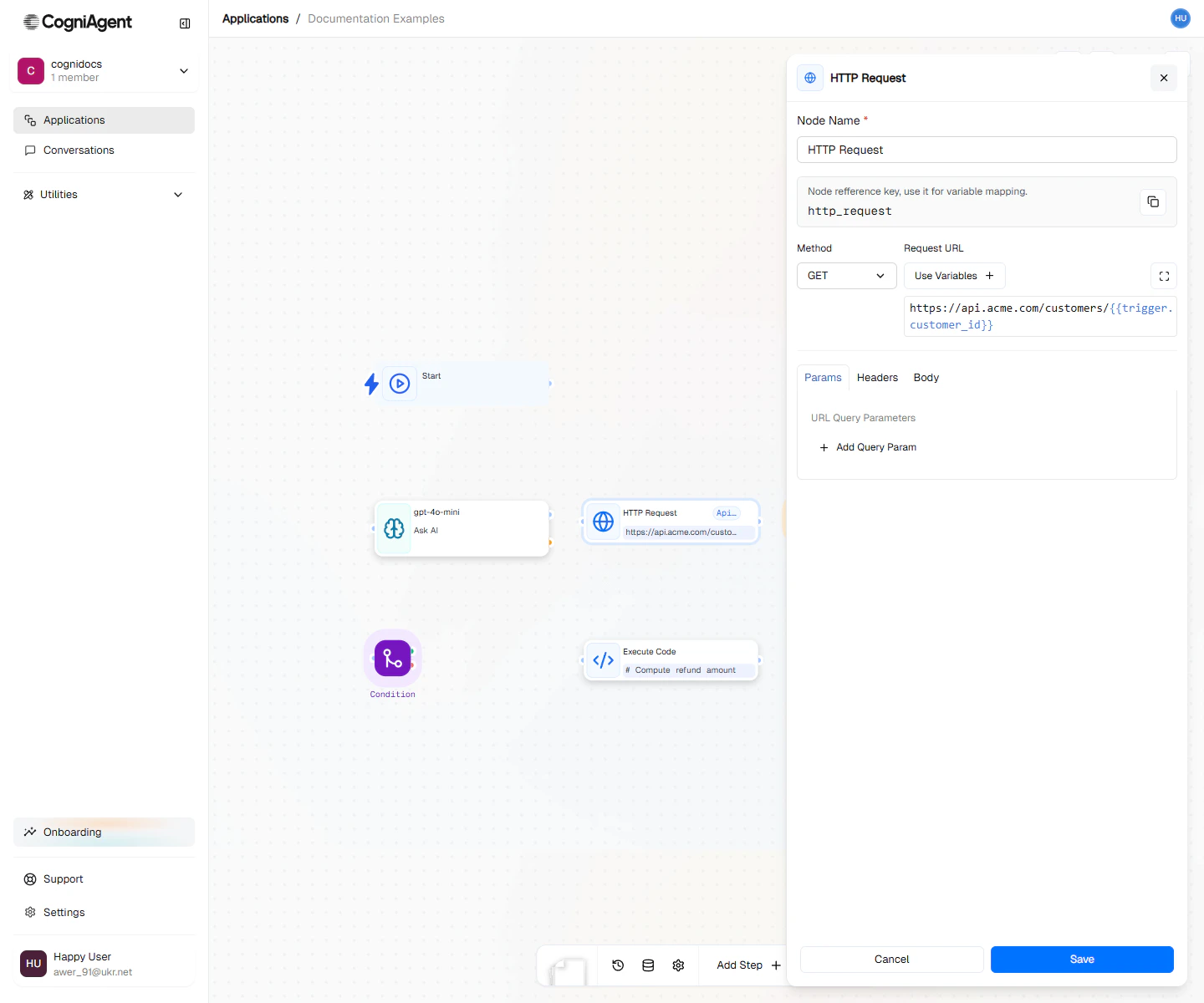
HTTP Request configuration — method, URL, headers, body, and where the response should be stored.
When to Use
- Services not in the app list - Connect to any website or service
- Your company’s systems - Connect to internal tools and databases
- Advanced connections - When you need precise control over how you connect
- Sending data - Push information to other systems
Example: REST API Integration
Query a customer API and process the results:1
Configure the request
Add an HTTP Request node:
- Method: GET
- URL:
https://api.example.com/customers/{{webhook_1.body.customerId}} - Headers:
2
Handle the response
Add an If / else node to check success:
3
Use the data
Access response data in subsequent nodes:
Example: POST with JSON Body
Create a record in an external system: Configuration:- Method: POST
- URL:
https://api.example.com/leads - Body type: json
- Body:
Example: GraphQL Query
Query a GraphQL API: Configuration:- Method: POST
- URL:
https://api.example.com/graphql - Headers:
- Body:
Example: File Upload
Upload a file using form data: Configuration:- Method: POST
- URL:
https://api.example.com/upload - Body type: form
- Body:
Logging In (Authentication)
Different services require different ways to prove you’re allowed to connect.Using a Token (Most Common)
Many modern services give you a token - a long string of characters - to prove who you are:Using Username and Password
Some older services use traditional login:Using an API Key
Some services give you a special key instead of a token:Error Handling
Always check the response status:Response Parsing
JSON (automatic)
If the response hasContent-Type: application/json, it’s automatically parsed:
Raw Text
For non-JSON responses, body is a string:Binary/Files
For binary responses, the body contains base64-encoded data. Use Execute Code to process.Retry Configuration
Configure retries for transient failures:Retries use exponential backoff by default: 1s, 2s, 4s…
Best Practices
Use Variables for URLs
Store Secrets Securely
Never hardcode API keys in the URL or body. Use workspace secrets:Handle Rate Limits
Check for 429 status and implement backoff:Validate Responses
Don’t assume success. Check status codes and validate expected fields:Tips
Settings
string
default:"HTTP Request"
What to call this node (shown on the canvas).
string
default:"http_request_1"
A short code to reference this node’s response.
string
required
What type of request to make:
- GET - Retrieve data (like loading a webpage)
- POST - Send data (like submitting a form)
- PUT/PATCH - Update existing data
- DELETE - Remove data
string
required
The web address to connect to. You can include data from previous nodes.
object
Extra information to send with the request (often needed for login credentials).
object
Values to add to the web address (like
?search=hello).any
The data to send (when using POST, PUT, or PATCH).
string
default:"json"
What format the data is in:
json (most common), form, raw, or none.object
How to log in:
- none - No login needed
- bearer - Use a token (common for modern services)
- basic - Use a username and password
- apiKey - Use a special key
number
default:"30000"
How long to wait (in milliseconds) before giving up. 30000 = 30 seconds.
boolean
default:"true"
Whether to automatically follow if the site redirects you somewhere else.
number
default:"3"
How many times to try again if it fails.
Outputs
any
The data that came back (the main response).
number
A number showing if it worked:
- 200 = Success
- 404 = Not found
- 500 = Something went wrong on their end
object
Extra information that came with the response.
boolean
True if it worked, false if not.
number
How long it took (in milliseconds).
Related Nodes
Integration Action
Simpler interface for 600+ integrated apps.
Execute Code
For complex request/response processing.