
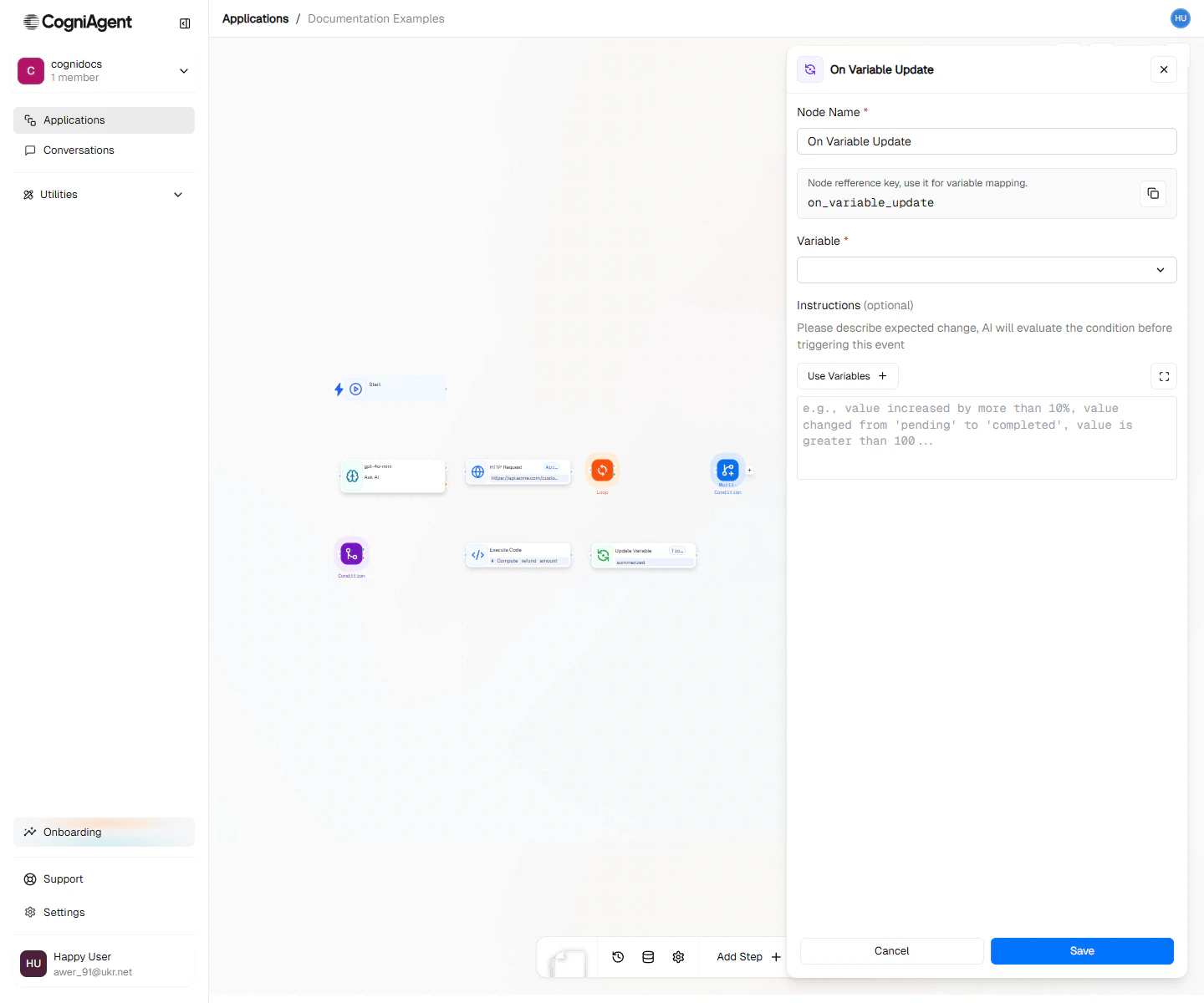
On Variable Update configuration — pick the variable to watch and optionally constrain to specific values.
When to Use
- State-driven workflows - React to status changes in your workflow
- Threshold monitoring - Trigger when counters or metrics cross thresholds
- Data synchronization - Propagate changes across systems
- Event broadcasting - One workflow updates a variable, others react
- Decoupled logic - Separate “what happened” from “what to do about it”
Example: Order Status Notifications
Notify customers when their order status changes:1
Set up the variable monitor
Add an On Variable Update node:
- Variable name: order_status
- Change type: any
2
Determine notification content
Use a Switch step on
{{variable_changed_1.newValue}}:- processing → “Your order is being prepared”
- shipped → “Your order is on the way”
- delivered → “Your order has been delivered”
3
Send the notification
Connect to an Integration Action (email or SMS) node to notify the customer.
Example: Threshold Alert
Alert when error count exceeds a threshold: Monitor workflow:- Variable:
error_count - Change type:
increase
Example: Configuration Propagation
Update multiple systems when a configuration changes:Use Patterns
Event Broadcasting
One workflow sets a variable, multiple workflows react:State Machine
Build state machines where transitions trigger actions:Counter-Based Triggers
Trigger actions based on accumulated counts:Tips
Variable changes from Update Variable nodes within the same workflow don’t trigger On Variable Update events in that same workflow run. This prevents self-triggering.
Settings
string
default:"On Variable Update"
Display name shown on the canvas.
string
default:"variable_changed_1"
Unique identifier for referencing outputs.
string
required
The name of the workflow variable to monitor.
string
default:"any"
What type of change to trigger on:
- any - Any change to the variable
- specific - Only when changed to a specific value
- increase - When numeric value increases
- decrease - When numeric value decreases
any
For
specific change type: the value that triggers the event.Outputs
string
Name of the variable that changed.
any
The value before the change.
any
The current value after the change.
string
ISO timestamp of when the change occurred.
string
Identifier of what triggered the change (workflow ID, node key, or “manual”).
Related Nodes
Update Variable
Update variables that trigger this event.
If / else
Add logic based on the changed value.