
Knowledge bases
Search your indexed documents — product docs, policy PDFs, FAQs.
Integrations
Call actions on connected apps — Gmail, Slack, Salesforce, Shopify, 2,700+ more.
Tools
Search the web, read a page, run code — or your own tools: a Python snippet, an HTTP endpoint, a CogniAgent workflow.
Where capabilities live
Open the actor’s panel (double-click the actor) and pick a section in the rail on its left: Tools, Knowledge, Integrations or Hooks. The number next to a section counts what it holds; on Tools, that’s your active custom tools plus the built-in tools that are on. Adding or editing an item opens its editor inside the panel, in place of the list. Click Save to keep it, or Cancel (or the back arrow) to return to the list. Each change to the list saves straight away: adding, editing, switching an item on or off. On Tools, Knowledge and Integrations, Remove takes an item off at once, and a toast offers Undo for 10 seconds. Deleting a hook asks you to confirm. When a knowledge base or custom tool has no description, the section says so (A name is not enough): the actor decides when to use it from its name and description, so describe what it does and when to use it.Knowledge bases
In the Knowledge section, click Add and pick a knowledge base from your workspace’s Knowledge Base library. If the workspace has none yet, the section offers Create a knowledge base. The actor gets asearch_knowledge_base tool it can call whenever it needs to look something up.
Fields when you add a KB:
Integrations
Integrations give an actor the ability to act on connected apps. In the Integrations section, click Add Integration. Three-step flow:1
Pick an app
Browse the catalog (2,700+ apps). Search by name — Gmail, Slack, Salesforce, etc. Each app shows how many actions it exposes.
2
Pick a connection
Choose an existing connection or set up a new one. Connections live in the Integrations page of your workspace.
3
Pick which actions to expose
Each app has many actions. You choose which ones this actor can call. Only checked actions are exposed to the actor as tools.For example, Gmail has
send-email, list-messages, search-threads, etc. If this actor only ever needs to send emails, give it only send-email. Narrow scope = safer behaviour.send-email). The LLM picks the tool’s arguments — to, subject, body — based on the actor’s instructions and the conversation context.
No action fits? Custom API calls in the app’s panel lets the actor call any part of the app’s API with the same connection, read only or read and write. See Custom actions.
Workflows have the same concept: the LLM node’s Integrations section binds apps and actions to a single workflow step.
A worked example
A “Send confirmation email” actor:- Capability: Gmail → connection
Acme Gmail→ actionsend-email. - Instructions: “After collecting the user’s name, email, and request, send them a confirmation email summarizing what we’ve captured. Use the send-email tool.”
send-email with to=<user's email>, subject="We received your request", and a body containing the summary. The email lands in the user’s inbox; the actor confirms in chat.
Tools
The Tools section starts with three built-in tools you switch on or off:
Below them are your Custom Tools. Click Add and pick one of three types: Execute Workflow, Execute Code or HTTP Request. To change or remove a tool, use the ⋮ menu on its row.
Execute Code
A Python snippet the actor can run. Sandboxed; preinstalled with common libraries.args based on the conversation; the snippet returns structured data back.
Best for: calculations, formatting, data transformations.
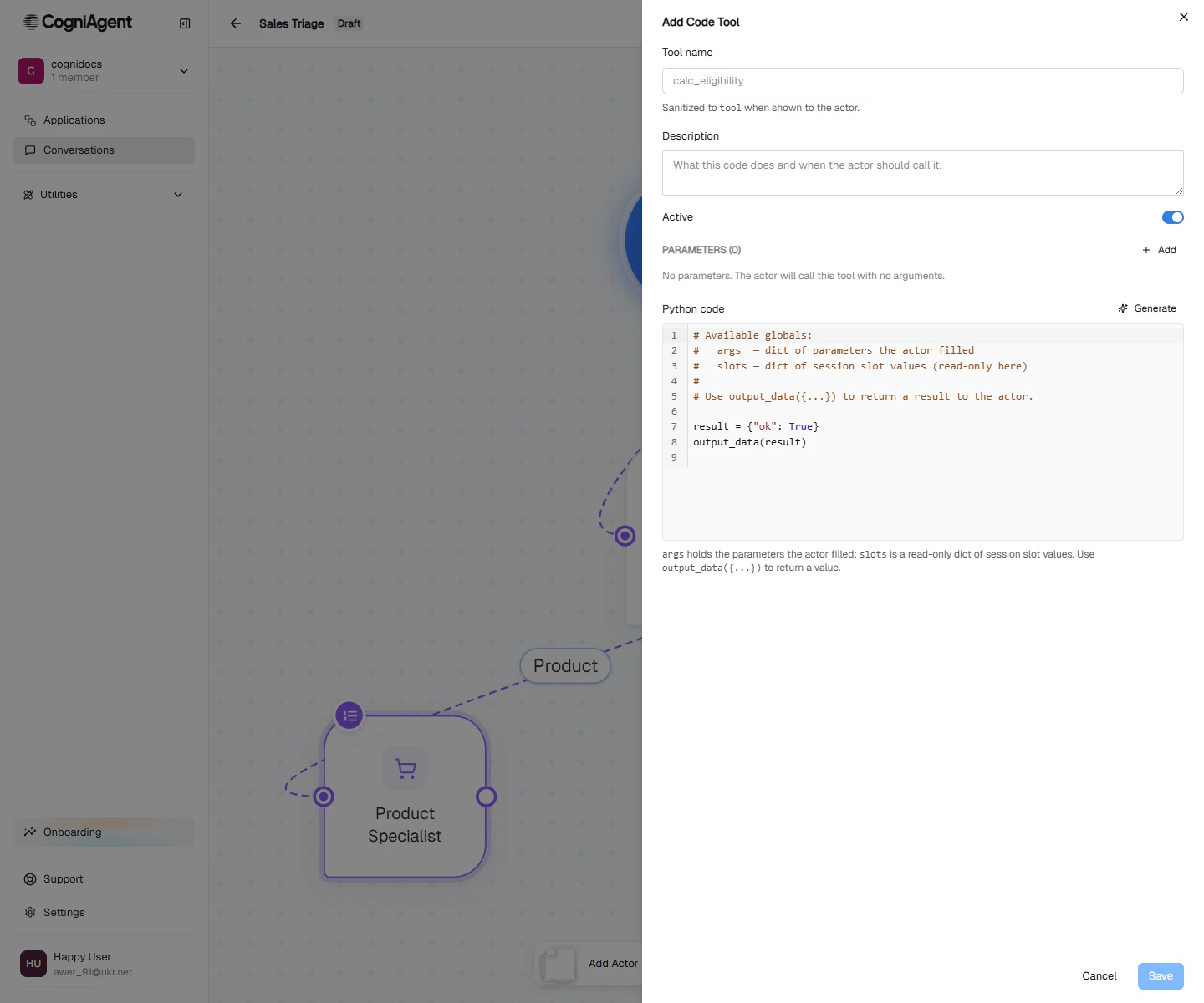
Execute Code form — name, description, parameters, and a Python editor. The LLM fills args; you write what to return via output_data(...).
Execute Workflow
Kicks off another CogniAgent workflow by id. Optionally waits for it to finish and returns the result. Best for: deterministic multi-step processes you’ve already built as workflows — refund processing, lead scoring, report generation.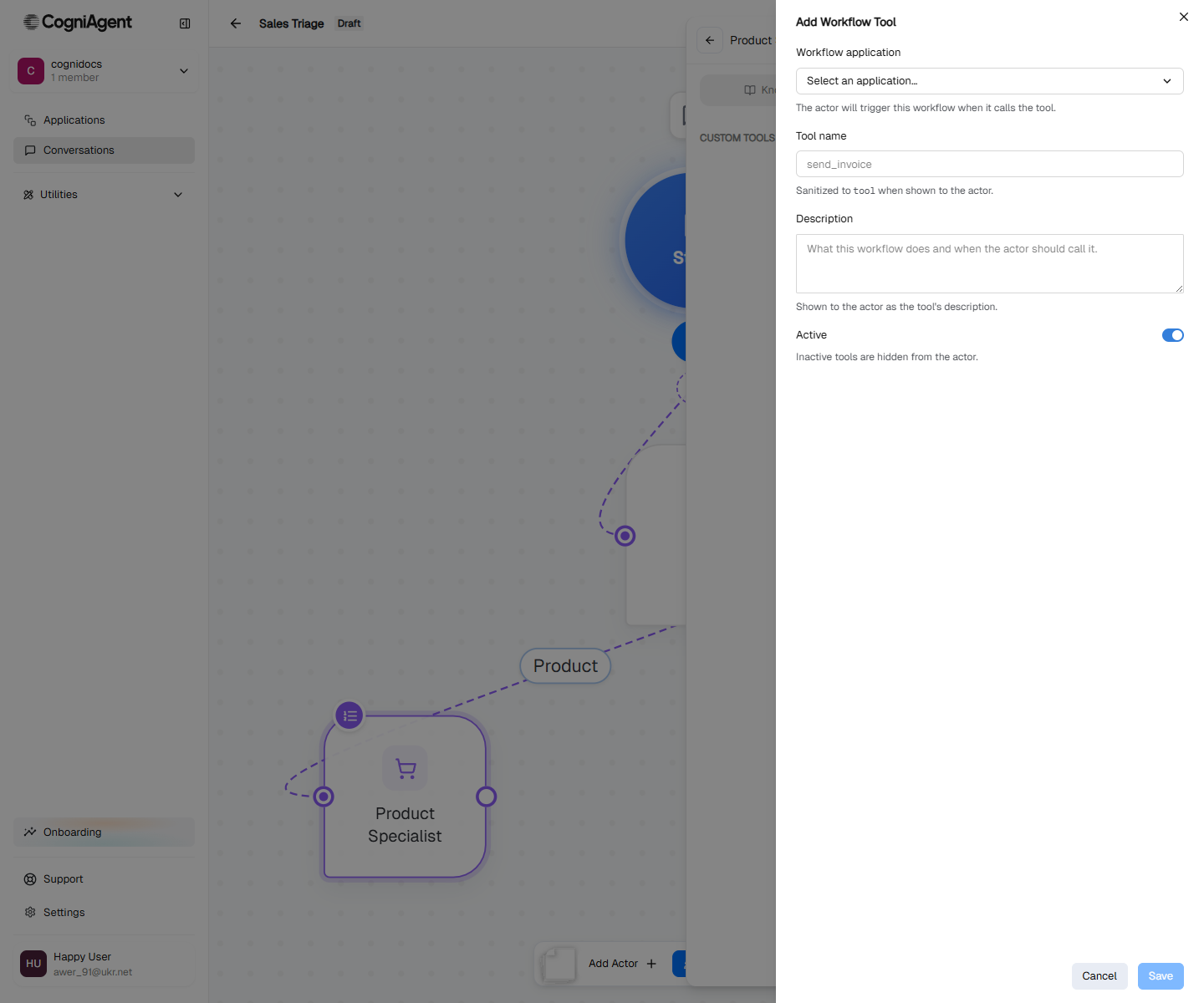
Execute Workflow form — pick the deployed workflow and map the LLM's arguments to its inputs.
HTTP Request
Make an HTTP call to an internal API or third-party endpoint. Configure method, URL, headers, body schema; parse the response. Best for: lightweight integrations to APIs you control, or one-off endpoints that don’t justify a full integration.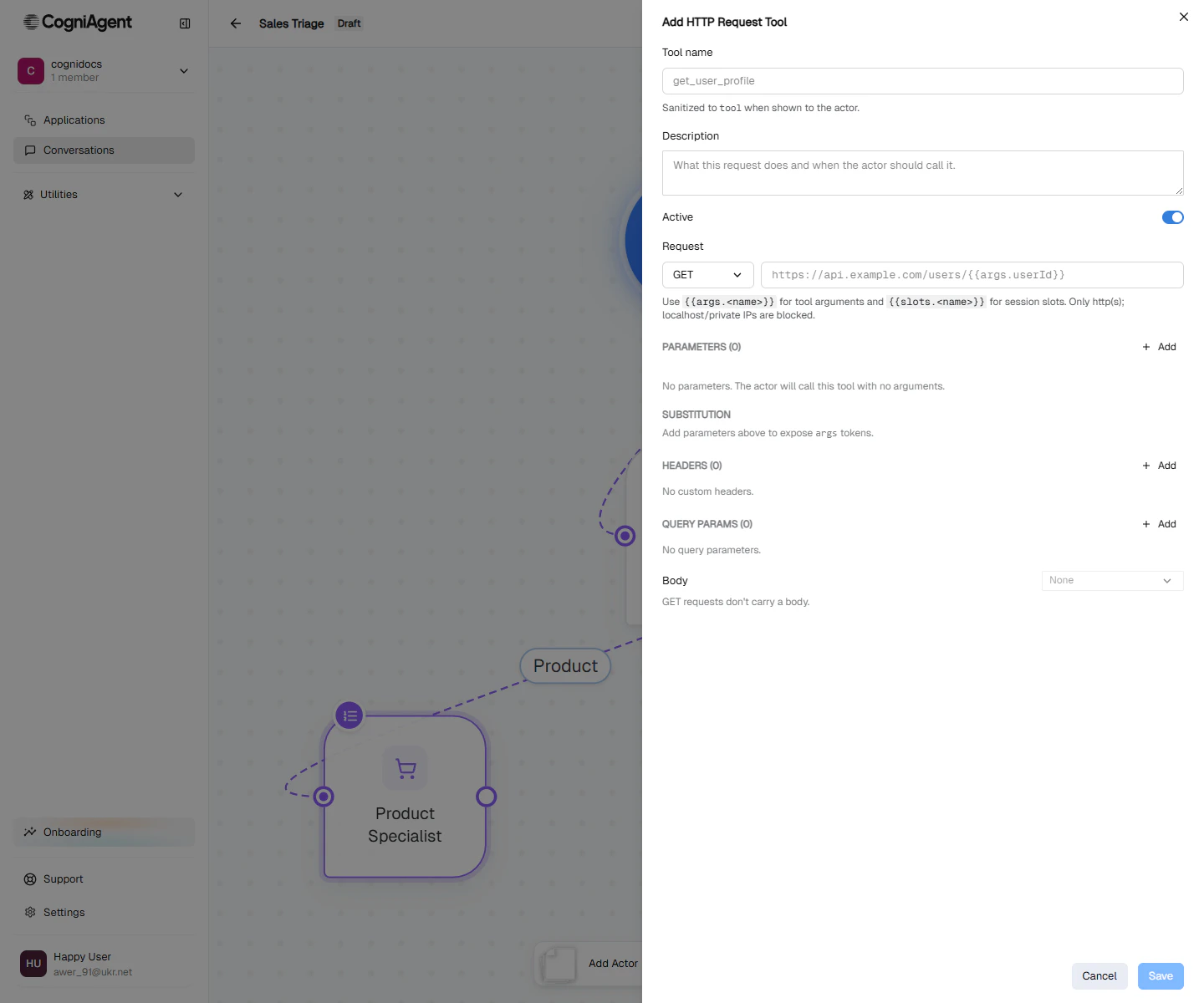
HTTP Request form — method, URL, headers, parameters, and an optional response parser.
Hooks
A hook is a background automation: when something happens in the conversation, the AI runs an instruction you wrote, out of the user’s sight. For example, when the actor captures theemail slot, add the lead to your CRM.
In the Hooks section, click Add hook and pick when it runs. On an actor, that’s Actor activated, Actor completed or Slot captured. You can add a condition checked against the conversation before the hook runs. Hook runs show in the conversation’s transcript.
Routing tools every actor has
Independent of what you configure, every actor automatically has the routing tools its focus mode allows:done (signal completion), hand off to a sibling, escalate to global, ask user to clarify. You don’t see these in the panel — they’re managed by the platform.
Global vs per-actor capabilities
You can also configure capabilities at the flow level — every actor inherits them.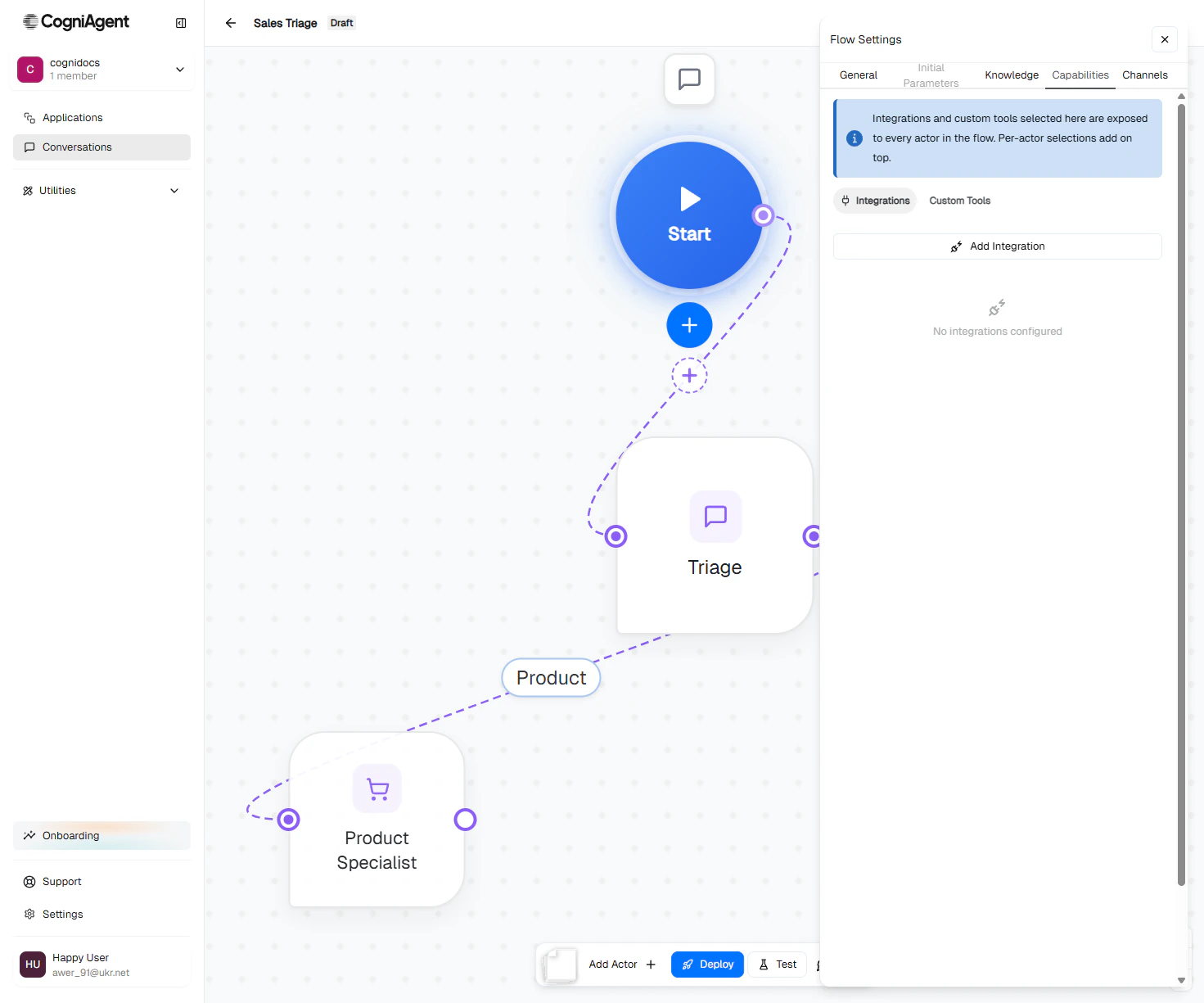
- Every actor needs the same knowledge base (e.g. company FAQ).
- You’re configuring an integration once that multiple actors will use (e.g. Slack notifier).
- Only one actor needs the capability (e.g. only Returns Specialist needs Shopify access).
- Access should be restricted for privacy / scope reasons.
Anti-patterns
Next
Step builder
Script an actor’s behaviour step-by-step.
Agent settings
Flow-level context, knowledge, and integrations.