
Running several at once
Your coworkers work in the background, so there’s no reason to wait. Start a research task, leave it running, and start something else. Come back when the first one’s done. Tasks are yours. Other people in your workspace have their own, even when you share a coworker — so a colleague giving Nora a job doesn’t interrupt yours.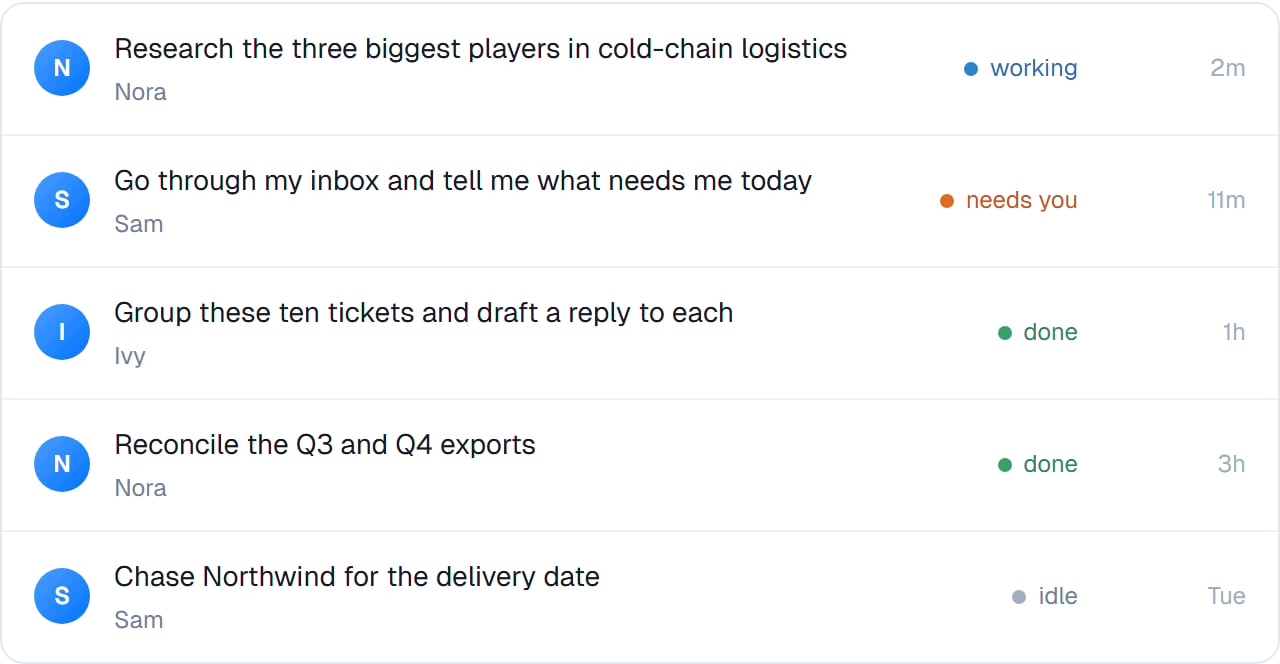
Everything in flight, and which coworker has it. The one to look at first is always "needs you".
Starting a new one
From the header of any task, or with/new. Start a new task when the job is genuinely different — not just because the last one got long.
Coming back to one
Open any task and it’s exactly as you left it — the conversation, the files, the steps it took. Send a message and your coworker picks up with everything it knew. You don’t re-explain. This is why “actually, also do X” works days later.Marking one done
There’s a Mark task done control in the header for tidying up. It parks the task rather than closing it for good:Task closed. Send a message to re-open it.That’s deliberate. Work you thought was finished often isn’t, and a task you can revive with a message is more useful than one you have to recreate.
A task that ends naturally isn’t closed either — your coworker posts a wrap-up and stops. Marking done is for tidiness, not for finishing.
Choosing the right coworker
Give a task to the coworker whose job it is. A research question to the researcher, an inbox to the assistant. If you’re not sure, pick the closest and let it hand the work on. With Work with coworkers switched on, it can ask another coworker rather than doing an unfamiliar job badly. The other coworker’s task shows up in your list too, titled with who asked, like For Sam: Research Northwind’s last quarter….Good to know
Files belong to their task. A file from one task isn’t visible in another. To keep something around, save it to the coworker itself — see Files overview.
Common questions
How many tasks can run at once?
How many tasks can run at once?
Enough for real work. If several are running they simply proceed in parallel — you don’t have to sequence them.
Can I hand a running task to a different coworker?
Can I hand a running task to a different coworker?
Not directly. Either start a new task with the right coworker, or let the current one hand off the part it can’t do. Type
@ and pick a coworker to name who it should go to.Do old tasks cost anything?
Do old tasks cost anything?
No. A task that isn’t running isn’t doing anything. Keep them.
Can my colleagues see my tasks?
Can my colleagues see my tasks?
Tasks are private to whoever created them, even when the coworker is shared.
What happens to a task if I pause the coworker?
What happens to a task if I pause the coworker?
Stop the task first for a clean finish. Pausing stops new work rather than tidying up work in flight — see Retiring and re-hiring.
Next steps
The conversation
Working inside a task.
Long conversations
When one runs long.
Your roster and team view
The wider view.
Schedules
Tasks that start themselves.