
A narrated tour, so turn your sound on. Ivy, a support coworker, groups 200 tickets by theme with a team of helpers, then keeps the run to use again.
What it does
Some jobs aren’t hard, they’re just big. Two hundred support tickets to group by theme. Twenty companies to research before Thursday. A year of meeting notes to boil down. Your coworker starts by writing a plan: the phases the job breaks into. Then it hands the work to temporary helpers. Each one takes a slice, works on it alone, and reports back. Your coworker pulls their reports into one answer, and the helpers are gone when the job is done. These run-only helpers aren’t your coworker’s custom helpers, the named specialists you set up yourself. A run can put those to work too.When you’d use it
- “Go through all 200 support tickets and group them by theme.”
- “Research the 20 companies on our shortlist and fill in the same profile for each.”
- “Summarise a year of meeting notes, month by month, into one page of decisions.”
- “Score these 12 supplier quotes against our spec, and have each score double-checked.”
- “Keep searching review sites for complaints about our app until a round turns up nothing new.”
Turning it on
Open your coworker, choose Capabilities, and find Dynamic workflows under Collaboration. Turn it on. The row describes a team of temporary helpers for large jobs, working side by side, in stages, or checking each other. It also says the capability is powerful on big jobs, and costly.Needs “Code and files” turned on above to do anything.

The warning sits on the row itself, so the switch never reads as on while nothing happens.
What it looks like
Each run gets its own card in the conversation. Here’s the one from Ivy, a support coworker, partway through grouping 200 tickets by theme.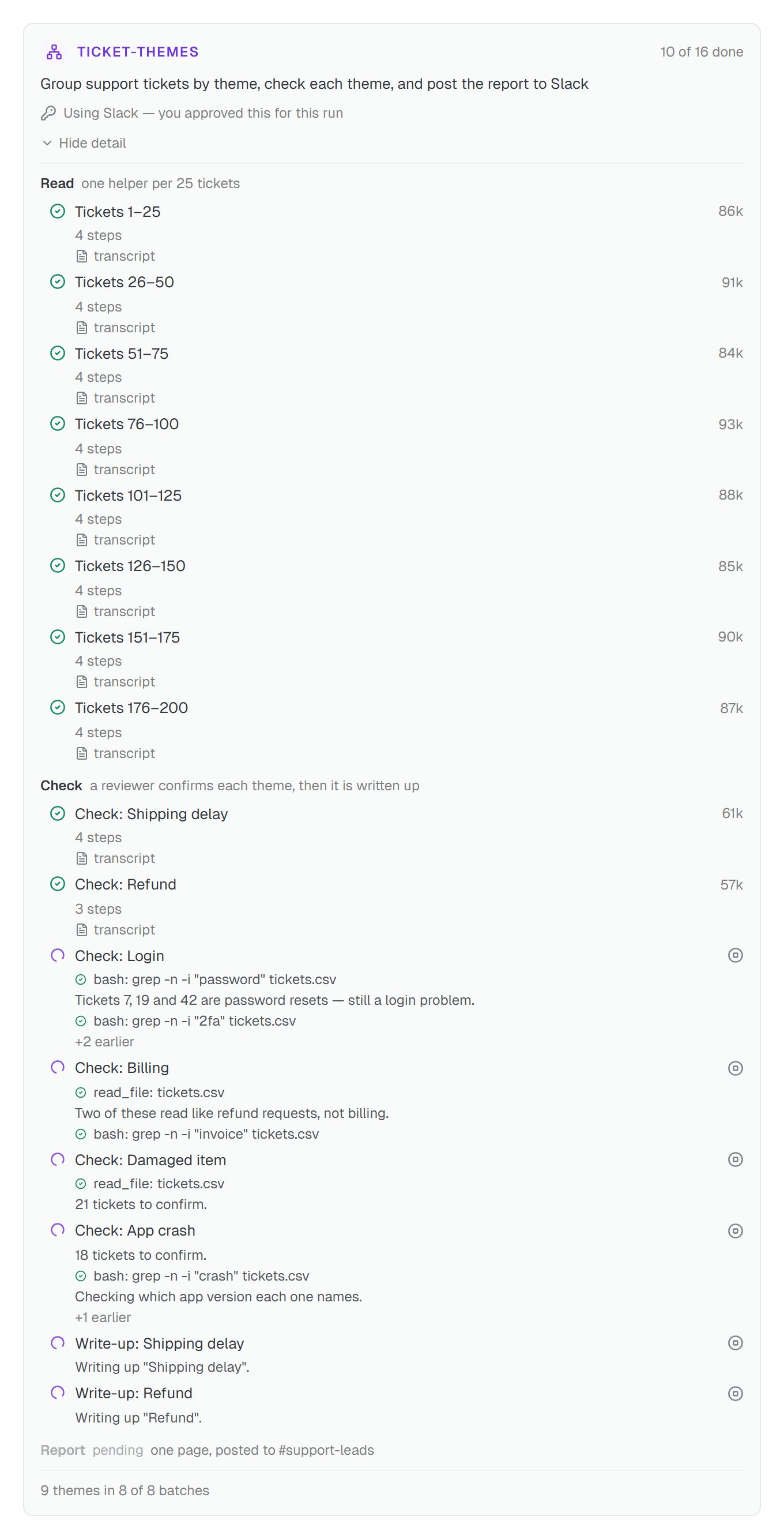
Ivy's ticket-themes run partway through. All eight Read helpers are done, and the Check helpers are working through the themes.
The plan comes first
Helpers fill in live
Stop one that's off track
One answer at the end
Letting a run use your apps
Helpers can’t touch your connected apps unless the plan asks for them. The one exception is a custom helper with no tool list, which can still do what your permission rules already allow without asking. Ivy’s plan names Slack, because its last step posts the report to #support-leads. When a plan names an app, you’re asked once, before anything runs. The plan appears on the card once you approve.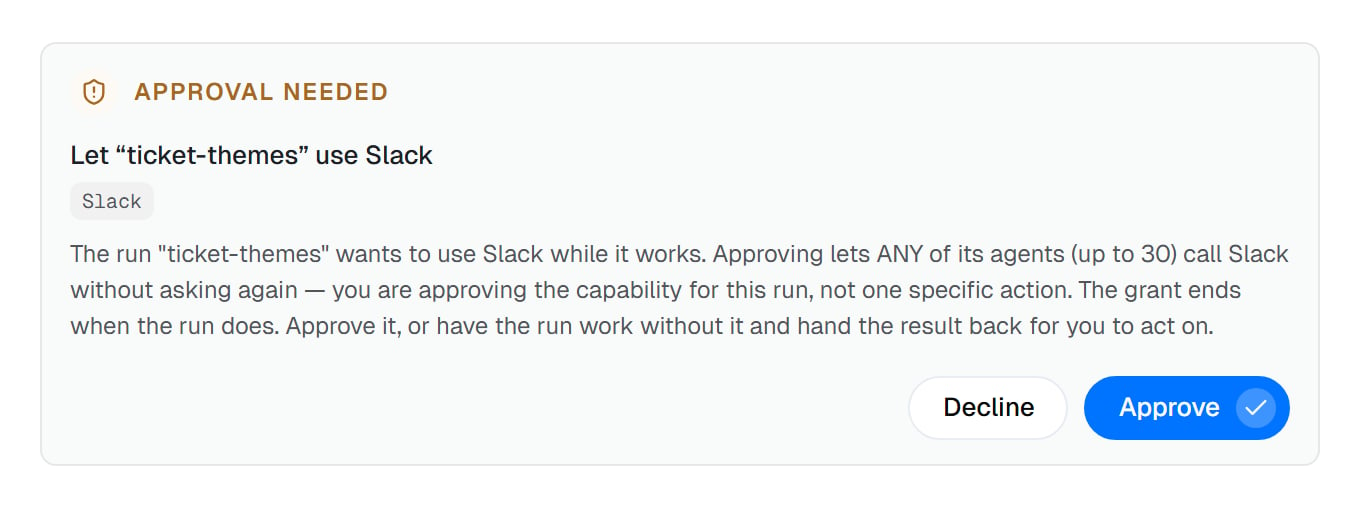
One question for the whole run. There's no Always allow, because every run asks for itself.
- Approve lets any of the run’s helpers, up to 30, use Slack without asking again. The permission ends when the run does, and the card keeps a line saying Using Slack — you approved this for this run.
- There’s no Always allow. A standing rule would approve the apps of every future run, so each run asks on its own.
- A “never” rule still wins. Approving a run can’t override a permission rule that says Never. Anything else that would need your yes is refused, and the helper says so in its report.
- Decline, and nothing has run, so nothing is lost. Your coworker can rework the plan without the app and hand you the result to act on.
Long runs
A big run doesn’t have to finish in one go. After about ten minutes of work it pauses, then picks up again on its own straight away.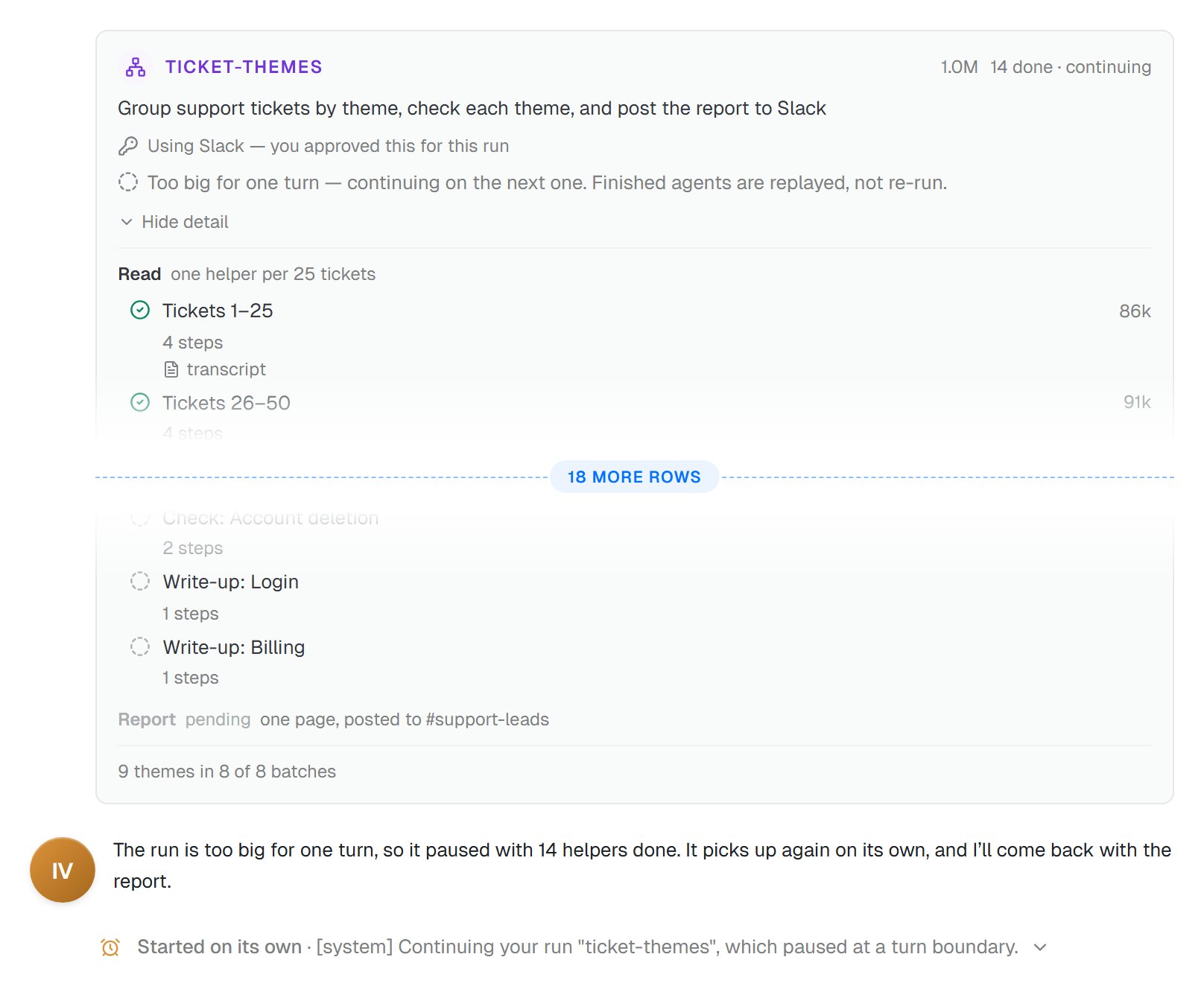
Ivy's run pauses at 14 done, then starts its next stretch on its own. Finished helpers aren't run again.
Too big for one turn — continuing on the next one. Finished agents are replayed, not re-run.In plain terms: helpers already working finish first, and finished helpers aren’t run or paid for again. The next stretch appears in the conversation as Started on its own. There’s nothing for you to do.
Keeping a dynamic workflow you like
When a run turns out well, keep it. Once a run completes, its card offers Make repeatable. Its tooltip reads “Saves this run as a dynamic workflow, then adds it to Workflows with a trigger that runs it.”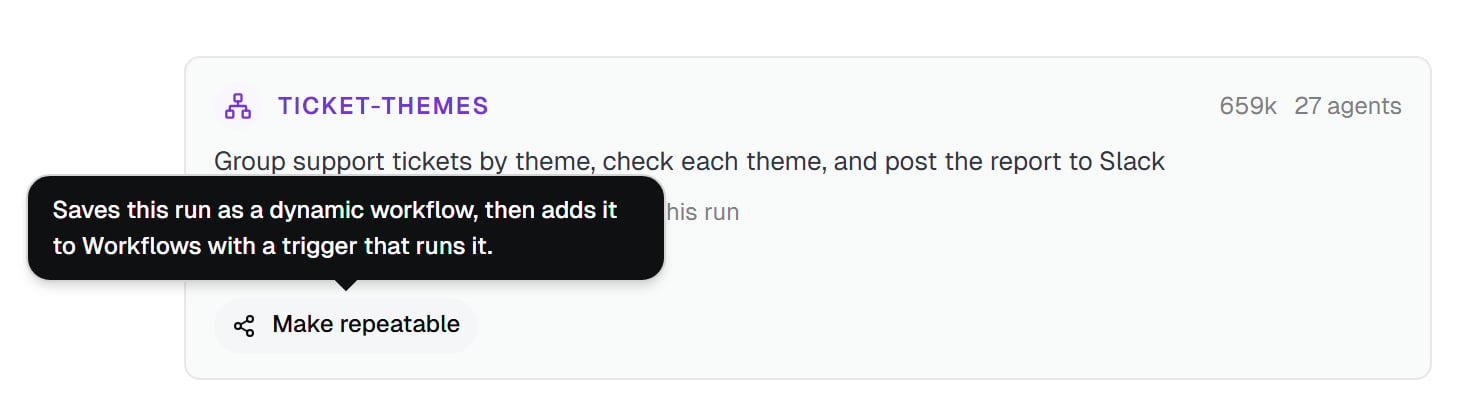
Make repeatable appears only on a run that completed. Ivy's ticket-themes run is ready to keep.
- A saved dynamic workflow. It’s kept in your coworker’s own files, so every task can use it. In the chat, type /ticket-themes. Its row in the slash menu reads “Run the ticket-themes dynamic workflow”. Add what it should work on after the name, like
/ticket-themes march-tickets.csv, then send. - A separate workflow. A new one appears under Workflows. It isn’t the dynamic workflow itself. It has a Start trigger, then one step that asks Ivy to run ticket-themes and waits for the result. Add steps after it to act on what comes back.
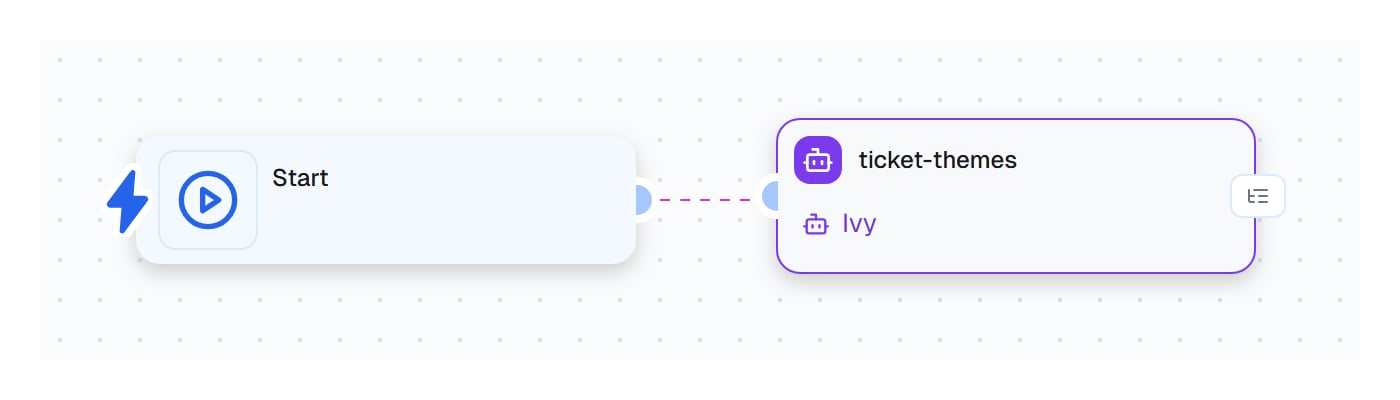
The workflow that Make repeatable builds: a Start trigger, then one step that hands the ticket-themes job to Ivy.
Under the hood
The plan your coworker writes is a short script, built from a handful of building blocks:agent, parallel, pipeline, phase, log, budget and args. You don’t need to read it to use any of this. To read one part by part, see Dynamic workflow scripts.
Good to know
Common questions
Can I stop just one helper?
Can I stop just one helper?
How much does a dynamic workflow cost?
How much does a dynamic workflow cost?
What happens if a helper fails?
What happens if a helper fails?
Can a dynamic workflow post to Slack or use my other apps?
Can a dynamic workflow post to Slack or use my other apps?
Can I run a dynamic workflow on a schedule?
Can I run a dynamic workflow on a schedule?