
What “ready-made” actually means
A ready-made coworker isn’t a name and an icon. Each arrives with four things already in place:- Standing instructions — how to approach the work, what good looks like, when to stop and ask
- A personality — how it writes and how it talks to people
- The right capabilities switched on, and the wrong ones switched off
- Skills and specialist helpers — procedures for the parts of the job that have a right way of being done
The five
Research Analyst — turns open questions into cited, decision-ready briefs
Research Analyst — turns open questions into cited, decision-ready briefs
Role: Research and synthesisWhat it’s for: the questions that need a real answer before a decision — market sizing, competitor positioning, whether a claim holds up. It comes back with a brief you can act on, and every claim carries its source.Comes with: deep research, source vetting and brief-writing procedures, plus two specialist helpers — a source scout and a fact-checker.Switched on: web search, reading web pages, code and files.Best first task: “Research the three biggest players in [your market] and tell me how they price.”
Executive Assistant — triages, drafts, preps your meetings, closes every loop
Executive Assistant — triages, drafts, preps your meetings, closes every loop
Role: Executive assistanceWhat it’s for: the administrative weight that eats a morning. It reads the inbox, decides what matters, drafts the replies, prepares you for the meetings, and keeps track of everything you said you’d do.Comes with: inbox triage, meeting preparation and commitment-tracking procedures, plus a background researcher it can send off to find out who you’re about to meet.Switched on: web search, reading web pages, code and files, self-scheduling, and talking to people — so it can chase a reply on your behalf and pick up when it arrives.Best first task: “Go through my inbox and tell me what actually needs me today.”
Support Agent — drafts grounded replies and flags anything risky
Support Agent — drafts grounded replies and flags anything risky
Role: Customer supportWhat it’s for: the first pass on a support queue. It triages what comes in, drafts replies grounded in what you actually know rather than invented, and escalates anything it shouldn’t answer alone.Comes with: ticket triage and customer-reply procedures, plus two helpers — one that digs through your knowledge base, and a reviewer that checks a reply before it goes out.Switched on: web search, reading web pages, code and files, and talking to people.Best first task: “Here are ten open tickets — group them and draft a reply to each.”
SDR — researches prospects and drafts outreach worth replying to
SDR — researches prospects and drafts outreach worth replying to
Role: Outbound sales developmentWhat it’s for: the research that makes outreach land. It finds out what’s actually going on at a company before it writes, so the email says something true and specific rather than generic.Comes with: prospect research and outreach-writing procedures, plus two helpers — a prospect researcher and a copy critic that tears the draft apart before you see it.Switched on: web search, reading web pages, code and files, and self-scheduling for follow-up timing.Best first task: “Research these five companies and draft a first email to each.”
Data Analyst — profiles, analyses and charts your data with verified numbers
Data Analyst — profiles, analyses and charts your data with verified numbers
Role: Data analysisWhat it’s for: the export nobody has time to open. It profiles the data, finds what’s interesting, charts it, and — importantly — checks its own arithmetic before telling you anything.Comes with: dataset analysis and charting procedures, plus a dedicated numbers checker whose only job is verifying the figures.Switched on: web search, reading web pages, code and files.Best first task: “Here’s last quarter’s sales export — what should I be worried about?”
Hiring one
Open Cowork → Roster and choose Hire. Pick a card and it’s yours — no configuration step, no wizard. The coworker appears on your roster ready for its first task.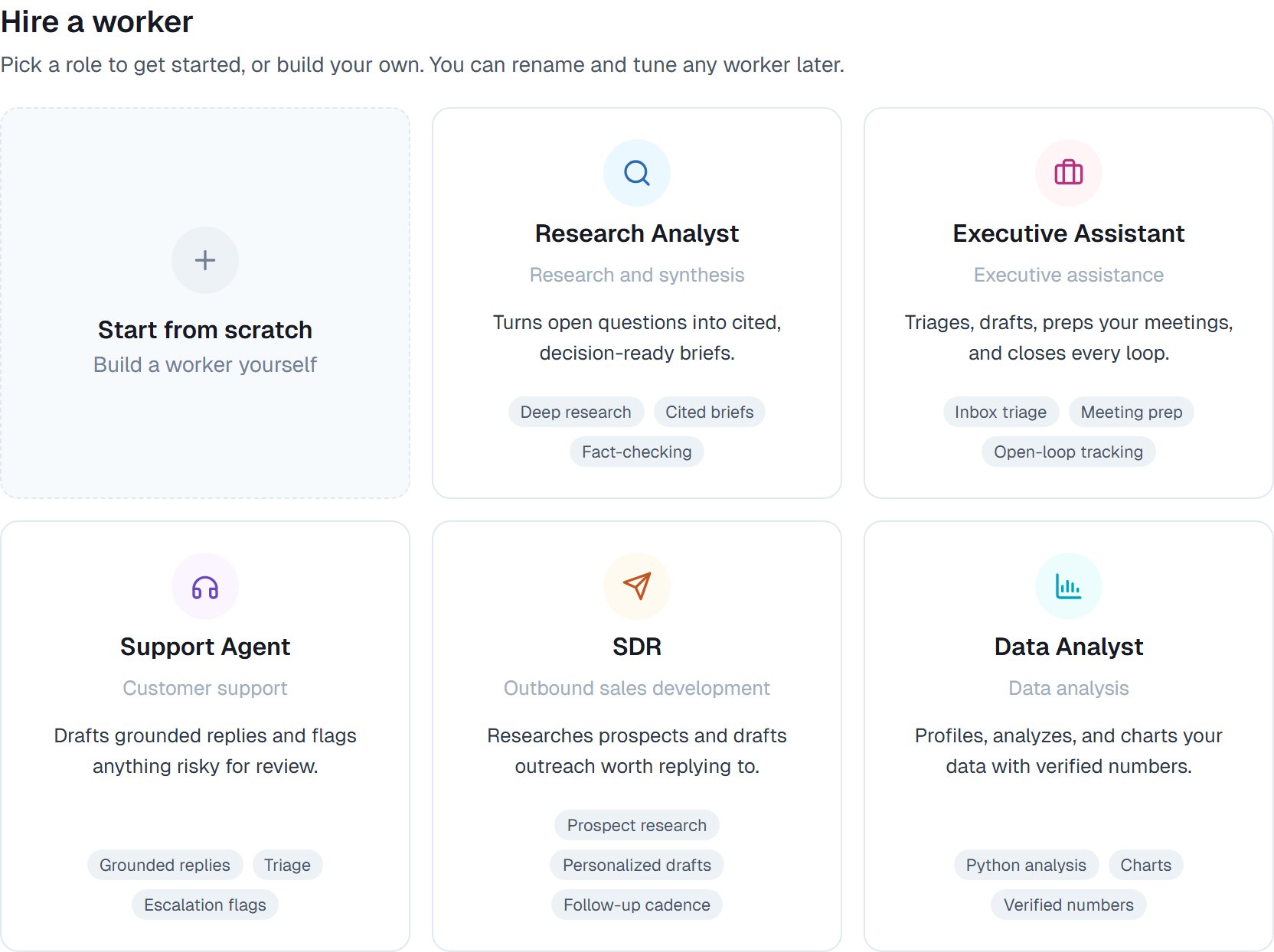
The hire gallery. Five ready-made roles and, bottom right, an empty coworker you write yourself.
Good to know
Every ready-made coworker arrives with a deliberately narrow set of capabilities — what its job needs, and nothing else. If yours needs more, switch it on. Anything in the capabilities list is available to any coworker.
Common questions
Can I change one after hiring?
Can I change one after hiring?
Yes, completely. The instructions, personality, capabilities and skills are all yours to edit. A template is a starting point, not a fixed thing.
What if none of the five fits my job?
What if none of the five fits my job?
Start from scratch, or hire the closest one and rewrite its instructions. People often find the Executive Assistant is a decent base for anything administrative.
Can I hire the same one twice?
Can I hire the same one twice?
Yes — two Research Analysts pointed at different subjects is a perfectly reasonable setup. Give them different names so you can tell them apart on the roster.
Do they need apps connected to be useful?
Do they need apps connected to be useful?
Not to start. All five do real work with just their built-in capabilities. Connecting your inbox or CRM makes them considerably more useful — see Connecting your apps.
Can I save my own version as a template?
Can I save my own version as a template?
Yes. Once you’ve tuned one, save it as a template and hire that same setup again. See Retiring, re-hiring and templates.
Next steps
Hiring a coworker
Both ways to hire, step by step.
Giving instructions
Make one your own.
What a coworker can do
Every capability, explained.
Quickstart
First task in ten minutes.