
Creating one
1
Open the coworker's Files tab
Skills live with the coworker, alongside its instructions and personality.
2
Add a new skill and name it
Lowercase letters, numbers, dashes and underscores; start with a letter or number; up to 64 characters.
competitive-analysis and monthly_report are both fine.3
Write the description
One line saying when this skill applies. This is the most important field on the page — see below.
4
Write the procedure
The steps, in order, in plain language.
/skill, optionally naming it — useful right after your coworker has done something well, when the method is fresh.
The description does the work
Your coworker reads every skill’s name and description to decide which one a task calls for. If the description is vague, the skill sits unused.Weak: “Research procedure” Better: “Use when asked to compare us against a named competitor — covers pricing, positioning and what to check for.”Write it as when to use this, not what this is. The difference is whether your coworker recognises the moment.
Writing the procedure
Steps in order, one thing each. If two things can happen in either order, say so. Say what “done” looks like. A skill that ends without a finish line leaves your coworker guessing when to stop. Include the judgement calls. The steps are the easy part; what makes a skill valuable is the “if the number is more than 20% off, flag it rather than fixing it silently”. Name the output. “Ends with a one-page brief: recommendation first, then three supporting points, then sources.”A worked example
Name:competitive-analysisDescription: Use when asked to compare us to a named competitor. Procedure:
- Find their current pricing page and read it properly. Note the date.
- Find their positioning — homepage headline, and how they describe themselves.
- Check for anything from the last three months: funding, launches, layoffs.
- Compare against ours on price, target customer, and the three features we win on.
- If you can’t find current pricing, say so rather than using an old figure.
- Finish with: one-line summary, a comparison table, and where we’re vulnerable.
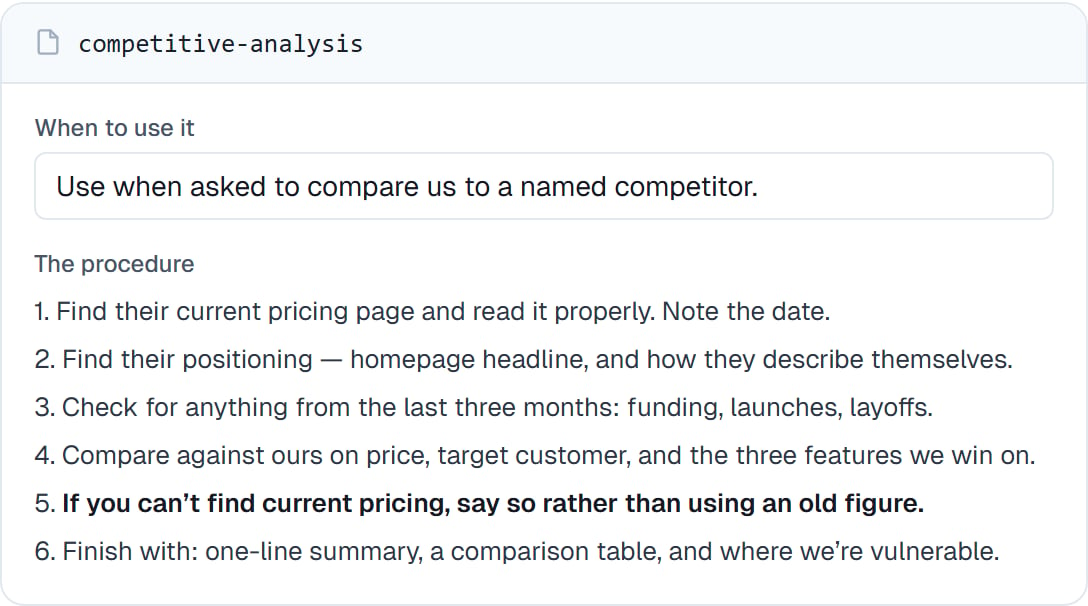
The same skill in the editor. The description is the field that decides whether it ever gets used.
Good to know
Common questions
How long should a skill be?
How long should a skill be?
As long as the procedure genuinely is. Half a page is common. If it’s running to several pages, it’s probably two skills.
What if my coworker does not use the skill I wrote?
What if my coworker does not use the skill I wrote?
Almost always the description. Rewrite it as “use when…” and be specific about the trigger. You can also call it directly with
/skill-name to check the procedure itself works.Can I edit a skill later?
Can I edit a skill later?
Yes, any time. Editing as you notice gaps is the normal way skills get good.
Can I delete one?
Can I delete one?
Yes. If you might want it back, your coworker also keeps skills it has retired — see Skills that improve themselves.
Next steps
Running a skill
Call it by name.
What skills are
Skills versus instructions versus memory.
Custom helpers
When a skill isn’t enough.
Skills that improve themselves
Let your coworker propose them.